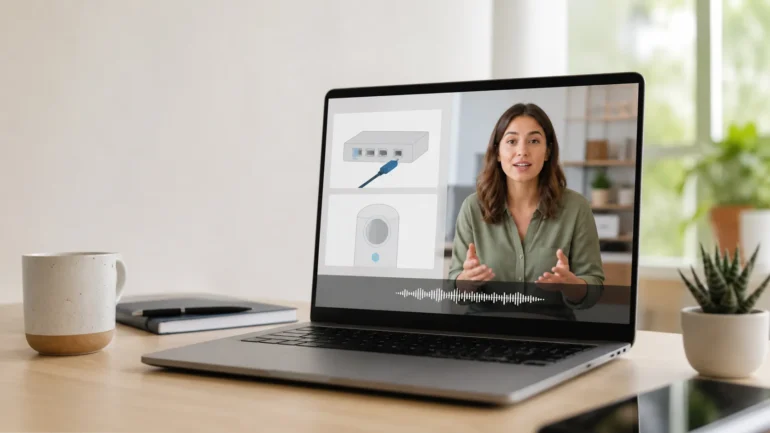
A talking photo can turn one approved portrait into a presenter for a welcome message, product explanation, or frequently asked question. That makes the format attractive to small support and education teams: the script can be updated without arranging another recording session, and the same visual presenter can appear across a series.
But convenience is not the same as credibility. A synthetic presenter works best when the message is factual, short, and easy to verify. It is a poor choice when viewers need to see a real demonstration, judge an authentic testimonial, or understand a sensitive decision.
Choose Questions That Suit a Presenter
Good talking-photo topics include account setup, feature introductions, event reminders, course navigation, and simple policy explanations. Each clip should answer one question. A viewer who searches “How do I change my delivery address?” needs a direct explanation, not a general brand video.
Create a list of recurring questions from support tickets, search data, and onboarding feedback. Rank them by frequency and by how well a spoken answer can resolve them. If the explanation depends on several interface steps, combine the presenter with a screen recording rather than keeping the face on screen throughout.
Avoid using a synthetic face for emergency instructions, individualized medical or financial advice, legal conclusions, or statements that could be mistaken for a real person’s endorsement. In those cases, clarity, authority, and traceability matter more than production speed.
Use an Approved Identity
The source portrait should belong to the organization, a licensed character, or a person who has given explicit permission for synthetic animation. Consent should cover the scripts, languages, distribution channels, and expected duration of use.
Do not assume that permission to use a headshot includes permission to animate it. An employee may agree to appear on a staff page but not to become a reusable virtual spokesperson. Give participants a way to withdraw from future use and maintain a record of approved scripts.
For a fictional or illustrated presenter, document the image license and avoid designing a character that could be mistaken for a specific real person.
Write for Listening
Customer education scripts should sound like helpful speech, not copied help-center text. Open with the answer or outcome. Use short sentences, familiar terms, and one instruction at a time.
For example, replace “Users seeking to modify the billing address associated with an existing order may navigate to…” with “Open your order, choose Billing Details, and select Edit.” Spoken language rewards direct verbs.
Read the script aloud. Mark product names, abbreviations, and numbers that need pronunciation guidance. Keep the first test short enough to review carefully. A 20-second clip that answers one question is often more useful than a two-minute synthetic monologue.
Match the Portrait, Voice, and Motion
Choose a clear, front-facing portrait with the full mouth visible and modest space around the head. Extreme expressions limit the range of messages the image can deliver. The voice should plausibly match the presenter’s apparent age, tone, and context.
An AI talking photo tool can generate speech from text, uploaded audio, or a recorded voice, but the input still determines much of the result. Clean speech with natural pauses produces a better basis for lip synchronization than audio with music, echo, or heavy processing.
Keep expression prompts restrained: “speaks calmly, smiles briefly at the end, and nods once” is more useful than asking for constant enthusiasm. Excessive head motion distracts from instructions and makes a professional presenter feel less credible.
Combine the Face With Evidence
The presenter should introduce or explain; supporting visuals should prove. When describing a software setting, show the actual interface. When explaining a physical product, show the relevant part. When presenting a policy, link to the written source.
Use cutaways during complex lines. This reduces the burden on lip sync and gives viewers a visual reference. Return to the presenter for transitions, reassurance, or the closing action.
Do not generate interface screenshots or exact product labels when accuracy matters. Capture them from the current product and add highlights in an editor.
Localize the Message, Not Just the Words
Talking photos can reduce the need to refilm every language version, but translation still requires human review. Adapt sentence length, formality, examples, measurements, dates, and calls to action for the market. A literal translation may be grammatically correct while sounding unnatural when spoken.
Create a pronunciation list for names and technical terms. Review the localized voice before animation. Then check lip timing, captions, and line breaks in the final video.
Consent must also cover localization. Showing someone apparently speaking a language they do not speak is a meaningful synthetic modification and should not be hidden when it could affect audience interpretation.
Design a Three-Pass Review
First, review the message: is it correct, current, and complete? Second, review the performance: do lip movement, expression, eye behavior, and voice feel coordinated? Third, review publication: are captions readable, links current, disclosures appropriate, and mobile framing safe?
Watch once at normal speed before inspecting frames. Viewers experience the clip as a performance, not a sequence of still images. If something feels wrong, determine whether the cause is the script, voice, source portrait, or animation before regenerating.
Maintain an owner and review date for every evergreen support clip. A polished synthetic video can continue circulating long after the product has changed.
Know When to Use a Wider Video Workflow
A talking portrait is not the right answer for every concept. If the story requires camera movement, multiple locations, physical demonstrations, or several characters, use the presenter as one element in a broader Seedance AI video workflow. The face might deliver the opening, while generated or recorded cutaways carry the rest of the explanation.
The format succeeds when it reduces repetitive filming without reducing trust. Choose narrow questions, use an approved identity, write for speech, show real evidence, and maintain human review. A talking photo should make information easier to understand—not make viewers wonder whether the person ever said it.