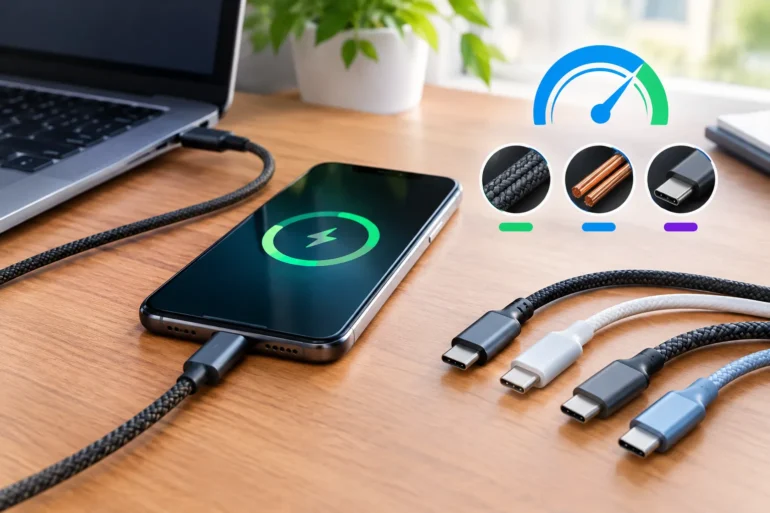
Have you ever bought a flagship smartphone or high-end laptop with lightning-fast charging specs, only to find yourself sitting next to a wall outlet for hours waiting for the battery percentage to crawl up? When charging speeds fall disappointing short, most users instinctively blame their wall adapter or assume their device’s battery is deteriorating. However, in the overwhelming majority of tech setups, the real bottleneck is sitting right on your desk: your charging cable.
In the era of modern consumer electronics, a cable is no longer a simple piece of copper wire coated in rubber. It is an active, engineered component of your device’s power delivery architecture. Understanding how charging cables dictate your power pipeline is essential for maintaining battery health and unlocking true high-speed performance.
The Science of Power Delivery: Watts, Amps, and Volts
To understand why cables matter so much, it helps to review basic electrical physics in modern device charging. Charging power is measured in Watts (W), calculated by multiplying Voltage (V) by Current/Amperage (A):
| Power (Watts) = Voltage (Volts) × Current (Amperes) |
When you plug your device in, a digital handshake occurs between your phone/laptop, the wall charger, and the internal circuitry of the cable. If any component in this chain cannot handle high voltage or current, the charger automatically scales down to a baseline safe mode—often capping output at a sluggish 5W to 12W.
3 Critical Reasons Your Cable Controls Your Charging Speed
1. Wire Gauge and Internal Resistance
Electrical current moving through a wire encounters resistance, which dissipates energy as heat. Cheaper, thin-gauge cables use smaller copper strands (such as 30 AWG) that struggle to pass high currents safely. High-speed cables utilize thicker power conductors (typically 20–24 AWG) to carry up to 5 Amps without excessive heat or voltage drop.
2. E-Marker Microchips: The Brains Inside High-Power Cables
Under USB Power Delivery (USB-PD) standards, any cable expected to deliver more than 60W (3A at 20V) MUST contain an integrated Electronically Marked Cable Assembly (E-Marker) microchip. This tiny smart chip communicates specs directly to your charger and laptop.
If you plug a MacBook Pro, Dell XPS, or heavy-duty power bank into a 100W charger using a basic unchipped cable, the power delivery drops automatically to 60W maximum. To reach maximum wattage on demanding devices, equipping yourself with a certified 100W USB-C cable featuring an integrated E-Marker chip is non-negotiable. Without it, your high-wattage charger is effectively operating with handbrakes on.
3. USB Power Delivery (USB-PD) & Fast-Charging Protocols
Modern electronics rely on dynamic fast-charging standards like USB-PD 3.0/3.1, PPS (Programmable Power Supply), Quick Charge, and proprietary OEM standards. If your cable lacks the signal lines required for these complex communication protocols, fast charging modes remain locked out.
Standard Cables vs. High-Performance Fast Charging Cables
| Feature / Specification | Standard / Included Cable | Premium High-Speed Cable |
| Max Power Capacity | 60W (3A / 20V) or 15W (3A / 5V) | 100W – 240W (5A / 20V–48V) |
| E-Marker Smart Chip | Rarely Present | Built-in Certified E-Marker |
| Jacket / Build Quality | Basic PVC / Rubber (Prone to fraying) | Braided Nylon / Reinforced Strain Relief |
| Data Transfer Capability | USB 2.0 (480 Mbps baseline) | USB 3.2 Gen 2 (10 Gbps+) or USB4 |
How to Pick the Right Fast Charging Cable for Your Setup
To avoid spending money on substandard leads that choke your performance, look for these key indicators when selecting your next cable:
• Power Rating Verification: Ensure the cable explicitly lists maximum output ratings (e.g., 100W / 5A) rather than vague terms like ‘Ultra-Fast’.
• Connector & Standard Match: Ensure both ends feature robust connectors. Investing in a multi-device or dedicated USB-C fast charging cable allows you to seamlessly power phones, tablets, handheld gaming consoles, and laptops from a single multi-port wall charger.
• Structural Durability: Look for double-braided nylon exterior sleeving, reinforced strain relief collars near the plugs, and aluminum alloy housings that dissipate heat efficiently during high-current sessions.
• Certified Safety Specs: Verify compliance with USB-IF (USB Implementers Forum) standards or manufacturer certifications to prevent electrical shorts and protect your costly hardware.
Conclusion: Don’t Let a $5 Cable Bottleneck a $1,000 Device
High-speed charging is a complete system. Having a 100W GaN wall charger and a flagship laptop is useless if the cable connecting them chokes the supply at 15W. By upgrading to a high-power, E-Marker-equipped cable, you unlock the full speed potential of your electronics while protecting their long-term battery health.