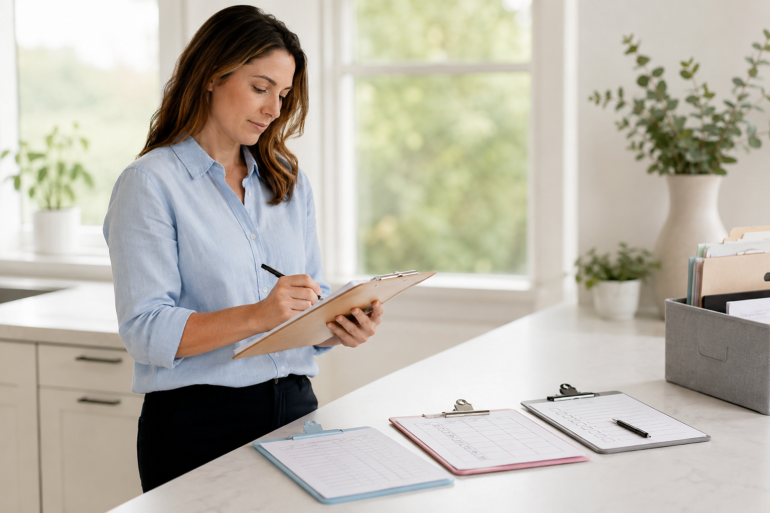
Clipboards may look simple, but they solve a real everyday problem: they give you a firm writing surface when a desk, table, or counter is not available. Whether you are filling out forms at work, checking homework in a classroom, organizing chores at home, or handling paperwork during an event, the right clipboard can make small tasks feel smoother.
People often buy the first one they see, then realize later that it bends, feels uncomfortable, does not hold enough paper, or looks too plain for professional use. That is why choosing one is not only about price. It is about where you will use it, how often you will carry it, and what kind of papers you need to keep safe.
Why Clipboards Still Matter in a Digital World
We live in a world full of apps, tablets, online forms, and cloud storage. Still, paper has not disappeared. Many workplaces, schools, clinics, warehouses, construction sites, and homes still depend on printed forms, checklists, schedules, labels, and notes.
A clipboard is useful because it keeps paper steady. It also gives your hand support while writing, especially when you are standing, walking, inspecting something, or moving from one room to another.
A basic clipboard is commonly understood as a rigid board with a clip at the top that holds paper in place. It is designed to support writing when another surface is not available. That simple design is exactly why it remains useful in so many settings.
For many people, the appeal is practical. There is no battery to charge, no screen glare, no login, and no learning curve. You grab it, attach the paper, and start working.
Best Uses of Clipboards at Work
Workplaces use Clipboards for more than just holding paper. They help organize tasks, speed up routine checks, and keep important forms within reach.
In offices, they are useful for sign-in sheets, interview forms, meeting notes, inventory lists, and approval documents. In warehouses, they help workers check stock, track shipments, inspect shelves, and record damage reports.
In healthcare settings, they are often used for intake forms, patient notes, checklists, and consent documents. In construction, maintenance, and field service jobs, they provide a hard writing surface where desks usually do not exist.
Here are common workplace uses:
| Workplace Area | Practical Use | Best Clipboard Type |
|---|---|---|
| Office reception | Visitor forms and sign-in sheets | Standard letter-size |
| Warehouse | Inventory and inspection lists | Heavy-duty plastic or aluminum |
| Field service | Work orders and service forms | Storage clipboard |
| Healthcare | Intake paperwork and checklists | Easy-clean plastic |
| Events | Registration and attendance sheets | Lightweight clipboard |
| Construction | Site notes and safety checks | Weather-resistant clipboard |
The key is to match the clipboard to the task. A simple board may work fine at a front desk. But for outdoor jobs, wet environments, or frequent travel, a stronger option with storage can be worth the extra cost.
Clipboards for School and Classroom Use
Teachers, students, tutors, and school staff use Clipboards in more ways than many people realize. They are handy during group activities, reading circles, science labs, field trips, art projects, attendance checks, and classroom observations.
For teachers, a clipboard can become a portable command center. It can hold class lists, grading sheets, behavior notes, seating charts, lesson reminders, and quick assessment forms. Instead of walking back to a desk every few minutes, teachers can carry what they need.
For students, a clipboard is useful when they are not sitting at a regular desk. Outdoor writing activities, library projects, group work, and science observations become easier when every student has a stable writing surface.
A classroom clipboard should usually be:
- Lightweight enough for children to carry
- Smooth around the edges
- Strong enough to handle daily use
- Easy to clean
- Sized properly for standard paper
- Affordable enough to buy in sets
Plastic clipboards are often a practical choice for schools because they are lightweight, colorful, and easy to wipe down. Hardboard options can work too, especially for older students or low-budget classroom supplies.
Clipboards for Home Organization
At home, Clipboards are surprisingly useful. They can help organize routines without making everything feel complicated.
You can use them for cleaning checklists, grocery planning, meal schedules, chore charts, renovation notes, budget tracking, home repair lists, and family calendars. Instead of leaving loose papers on counters or sticking notes everywhere, a clipboard keeps one task in one place.
A clipboard can also be hung on a wall, pantry door, laundry room hook, or home office pegboard. This makes it easy to grab when needed and easy to return when done.
For example, a family might keep one clipboard near the kitchen for grocery items. Everyone can add what they need during the week. Another clipboard in the laundry room can hold a cleaning schedule. A third one in the garage can track maintenance tasks like changing air filters, checking tools, or noting garden supplies.
Simple? Yes. But useful systems are often simple.
Types of Clipboards You Can Buy
Not all Clipboards are the same. The best type depends on how you plan to use it.
Standard Hardboard Clipboards
These are the classic brown boards most people recognize. They are affordable, lightweight, and suitable for offices, schools, meetings, and general paperwork.
They are best for indoor use. If exposed to moisture often, they may warp or weaken over time.
Plastic Clipboards
Plastic versions are popular because they are easy to clean, available in many colors, and resistant to light moisture. They are good for classrooms, kitchens, healthcare settings, and home use.
They can be thin or thick, so quality matters. Very cheap plastic boards may bend too much while writing.
Aluminum Clipboards
Aluminum clipboards are stronger and often used in industrial, warehouse, construction, and field settings. They usually handle rougher conditions better than hardboard.
Some aluminum models also include storage compartments, which protect papers from dirt, wind, and damage.
Storage Clipboards
Storage clipboards open like a slim box. They let you keep forms, pens, receipts, business cards, labels, or small tools inside.
They are great for mobile workers, delivery drivers, inspectors, coaches, contractors, and event organizers. If you often carry more than one sheet of paper, this type can make daily work much easier.
Folding Clipboards
A folding clipboard gives your documents extra privacy and protection. It usually opens like a folder and may include pockets or pen holders.
This is a good choice for interviews, medical forms, client meetings, school evaluations, or any situation where papers should not be visible to everyone.
Mini Clipboards
Mini clipboards are useful for small notes, receipts, order pads, checklists, and quick forms. Restaurants, retail stores, event teams, and home organizers may find them convenient.
They are not ideal for full-size documents, but they are excellent when space is limited.
What to Look for Before You Buy
A clipboard is not expensive, but buying the wrong one can still be annoying. Before choosing, think about the way it will be used every day.
1. Size
The most common size fits standard letter paper. In the United States, that usually means 8.5 x 11 inches. For legal forms, menus, schedules, or larger documents, you may need a legal-size option.
For small notes or receipts, a mini board may be enough.
2. Material
Material affects durability, comfort, weight, and appearance.
Hardboard is affordable and traditional. Plastic is colorful and easy to clean. Aluminum is strong and professional. Storage designs are bulkier but more useful for mobile work.
3. Clip Strength
A weak clip is frustrating. Papers slip, bend, or blow away. Look for a clip that feels firm but not so tight that it tears paper.
Some models include a hanging hole, rubber grip, or low-profile clip. These small details can make a difference if you use it daily.
4. Writing Comfort
A good board should feel smooth and steady. If it flexes too much, your handwriting may suffer. If it has sharp edges, it may feel uncomfortable during long use.
For frequent writing, choose one with a firm surface and rounded corners.
5. Storage Needs
If you only need one sheet, a basic model is fine. If you carry multiple forms, pens, cards, or receipts, choose a storage clipboard.
This is especially useful for people who work away from a desk.
6. Cleaning and Hygiene
In kitchens, clinics, schools, and shared workplaces, easy cleaning matters. Plastic and aluminum are better choices than unfinished hardboard in these environments.
If several people touch the same clipboard daily, pick a material that wipes clean quickly.
Clipboards and Workplace Ergonomics
When people think about ergonomics, they usually think about chairs, desks, keyboards, and monitors. But paper placement matters too.
OSHA notes that document holders can help keep printed materials close to the user and properly positioned. Good placement may reduce awkward head and neck posture, fatigue, headaches, and eye strain during computer work.
Cornell University’s ergonomics guidance also recommends using a document holder and placing it in front of or beside the monitor to help prevent neck and eye strain.
A clipboard is not always the same as a desk-mounted document holder, but the idea is related. If you are copying information from paper into a computer, avoid placing the board flat far away from your screen. Keep the paper close enough so your neck is not constantly twisting or bending.
For office use, try this:
- Keep paperwork near eye level when reading from it often
- Avoid holding papers in your hand for long data-entry tasks
- Use a stand, holder, or angled surface when possible
- Do not twist your neck repeatedly between the paper and monitor
- Take short breaks if you write or review documents for long periods
Small posture habits add up. A clipboard can help, but it works best when used thoughtfully.
Best Clipboards for Different Users
The best choice depends on the person using it.
For Teachers
Teachers usually need something lightweight, affordable, and easy to carry around the room. A standard plastic or hardboard option works well.
If the clipboard is for outdoor activities or field trips, plastic may be better because it handles light moisture and dirt more easily.
For Nurses and Healthcare Staff
Healthcare workers often need boards that are easy to clean and professional-looking. Plastic, aluminum, or covered clipboards can be practical choices.
A storage option may help keep forms organized, but it should still be simple to sanitize.
For Office Workers
Office workers may prefer a clean, polished design. A black, clear, white, or aluminum clipboard can look more professional during meetings, interviews, and reception tasks.
For data entry, pairing a clipboard with a document holder or angled stand may improve comfort.
For Contractors and Field Workers
Field workers need durability. Aluminum or heavy-duty plastic is usually better than basic hardboard.
A storage clipboard is especially useful because it protects forms from wind, dust, and rough handling.
For Students
Students need something light, simple, and affordable. Color-coded plastic clipboards can help teachers organize groups or subjects.
For younger children, rounded corners and smooth edges are important.
For Homeowners
For home use, choose based on where you will keep it. A simple clipboard works for grocery lists. A storage model works better for bills, receipts, renovation notes, or home maintenance records.
If you want it visible in a kitchen or home office, choose a design that looks clean and matches the room.
Real-Life Scenarios Where a Clipboard Helps
Sometimes the value becomes clearer when you imagine the situation.
A small business owner is checking deliveries. Instead of balancing papers on a box, they use a storage clipboard with invoices inside and a pen clipped to the top. The work is faster and the papers stay clean.
A teacher is walking around the classroom during reading time. With a clipboard, she can write short notes about student progress without returning to her desk.
A homeowner is planning a weekend garage cleanup. One board holds the donation list, another holds repair tasks, and another holds supplies to buy. The job feels less messy because the information is not scattered.
A coach is tracking attendance during practice. A lightweight clipboard keeps the roster steady even outdoors.
These are ordinary examples, but that is exactly the point. The best tools often remove small daily frustrations.
Mistakes to Avoid When Buying Clipboards
Buying a clipboard seems easy, but there are a few common mistakes.
Choosing the Cheapest One Every Time
Cheap is fine for occasional use. But if you use it daily, very thin boards can bend, crack, or feel uncomfortable.
Pay attention to material and clip quality.
Ignoring the Environment
A hardboard clipboard may not be ideal for wet, dirty, or outdoor settings. Plastic or aluminum usually holds up better.
Buying the Wrong Size
Make sure the board fits your paper. A mini clipboard is not useful for full-size forms. A legal-size board may feel too large for everyday notes.
Forgetting About Storage
If you carry multiple forms or small supplies, a flat clipboard may not be enough. A storage model can reduce lost papers and messy bags.
Overlooking Comfort
If the edges are sharp, the clip is awkward, or the board is too heavy, you may stop using it. Comfort matters more when the clipboard is used often.
How to Organize Paperwork with Clipboards
A clipboard can be part of a simple paper organization system. You do not need a complicated setup.
Use one board per task or category. For example:
- Bills to pay
- School forms to return
- Grocery list
- Cleaning checklist
- Work forms
- Home repair notes
- Fitness tracking
- Event planning papers
This keeps papers from becoming one messy pile. It also gives every task a visible place.
For home or office, you can hang several clipboards on a wall and label each one. This works well in kitchens, classrooms, workshops, and small business back rooms.
For teams, color coding is helpful. Blue for completed forms, red for urgent items, green for inventory, and yellow for schedules. The system should be simple enough that everyone understands it quickly.
Are Clipboards Better Than Notebooks?
It depends on the task.
A notebook is better for long writing, journaling, meeting notes, and keeping pages together permanently. A clipboard is better for forms, checklists, loose sheets, printed schedules, and tasks where papers need to be removed, replaced, or shared.
For example, a teacher may keep lesson ideas in a notebook but use a clipboard for daily attendance. A contractor may keep project notes in a notebook but use a clipboard for inspection forms.
They are not competitors. They serve different purposes.
Are Digital Tools Replacing Clipboards?
Digital tools are useful, but they have not replaced physical writing tools everywhere. Tablets and apps are great for storing information, sharing files, and reducing paper. But they can be expensive, fragile, distracting, or inconvenient in certain environments.
A clipboard still wins when the task is quick, physical, low-cost, or shared among several people. It also works well when users do not want to deal with passwords, updates, charging cables, or screen visibility outdoors.
Many workplaces now use both. Digital systems handle storage and reporting. Clipboards handle quick collection, temporary forms, checklists, and on-site notes.
Simple Buying Checklist
Before you buy, ask yourself:
- Will I use it indoors or outdoors?
- Do I need storage inside it?
- Will more than one person use it?
- Does it need to be easy to clean?
- Should it look professional?
- Will I carry it all day?
- What paper size will I use most?
- Does the clip hold firmly?
- Is the writing surface stiff enough?
- Can it be hung or stored easily?
These questions make the decision easier. Instead of buying based only on appearance, you choose based on real use.
Frequently Asked Questions About Clipboards
What are Clipboards used for?
Clipboards are used to hold paper steady and provide a firm writing surface when a desk or table is not available. They are commonly used for forms, checklists, notes, attendance sheets, inspections, schoolwork, event registration, and home organization.
What is the best material for a clipboard?
The best material depends on where you use it. Hardboard is affordable for general indoor use. Plastic is lightweight and easy to clean. Aluminum is stronger and better for fieldwork, warehouses, and outdoor tasks.
Are storage Clipboards worth it?
Yes, storage Clipboards are worth it if you carry several papers, forms, pens, receipts, or small supplies. They protect documents and help keep everything in one place, especially for mobile workers.
What size clipboard should I buy?
For most users, a letter-size clipboard is best because it fits standard 8.5 x 11-inch paper. Choose legal-size for longer forms and mini size for notes, receipts, or compact checklists.
Can Clipboards help with organization?
Yes. Clipboards can help organize paperwork by separating tasks into clear categories. For example, one board can hold grocery lists, another can hold bills, and another can hold school forms or work checklists.
Conclusion
Clipboards are simple, but that simplicity is exactly what makes them useful. They help people write, sort, carry, and manage paper without needing a desk or digital device. At work, they support forms and inspections. At school, they help teachers and students stay mobile. At home, they make lists, chores, and planning easier to manage.
Before you buy, think about your setting, paper size, material, clip strength, and storage needs. A basic board may be perfect for occasional notes, while a storage or aluminum design may be better for daily professional use. The right choice should feel natural in your hand and make your routine easier, not more complicated.
Even with modern apps and screens, a good writing board still has a place in everyday life. Clipboards remain one of those quiet tools that do not ask for attention, but they keep things moving when papers, checklists, and quick notes still matter.