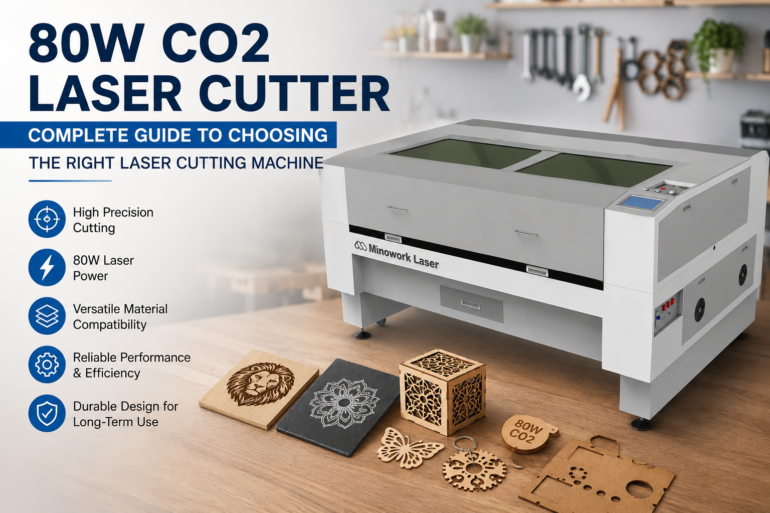
Choosing the right laser cutter power is one of the biggest challenges for businesses and makers. A machine with insufficient power may struggle with thicker materials, while excessive power can increase unnecessary costs. An 80w co2 laser cutter provides a balanced solution for users who need reliable cutting performance for wood, acrylic, fabric, leather, and other non-metal materials.
The question most buyers eventually ask is simple but important: is 80W actually enough power for the materials you plan to work with? The answer depends on what you cut, how often, and at what thickness. This guide breaks that question down into five practical parts so you can match the machine to your real production needs rather than guessing based on a single spec number.
How Thick Can It Actually Cut?
Thickness Benchmarks by Material
An 80W tube delivers enough energy density to cut most common workshop materials in a single clean pass, though the ceiling varies by material type. Acrylic responds especially well at this power level, producing a flame-polished edge without excessive charring. Wood and MDF perform similarly well, while denser hardwoods require slightly reduced speed to achieve a clean edge.
When You’ll Need to Go Beyond 80W
If your work regularly involves acrylic or plywood thicker than 10mm, or if you need to cut full sheets in a single uninterrupted pass at high speed, that’s usually the point where a 100W-150W system becomes the more efficient choice. For everything below that threshold, 80W typically delivers the cleanest cost-to-performance balance.
80W vs 60W vs 100W: What Really Changes
Where the Real Differences Show Up
The jump from 60W to 80W is noticeable in daily use, since it opens up thicker material capability and shortens cutting time on medium-thickness sheets. The step from 80W to 100W is smaller in practice — it adds some extra thickness headroom and modestly faster cutting, but it doesn’t fundamentally change what kinds of jobs the machine can take on.
| Power Level | Cutting Speed on 3mm Acrylic | Max Comfortable Acrylic Thickness | Best Fit |
| 60W | Moderate | ~5-6mm | Hobby, prototyping, light use |
| 80W | Fast | ~8-10mm | Small business daily production |
| 100W | Slightly faster | ~10-12mm | Higher-volume or thicker-stock shops |
A Quick Way to Decide Between Them
- If most jobs are under 8mm acrylic or under 6mm wood, 80W covers the work comfortably
- If you frequently need thicker stock or run the machine for extended hours daily, 100W offers more headroom
- If usage is occasional and materials are thin, 60W may still be adequate, though upgrading to 80W leaves more room to grow
Is This a Business Machine or a Hobby Machine?
Duty Cycle Tells the Real Story
Power alone doesn’t determine whether a laser cutter is “commercial-grade” — duty cycle, cooling capacity, and build consistency matter just as much. An 80W system is generally engineered to run for extended daily hours without the performance drop-off that lower-cost hobby machines can experience under continuous use, which is why it’s a common upgrade path for makers moving from a side project into paid production work.
| Use Case | Typical Daily Runtime | Fit for 80W |
| Weekend hobby projects | 1-2 hours | Comfortable, plenty of headroom |
| Small business / Etsy-style production | 4-8 hours | Well matched |
| Full-shift commercial production | 8+ hours | Workable, though higher power may improve throughput |
Signs You’re Ready for a Business-Grade Setup
- You’re turning down orders because of cutting speed limits
- Material thickness needs are creeping past what your current machine handles cleanly
- You need consistent, repeatable results across large batches rather than one-off pieces
What to Check Before You Buy
Specs That Matter More Than the Power Rating Alone
The wattage number gets the most attention, but a handful of other specifications determine whether an 80W machine will actually perform well in your workflow.
- Working area size — commonly around 1000mm x 600mm for this power class, which fits standard half-sheet and quarter-sheet stock
- Cooling system — a properly sized water chiller keeps the tube stable during long runs and directly affects lifespan
- Software and control system — camera positioning, layout nesting, and rotary attachment support all extend day-to-day usability
- Fume extraction compatibility — cutting acrylic, wood, and fabric all release particulates that need proper filtration
- Bed and table options — honeycomb or slat beds affect how well thin or warped materials sit flat during cutting
Comparing Configuration Priorities by Use Case
| Priority | Hobby / Light Use | Small Business Production |
| Working area | Smaller is fine | Larger reduces reload frequency |
| Chiller capacity | Basic is sufficient | Higher capacity for sustained runs |
| Software features | Simple interface | Nesting, automation, camera alignment |
| Fume extraction | Optional | Strongly recommended |
Which Industries Get the Most Value From 80W?
Applications Where This Power Level Excels
- Sign and display makers producing acrylic signage, awards, and retail displays
- Small apparel and accessory businesses cutting fabric, felt, and leather goods
- Gift and personalization shops working with wood, acrylic, and paper products
- Prototyping teams that need clean, fast iteration on non-metal parts before production
- Craft and home décor makers producing wood or acrylic pieces in small batches
Industry-to-Material Fit at a Glance
| Industry | Primary Materials | Why 80W Fits |
| Signage & Displays | Acrylic, wood | Clean edges, moderate thickness range |
| Apparel & Accessories | Fabric, leather | Fast, precise cutting without fraying |
| Gifts & Personalization | Wood, acrylic, paper | Balance of detail and speed |
| Prototyping | Acrylic, plywood | Quick iteration without excess cost |
| Home Décor Crafting | Wood, acrylic | Reliable daily-use performance |
Why Choose Mimowork’s 80W CO2 Laser Cutter
What Sets the Machine Apart Beyond the Wattage Number
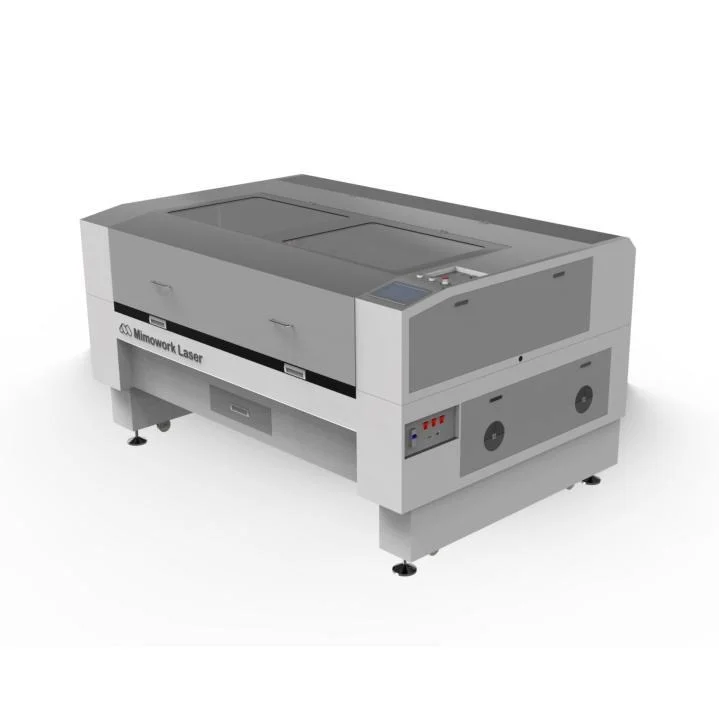
Two 80W machines from different manufacturers can perform very differently once you look past the power rating. Mimowork’s 80W CO2 laser cutter is built as part of a modular platform, meaning the working table, cooling setup, and automation features can be configured around your specific materials rather than forcing you into a fixed, one-size-fits-all layout. This matters most for businesses that expect their material mix or production volume to change over the next few years.
- Two-way penetration cutting bed — lets you process sheets and rolls that extend beyond the machine’s rated cutting width, useful for fabric, leather, and long-format signage work
- Upgradeable drive system — the standard stepper motor setup can be upgraded to a brushless DC servo motor, pushing engraving speed up to around 2000mm/s for shops that need faster throughput as they scale
- Full material coverage — the same platform is validated across acrylic, wood, fabric, leather, paper, and other non-metal materials, so you’re not locked into a single application
- Built-in customization path — software, system automation, and component options are treated as configurable add-ons rather than afterthoughts, letting the same base machine grow with your business
- Long-standing manufacturing focus — Mimowork has been developing CO2 and fiber laser systems since 2010, with dedicated fume extraction lines engineered specifically to pair with its cutting machines rather than sourced as generic third-party accessories
Quick Comparison: Generic 80W Specs vs. Mimowork’s Configuration
| Consideration | Typical Generic 80W Machine | Mimowork 80W CO2 Laser Cutter |
| Working table | Fixed configuration | Multiple table options for different materials |
| Cutting width flexibility | Limited to bed size | Two-way penetration for oversized materials |
| Speed upgrade path | Usually none | Optional servo motor upgrade to ~2000mm/s |
| Fume extraction | Sourced separately, generic fit | Purpose-matched extractor series available |
| Software and automation | Basic control only | Configurable software, automation, and component options |
For buyers still comparing specifications on paper, this is the practical difference: the 80W rating tells you what the laser tube can do, but the platform around it determines how well the machine actually fits your workflow and how much room it leaves you to grow.
Frequently Asked Questions
1. What is the maximum thickness an 80W CO2 laser cutter can cut?
Most 80W systems comfortably cut acrylic up to about 8-10mm and plywood or MDF up to about 6-8mm in a single pass, with denser hardwoods generally requiring a reduced cutting speed for a clean edge.
2. Is an 80W laser cutter better than a 60W or 100W model?
It depends on your material thickness and volume needs. 80W offers a meaningful upgrade over 60W in thickness capability and speed, while the difference between 80W and 100W is smaller and mainly matters for thicker stock or extended high-volume runs.
3. Can an 80W CO2 laser cutter be used for commercial production, not just hobby projects?
Yes. An 80W system is commonly used as a daily production machine for small businesses, particularly for signage, fabric goods, and wood or acrylic products, if material thickness stays within its comfortable cutting range.
4. What specifications should I check besides the wattage when buying?
Working area size, chiller capacity, software features like nesting and camera alignment, and fume extraction compatibility all significantly affect real-world performance and should be evaluated alongside the power rating.
5. Which industries benefit most from an 80W CO2 laser cutter?
Signage and display businesses, apparel and accessory makers, gift and personalization shops, prototyping teams, and home décor crafters tend to get the strongest value from this power class, since their material needs generally fall within its optimal cutting range.
Conclusion
At its core, choosing an 80w CO2 laser cutter comes down to matching real production needs — material thickness, daily runtime, and industry application — rather than chasing the highest wattage available. For most small businesses and serious makers, this power level hits the balance between capability and cost that keeps a workshop running efficiently without paying for capacity that goes unused. If you’re still weighing which specifications, working area, or configuration best fit your specific materials and production volume, you can explore detailed machine options and get expert guidance at mimowork-laser.com, where our team can help you find the right laser setup for your workflow.