Key Takeaways
- Different work habits place different levels of stress on computers, monitors, peripherals, and networking equipment.
- Mobile workers often expose devices to more physical risks, while desk-based users tend to create continuous operational strain.
- High-performance workloads can accelerate component wear due to sustained heat generation.
- Shared workstations may experience more accidental damage and inconsistent maintenance practices.
- Regular IT hardware maintenance services help identify wear patterns before they lead to equipment failure.
- An IT services consultant can assess how workplace behaviour influences hardware lifespan and recommend suitable maintenance strategies.
Introduction
IT hardware does not wear out at the same rate across every organisation. While device quality and age influence longevity, employee working styles also play a significant role. A desktop used for occasional administrative tasks experiences different stresses from a laptop carried between meetings every day or a workstation running demanding engineering software for extended periods. Understanding how various work habits affect equipment helps organisations plan maintenance more effectively, reduce unexpected downtime, and extend hardware life. Combining workplace assessments with regular IT hardware maintenance services allows businesses to address usage-related issues before they become costly failures.
Mobile and Hybrid Workers Increase Physical Wear
Employees who frequently move between offices, client locations, or home workplaces expose hardware to more physical stress than stationary users. Laptops are repeatedly packed, transported, opened, and closed throughout the day. Power adapters, charging cables, USB ports, and hinges receive constant handling, increasing the likelihood of gradual wear.
Travelling also exposes devices to vibration, accidental drops, temperature changes, and moisture. Even protective laptop bags cannot completely eliminate these risks. External accessories such as docking stations and portable monitors may also experience connector wear due to repeated attachment and removal. Organisations supporting hybrid work should expect higher replacement rates for batteries, keyboards, chargers, and display hinges compared with equipment assigned to fixed desks. Preventative inspections help identify loose connectors, damaged ports, or deteriorating components before they interrupt productivity.
Desk-Based Employees Create Continuous Operational Stress
Office-based employees generally expose hardware to fewer physical hazards but often operate equipment continuously throughout the working day. Computers that remain powered on for extended periods generate sustained heat, particularly if ventilation becomes obstructed by dust accumulation or poorly organised workspaces.
Continuous operation places long-term stress on cooling systems, internal fans, storage devices, and power supplies. Dust entering cooling vents reduces airflow, forcing components to operate at higher temperatures. Over time, excessive heat contributes to reduced component lifespan and decreased system stability. Regular cleaning and scheduled inspections become particularly important in environments where desktops remain active throughout business hours or operate around the clock for monitoring and administrative functions.
High-Performance Users Accelerate Component Ageing
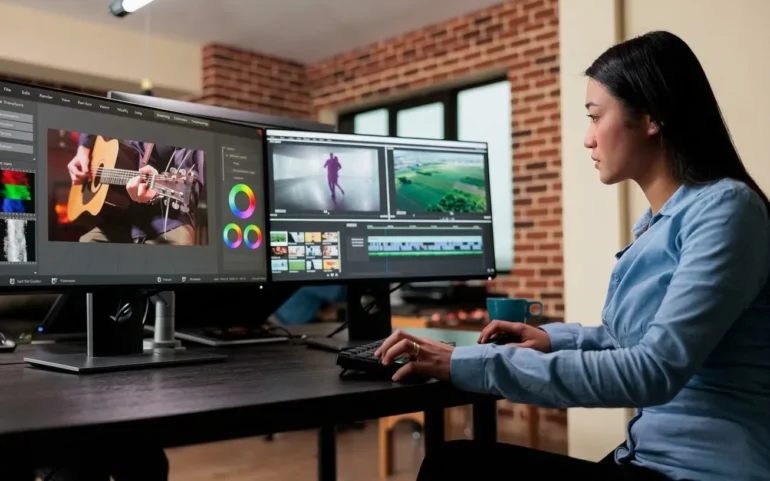
Employees working with resource-intensive applications place substantially different demands on hardware than users performing standard office tasks. Designers, engineers, architects, software developers, and video editors regularly utilise processors, graphics cards, memory, and storage at high capacity.
Heavy computational workloads generate significant heat and increase mechanical and electrical stress on hardware components. Cooling systems operate more aggressively, fans accumulate dust more rapidly, and thermal materials naturally degrade over time. Storage devices may also experience higher write volumes, particularly during media production or software development. These environments benefit from proactive performance monitoring and preventative maintenance schedules designed around workload intensity rather than calendar-based servicing alone.
Shared Equipment Experiences More Inconsistent Handling
Shared computers, meeting room equipment, training workstations, and hot-desking environments often experience greater wear because multiple users interact with the same hardware. Individual users may not recognise early signs of damage or may assume someone else will report issues.
Frequent changes in peripheral connections increase wear on USB ports, HDMI connectors, and docking interfaces. Keyboards, mice, webcams, and conference equipment also receive substantially more physical use than individually assigned devices. In addition, inconsistent handling practices can result in food spills, cable damage, or improper shutdown procedures that gradually affect hardware reliability. Establishing clear equipment handling guidelines alongside routine inspections helps minimise unnecessary deterioration.
Maintenance Should Reflect How Hardware Is Actually Used
Not every organisation requires identical maintenance schedules. Businesses should align maintenance activities with actual usage patterns rather than relying solely on equipment age. Devices subjected to intensive workloads or constant travel often require more frequent inspections than lightly used office computers.
An experienced IT services consultant can evaluate employee workflows, identify usage-related risks, and recommend maintenance intervals that reflect operational demands. Rather than applying a single maintenance strategy across every department, organisations can prioritise equipment based on workload, mobility, environmental conditions, and business criticality. This targeted approach improves resource allocation while reducing unexpected hardware failures.
Conclusion
IT hardware wear is influenced by far more than manufacturing quality or equipment age. Daily working styles determine how frequently devices experience physical movement, sustained workloads, environmental exposure, and operational stress. Recognising these differences enables organisations to develop maintenance strategies that match real-world usage. By combining structured maintenance planning with regular IT hardware maintenance services and guidance from an IT services consultant, businesses can improve equipment reliability, reduce downtime, and maximise the useful life of their IT assets.
Contact Knowledge Computers and let us evaluate your IT environment and develop a maintenance strategy that matches how your teams actually work.