You have hundreds of product photos. You need compelling descriptions for each one—for your online store, social media, email campaigns, and marketplace listings. But writing unique, engaging descriptions for every product is time-consuming, repetitive, and honestly, exhausting.
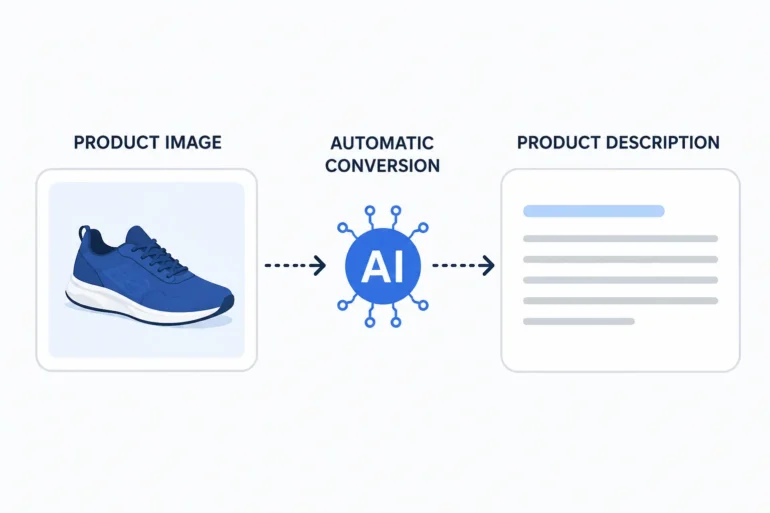
What if you could upload product images and automatically generate accurate, compelling descriptions in seconds? With Vheer’s image to prompt the generator, you can.
In this guide, we’ll explore how to use AI to automatically convert product images into descriptions—saving time, improving consistency, and scaling your e-commerce content effortlessly.
The E-Commerce Content Challenge
Anyone running an online business faces the same problem:
- Sheer Volume: Hundreds or thousands of products need descriptions—not just one, but variations for different channels.
- SEO Requirements: Descriptions need keywords for search visibility without feeling stuffed or unnatural.
- Channel Differences: Website product descriptions differ from Instagram captions, which differ from Amazon listings.
- Consistency vs. Uniqueness: Products need consistent branding, but each description must be unique to avoid duplicate content penalties.
- Conversion Focus: Descriptions shouldn’t just describe—they should sell, highlighting benefits, not just features.
The result? Overwhelmed teams, rushed writing, or worse—copy-pasted generic descriptions that convert poorly and hurt SEO.
It’s not just descriptions—visual content also needs variety.
Many brands reuse the same product photos, leading to repetitive feeds.
Tools like pixel art converters can help repurpose existing images into new visual styles without additional shoots.
Vheer: The Ultimate Tool for Product Description Generation
While Vheer is designed as an image to prompt generator for AI art, its capabilities are perfect for e-commerce product descriptions:
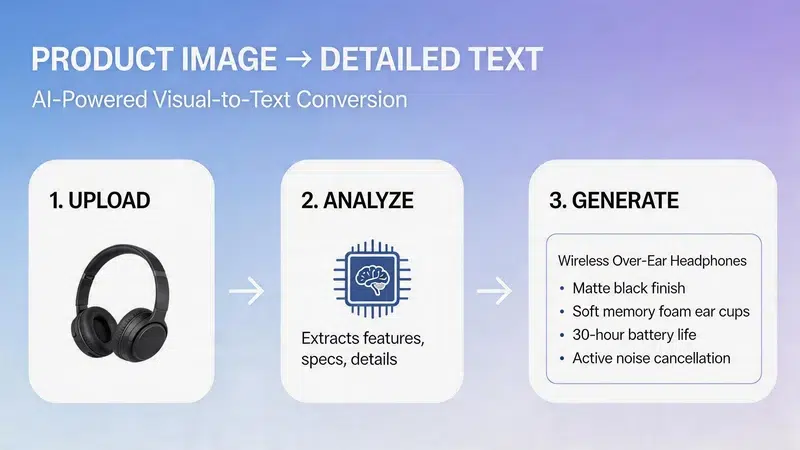
Three Description Styles for Every Need
Simple Prompt: Concise, straightforward descriptions perfect for:
- Social media captions (Instagram, Facebook, TikTok)
- Quick product overviews
- Catalog listings with character limits
- Mobile-friendly descriptions
Detailed Prompt: Comprehensive descriptions including:
- Product features and specifications
- Materials and textures
- Colors and design elements
- Setting and context
- Technical specifications
Ideal for:
- Full product pages
- Amazon and marketplace listings
- Email marketing content
- Brochure descriptions
Creative Prompt: Engaging, benefit-focused descriptions emphasizing:
- Mood and atmosphere
- Lifestyle and aspirational elements
- Emotional connection
- Storytelling
Perfect for:
- Brand storytelling
- Lifestyle content
- Social media engagement
- Email marketing campaigns
Auto-Generated Tags for Keywords and Organization
Beyond descriptions, Vheer extracts relevant tags that serve multiple purposes:
- SEO Keywords: Identify key terms for search optimization
- Product Categories: Organize inventory by detected attributes
- Filter Options: Create faceted search filters
- Hashtag Generation: Build social media hashtag lists
Step-by-Step: Converting Product Images to Descriptions
Let’s walk through using Vheer for AI image description generation.
Step 1: Prepare Your Product Images
For best results, use:
- High-resolution images: More detail means more accurate descriptions
- Clean backgrounds: Isolated products (white or solid color backgrounds) work best
- Multiple angles: Different perspectives reveal different features
- Lifestyle shots: Products in use for contextual descriptions

Step 2: Upload to Vheer
Visit Vheer’s Image to Prompt Generator and upload your product image. You can:
- Click “Upload your image” and select from your device
- Drag and drop directly into the upload area
- Paste a URL for images already online
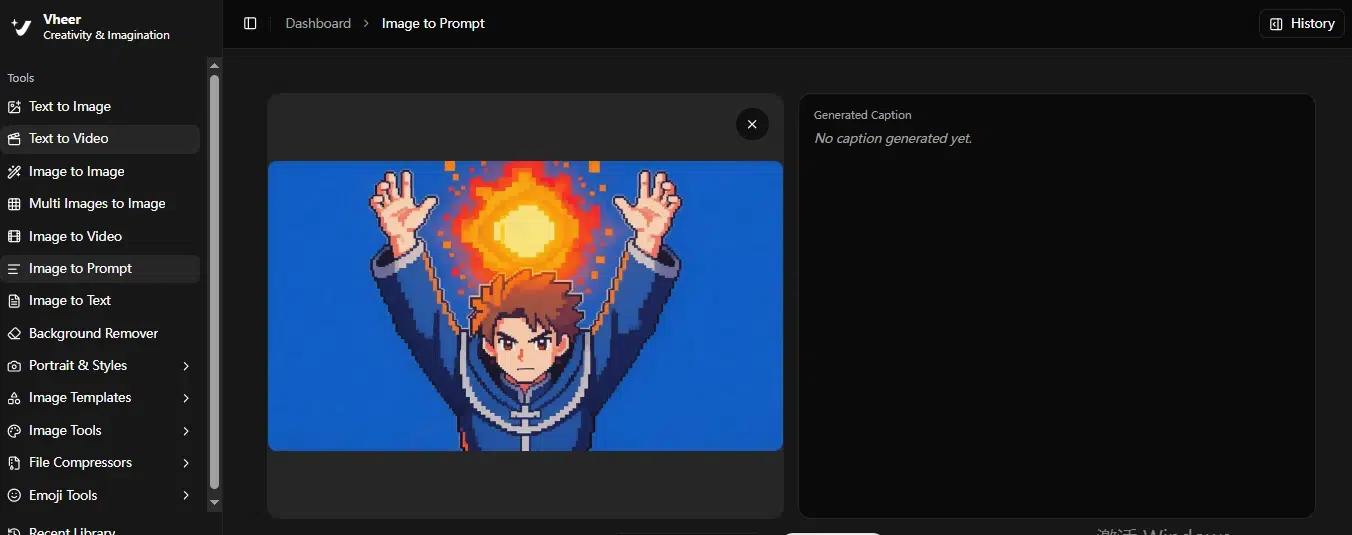
Step 3: Choose Your Description Style
Select based on your purpose:
For Social Media: Simple Prompt
- Short, scannable
- Highlights key features
- Perfect for character limits
For Product Pages: Detailed Prompt
- Comprehensive feature coverage
- Technical specifications
- Materials and design details
For Marketing Content: Creative Prompt
- Engaging and narrative
- Emphasizes lifestyle and benefits
- Creates emotional connection
Not sure? Generate all three and use different outputs for different channels.
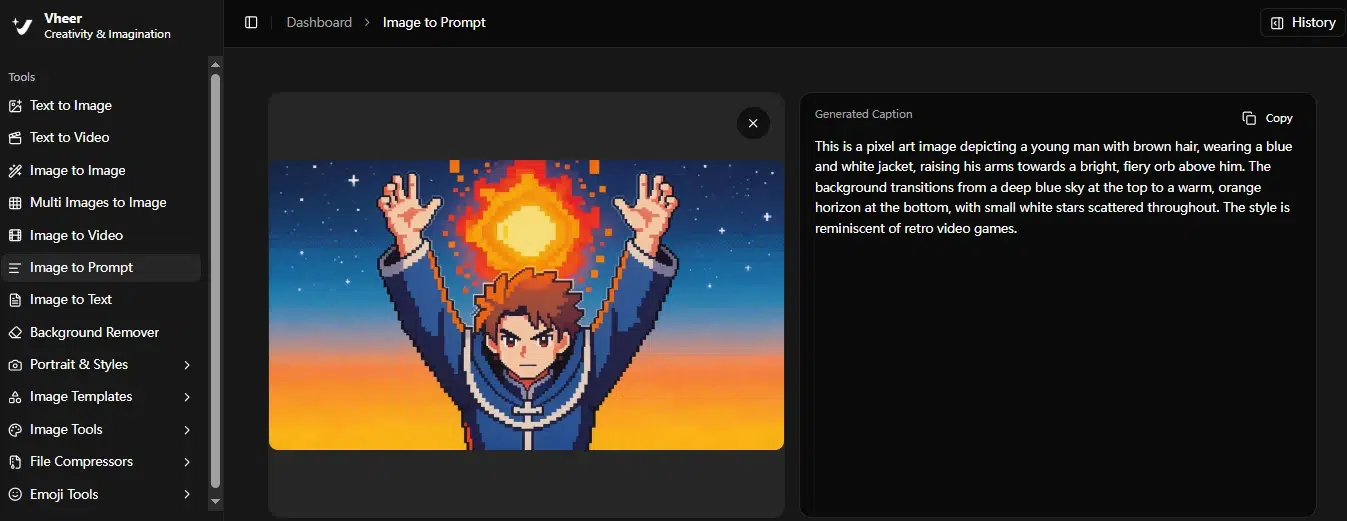
Step 4: Review and Customize
The AI-generated description is your starting point. Customize by:
- Adding brand voice: Adjust tone to match your brand personality
- Emphasizing benefits: Transform features into customer benefits
- Including CTAs: Add calls-to-action for conversion
- Optimizing for SEO: Integrate target keywords naturally
- Adding social proof: Incorporate reviews or testimonials where relevant
Step 5: Deploy Across Channels
Different channels need different approaches:
- Website Product Page: Detailed prompt + benefit-focused customization
- Instagram: Simple prompt + hashtags from auto-generated tags
- Email Campaign: Creative prompt + promotional elements
- Amazon Listing: Detailed prompt + keyword optimization + bullet points
Real Example: Product Description Generation
Let’s see how this works with a real product.
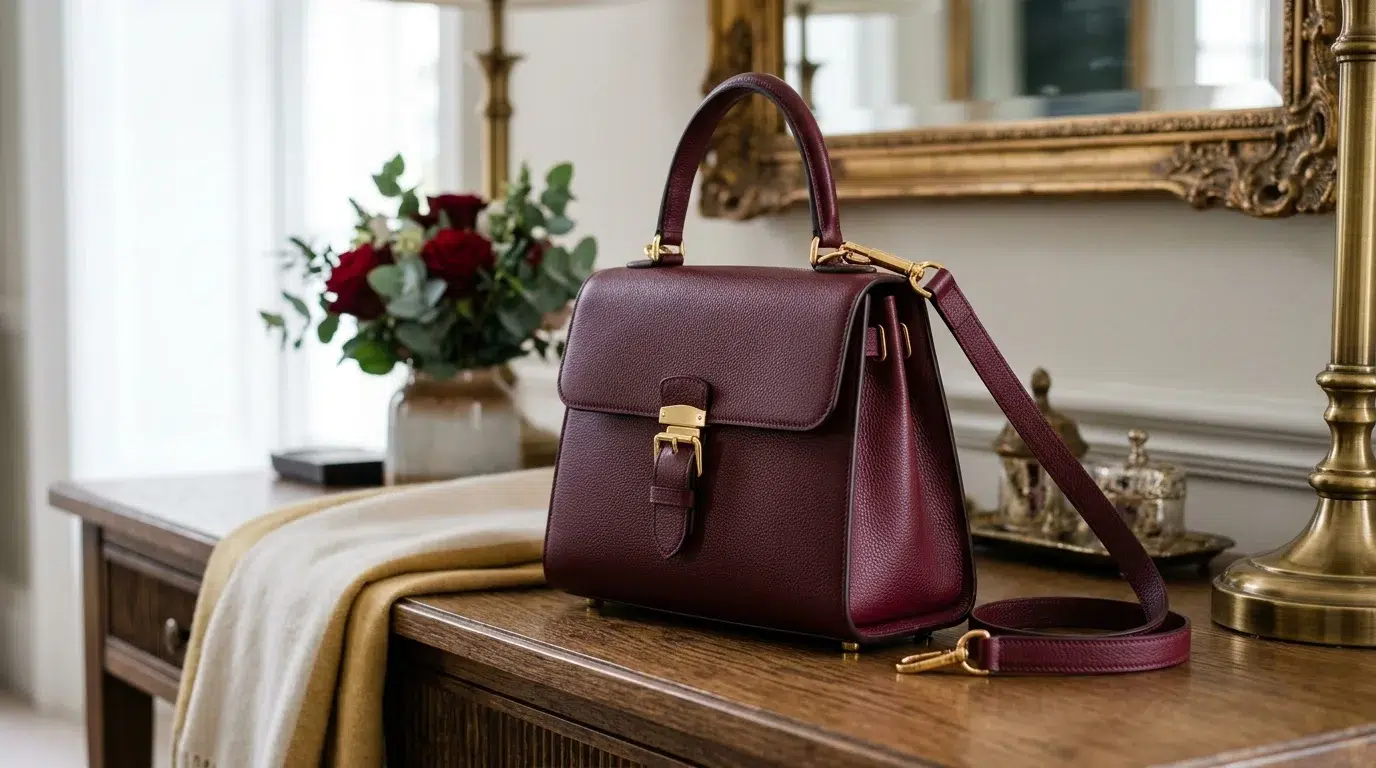
Product Image: A luxury leather handbag in burgundy color, gold hardware, photographed against a clean white background.
Vheer Simple Prompt Output:
“A luxurious burgundy leather handbag with gold-tone hardware. The bag features a structured silhouette with a top handle and removable shoulder strap. Premium leather with subtle grain texture. Elegant and sophisticated design suitable for both professional and formal occasions. Burgundy red color with polished gold accents.”
Best For:
- Instagram caption: “Luxurious burgundy leather handbag with gold hardware. Elegant structured silhouette for professional and formal occasions. #luxuryhandbag #burgundybag #leatheraccessories”
- Facebook product teaser: Short, scannable, highlights key features
Vheer Detailed Prompt Output:
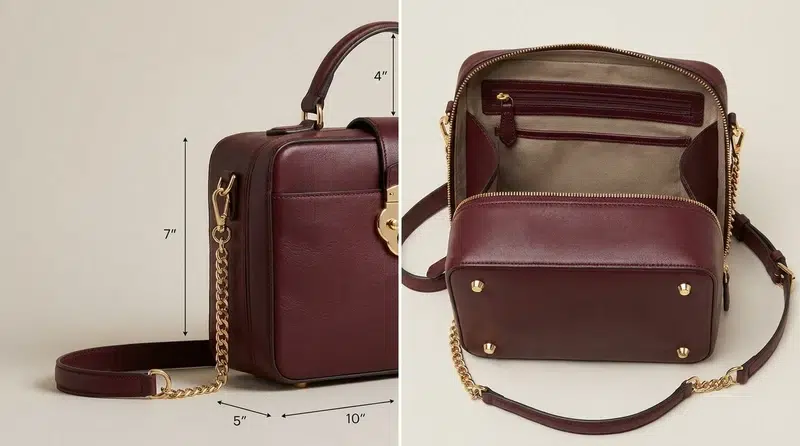
“A high-quality burgundy leather handbag crafted from premium full-grain leather with subtle natural grain texture. The bag features a structured, boxy silhouette with clean lines and precise stitching. Gold-tone hardware includes a decorative front lock, protective metal feet at the base, and a chain-link shoulder strap with leather padding. Interior includes a fabric-lined main compartment with slip pockets and a zippered closure. The bag measures approximately 10 inches in width, 7 inches in height, and 5 inches in depth. Top handle with 4-inch drop, plus detachable adjustable shoulder strap with 20-inch drop. The burgundy color is a deep, rich red with warm undertones. Gold hardware has a polished finish. Professional craftsmanship with attention to detail throughout. Suitable for business, formal events, and evening wear. Timeless design with contemporary elegance.”
Best For:
- Full product page: Comprehensive coverage of features and specifications
- Amazon listing: Detailed bullets can be extracted from this description
- Email product spotlight: Thorough coverage for interested customers
Vheer Creative Prompt Output:
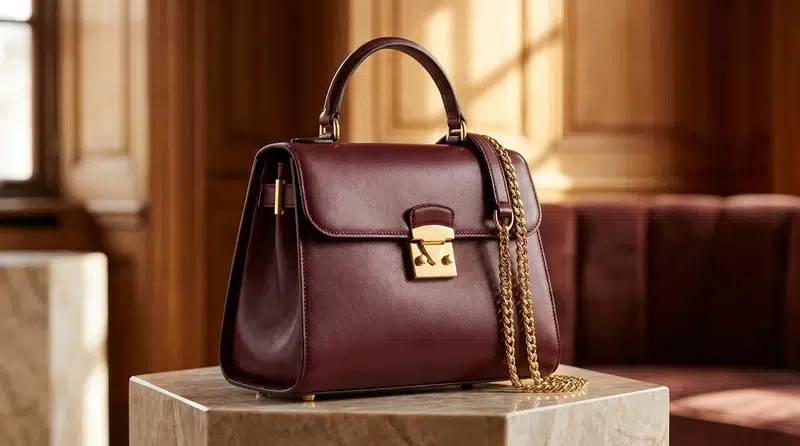
“A statement of refined elegance, this burgundy leather handbag embodies the perfect balance between timeless sophistication and modern functionality. The rich burgundy hue—deep like fine wine and commanding attention without demanding it—complements the warm glow of gold hardware that catches light with every movement. Crafted from premium leather that will develop a beautiful patina over time, this bag tells a story of quality that transcends trends. The structured silhouette speaks to confidence and intention, while the thoughtful interior design proves that beauty and practicality need not be mutually exclusive. Whether carried by the top handle for a polished professional look or worn crossbody with the golden chain strap for hands-free elegance, this bag transforms any outfit from ordinary to exceptional. More than an accessory, it’s an investment in enduring style—a piece that will remain relevant long after seasonal fads have faded. Burgundy luxury, gold accents, timeless design, investment piece.”
Best For:
- Brand storytelling: Emphasizes quality, longevity, and lifestyle
- Email marketing campaign: Creates emotional connection
- Lifestyle content: Aspirational and engaging
Integrating Vheer into Your E-Commerce Workflow
For Small Businesses
Workflow:
- Photograph products against clean backgrounds
- Upload each image to Vheer
- Generate all three prompt styles
- Customize each for specific channels
- Deploy across website, social media, and marketplaces
Time Savings: What previously took 15-30 minutes per product now takes 3-5 minutes.
For Medium-Large Businesses
Workflow:
- Prepare product image batches (50-100 images at a time)
- Process batches through Vheer (free, unlimited use)
- Use AI outputs as first drafts
- Content team reviews and refines
- Automate deployment to CMS and social platforms
Scalability: One person can handle what previously required a dedicated copywriting team.
For Agencies and Freelancers
Workflow:
- Client provides product images
- Process through Vheer for instant first drafts
- Customize based on client brand guidelines
- Deliver faster, take on more clients
- Increase margins without sacrificing quality
Competitive Advantage: Faster turnaround = more clients, higher revenue.
Conclusion: Transform Your Product Content with Vheer
Converting product images to descriptions with AI isn’t just faster—it’s smarter. Whether you’re a small business owner scaling efficiently, a large enterprise automating content production, or an agency serving multiple clients, Vheer transforms how you create product descriptions.
Upload product images, generate image descriptions, and scale your e-commerce content without scaling your team or budget.
Stop writing product descriptions from scratch. Start generating them automatically—and watch your content production accelerate, your consistency improve, and your conversions grow.