

Contact Us
  • Home
  • News
    News
    A scientist in a white coat and black gloves holds a large test tube filled with blue liquid, making an "OK" gesture. The tone is professional and precise.

    High-Purity Research Liquids: The Foundation of Accurate Scientific Research

    Person in a brown coat holding a white smartphone, standing outdoors with a blurred colorful background.

    How Android Users Stay Updated With Fast-Moving Tech News

    Hongkong Prize results update with Hong Kong city lights and winner information concept

    Hongkong Prize Winners, Results, and Latest Updates

    • Information
  • Business
    Business
    Traders Dynamic Index chart showing market momentum and trading signal analysis

    Traders Dynamic Index: How Traders Use It to Read Market Momentum

    A vibrant digital marketing concept image featuring a tablet displaying social media icons and a hand pointing at it. Nearby, marketing elements like a megaphone, charts, and email icons illustrate online engagement. The atmosphere conveys innovation and connectivity.

    Digital Marketing Strategies That Drive Long-Term Organic Growth

    A man in a suit looks concerned while sitting across from another person in an office. The setting includes a window, plants, and framed art, suggesting a professional environment.

    7 Men’s Business Dress Code Mistakes Still Happening in 2026

  • Education
    Education
    European Matrix Test visual reasoning assessment with abstract pattern questions and score analysis

    European Matrix Test: Uses, Format, and Score Meaning

    Fancy English Translator tool turning simple words into stylish English on a digital writing screen

    Fancy English Translator: Turn Simple Words Into Stylish English

    Young man studying at a laptop, surrounded by books labeled CAT topics. Text promotes SuperGrads’ CAT coaching for B-School success. Icons highlight key features.

    How SuperGrads CAT Coaching Helps You Reach Your Dream B-School

  • Entertainment
    Entertainment
    Laptop displaying casino game with poker chips and playing cards appearing to fly out from the screen.

    Trends in Online Entertainment Platforms in 2026

    Two women playing pool in a dimly lit billiards room, one aiming to strike the cue ball with a pool stick.

    Why Classic Table Games Still Outshine Screens in the Modern Games Room

    A family watches IPTV USA on a large TV, showcasing categories like Sports and Movies. Text highlights benefits: 15,000+ live channels, device compatibility.

    Why Is IPTV USA Becoming the New Choice for TV Lovers?

  • Home Improvement
    Home Improvement
    A bright, modern living room with a cream sofa, blue and beige pillows, and a wooden coffee table. Large windows, grey curtains, and green plants add a fresh touch.

    How Hospitality-Inspired Design Can Elevate Residential Spaces

    One Teapot on a cozy kitchen table with tea cups and warm natural light

    One Teapot: Best Styles, Uses, and Buying Tips for Tea Lovers

    Bar Threshold installed between two flooring surfaces for safer doorway transition and clean floor finishing

    Bar Threshold Ideas for Safer Doorways and Better Floor Finishing

  • Health & Fitness
    Health & Fitness
    A woman wears an EEG cap connected with electrodes while another person adjusts it. A computer monitor with brainwave data is visible in the background.

    Aiding Brain Research Through Advanced BCI Technology

    Bottle of healthy ketchup with a bowl of sauce, teddy bear snacks, and pretzels on a red background. Words: "Tangy," "Tasty," "Healthy," "Perfect for Pairing."

    Organic Snacks for Kids: What Every Parent Should Know in 2026

    A doctor in scrubs warmly shakes hands with an elderly man in an office setting, while an elderly woman smiles beside him. The mood is friendly and positive.

    The Advantage of Using an Aged Care Agency

  • Lifestyle
    Lifestyle
    Less With Less simple living concept with a calm home, fewer possessions, and a peaceful lifestyle

    Less With Less: How Simple Living Can Make Life Feel Fuller

    Person wearing gray sweatpants and neon-accented beige athletic shoes, resting feet against a plain olive background.

    The Versatile and Reliable Asics Gel Kayano 20

    Pregnant woman in a green dress enjoys a Mylo Care pregnancy protein diskette. Product promises nutrients for baby’s strong start. Package shown.

    What Makes Protein Biscuits a Good Choice During Pregnancy?

    • Fashion
    • Travel
  • Technology
    Technology
    A woman in an office interacts with holographic security icons, highlighting cybersecurity. She appears focused and analytical, surrounded by monitors.

    Digital Security for Small Businesses: Five Practical Steps to Protect Your Network in 2026

    Longest Substring Without Repeating Characters coding concept with sliding window string analysis on a computer screen

    Longest Substring Without Repeating Characters: Simple Coding Approach

    Coolify vs Dokploy self-hosted deployment platform comparison dashboard with Docker apps and cloud server concept

    Coolify vs Dokploy: Which Self-Hosted Platform Is Better?

    • Internet
    • Mobiles
    • Tips & Tricks
    • Software
  • See all results
Reading
www.Osmosetech.com Login Page Login: Step-by-Step Sign In Guide for Beginners
ShareTweet

www.Osmosetech.com Login Page Login: Step-by-Step Sign In Guide for Beginners

Edward
Internet
February 13, 2026 6 min read
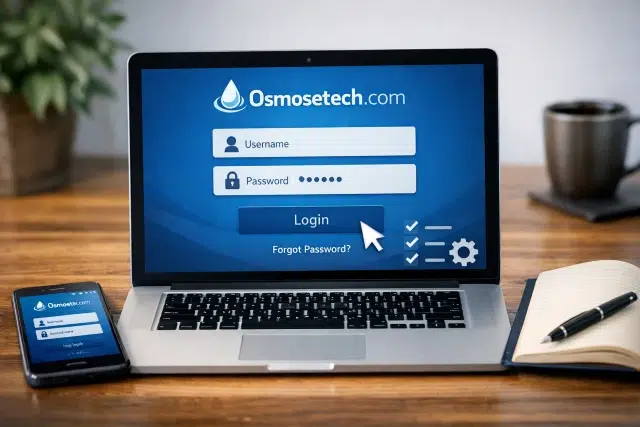
www.Osmosetech.com Login Page Login interface showing www.osmosetech.com login id field
ShareTweetSubmit

If you’ve landed on this page, you’re probably trying to sign in and want a clear, beginner-friendly explanation without confusion. This guide is written for real users who simply want to understand how the www.Osmosetech.com Login Page Login works, how to use their www.osmosetech.com login id, and what to do when things don’t go as planned.

Login problems are more common than people admit. A small typo, an outdated saved password, or a browser issue can stop access instantly. The goal here is simple: help you log in smoothly and confidently, even if you’ve never used the platform before.

What does www.Osmosetech.com Login Page Login actually mean?

When users search for www.Osmosetech.com Login Page Login, they are usually looking for one of the following:

  • The official and correct sign-in page
  • Clear instructions on how to enter login details
  • Help with forgotten passwords or login errors
  • Guidance on using the correct www.osmosetech.com login id

Modern login systems are designed with security in mind, which is why they may include verification steps, temporary locks, or additional checks. While these measures protect accounts, they can also feel confusing if you’re not expecting them.

Things to check before logging in

Before starting the www.Osmosetech.com Login Page Login process, it helps to do a few quick checks. These small steps prevent most login issues.

  • Make sure you are using the correct website address
  • Check that your internet connection is stable
  • Close unused browser tabs
  • Use a private or incognito window if login fails repeatedly
  • Confirm you know your exact www.osmosetech.com login id

Taking a moment here can save you several failed attempts later.

Step-by-step guide to www.Osmosetech.com Login Page Login

This is the standard process beginners usually follow.

Step 1: Open the official login page

Open your browser and go directly to the official website. Avoid clicking login links from emails or messages unless you are absolutely sure they are legitimate.

Step 2: Enter your www.osmosetech.com login id

In the first input field, you will be asked for your login ID. This could be:

  • A username
  • An email address
  • A system-generated ID

Enter your www.osmosetech.com login id exactly as it was created. Avoid extra spaces, incorrect capitalization, or adding unnecessary characters.

Step 3: Enter your password carefully

Passwords are case-sensitive. Make sure:

  • Caps Lock is turned off
  • You type slowly and carefully
  • You do not rely on outdated saved passwords

If you are unsure about your password, resetting it is often faster than repeated guesses.

Step 4: Complete verification if required

Some users may see additional verification steps, such as:

  • A one-time code sent to email or phone
  • A security confirmation screen
  • A simple verification checkbox

These steps are normal and designed to protect your account.

Step 5: Access your dashboard

After successful www.Osmosetech.com Login Page Login, you should be redirected to your account dashboard. Make sure your profile loads correctly and that you are not redirected back to the login page.

Common login issues and how to fix them

Many users experience similar problems during login. Here is a clear breakdown.

IssueLikely CauseSolution
Incorrect passwordTypo or outdated passwordReset password
Page keeps refreshingBrowser cache issueClear cookies or use private mode
Account lockedToo many attemptsWait and reset password
Verification code not receivedDelay or spam filteringCheck spam folder and resend
Login works on mobile but not desktopBrowser conflictTry another browser

H2: Understanding www.osmosetech.com login id and its importance

Your www.osmosetech.com login id is the key identifier for your account. Even if your password is correct, the system cannot authenticate you without the right login ID.

To avoid mistakes:

  • Use the exact format provided during registration
  • Do not assume your email is your login ID unless confirmed
  • Keep your login ID private
  • Avoid saving it on shared or public devices

If you don’t remember your login ID, check your registration confirmation messages or previous login records.

How to reset your password safely

If www.Osmosetech.com Login Page Login fails due to password issues, follow the password recovery option on the login page.

Typical steps include:

  1. Click “Forgot Password”
  2. Enter your www.osmosetech.com login id
  3. Verify your identity
  4. Create a new password
  5. Log in again

Choose a password that is long, unique, and easy for you to remember but hard for others to guess.

Security habits to follow while logging in

Basic security awareness makes a big difference.

  • Do not log in from public computers
  • Avoid saving passwords on shared devices
  • Log out after each session
  • Enable additional security options if available
  • Be cautious of fake login pages

These habits reduce the risk of unauthorized access.

Real-world example of login issues

Imagine logging in successfully last week, but today the www.Osmosetech.com Login Page Login suddenly stops working. This often happens because:

  • The password was changed
  • Browser data became corrupted
  • The system detected unusual activity
  • The website temporarily updated its security checks

In most cases, clearing browser data or resetting the password resolves the issue quickly.

Advanced troubleshooting steps

If basic fixes don’t work, try these options:

  • Clear browser cache for the site
  • Disable browser extensions temporarily
  • Switch networks
  • Check device date and time settings
  • Try logging in from another device

These steps address deeper browser or system-level issues.

Frequently asked questions

What is www.Osmosetech.com Login Page Login?

It is the sign-in process that allows users to securely access their account and services on the website.

Where do I enter my www.osmosetech.com login id?

You enter it in the first field on the login page, usually labeled username or login ID.

Why does the login page keep loading without signing in?

This is often caused by cookies, browser extensions, or session conflicts.

Can I change my login ID?

In most cases, login IDs cannot be changed without account support approval.

Is it safe to save login details in the browser?

It is safe only on personal devices with strong security. Avoid this on shared computers.

Conclusion

Logging in should never feel overwhelming. By understanding how the www.Osmosetech.com Login Page Login works and using the correct www.osmosetech.com login id, most issues can be avoided entirely. Take a few seconds to check your details, follow the proper steps, and maintain good digital security habits. Once you’re familiar with the process, signing in becomes quick and stress-free.


Tags
www.Osmosetech.com Login Page Login
Edward
Edward is a passionate tech enthusiast and content creator at iTechSoul, where he shares insights on the latest trends in technology, software, and digital innovation. With a keen eye for emerging tools and practical solutions, he simplifies complex tech topics to help readers stay informed and ahead in the digital world. When he’s not exploring new gadgets or writing in-depth guides, Edward enjoys experimenting with new apps and staying connected to the ever-evolving tech community.
Related
A content creator reviewing real online comments and engagement on a laptop screen

Comments for Free: Safe Ways to Increase Engagement Online

Person checking Cataz streaming safety on a laptop with privacy and cybersecurity warning symbols

Cataz Safety Check: Is It Worth Using in 2026?

Creator planning safe Free TikTok Likes strategy with real engagement growth on social media

Free TikTok Likes: Smart Ways to Boost Your Video Reach Safely

A man in glasses sits at a round wooden table, focused on a tablet, with a laptop open nearby. The setting is calm and studious.

Why Online Prices Can Change in Real Time

Trending

A woman in an office interacts with holographic security icons, highlighting cybersecurity. She appears focused and analytical, surrounded by monitors.

Digital Security for Small Businesses: Five Practical Steps to Protect Your Network in 2026

A bright, modern living room with a cream sofa, blue and beige pillows, and a wooden coffee table. Large windows, grey curtains, and green plants add a fresh touch.

How Hospitality-Inspired Design Can Elevate Residential Spaces

Longest Substring Without Repeating Characters coding concept with sliding window string analysis on a computer screen

Longest Substring Without Repeating Characters: Simple Coding Approach

Coolify vs Dokploy self-hosted deployment platform comparison dashboard with Docker apps and cloud server concept

Coolify vs Dokploy: Which Self-Hosted Platform Is Better?

Traders Dynamic Index chart showing market momentum and trading signal analysis

Traders Dynamic Index: How Traders Use It to Read Market Momentum

  • Contact Us
  • Disclaimer
  • Privacy Policy
  • Terms of Service
All Rights Reserved - iTechSoul.com
Keyboard Arrow Right shortcuts in Visual Studio .NET code editor for faster navigation and selection
Previous
Keyboard Arrow Right: Best Uses in Visual Studio and .NET Code Editing
What is a Riser Desk showing a desk converter raising a monitor and keyboard for standing work
Next
What is a Riser Desk? A Practical Guide for Real-World Workspaces
  • Home
  • News
  • Business
  • Entertainment
  • Lifestyle
  • Fashion
  • Education
  • Home Improvement
  • Internet
  • Information
  • Software
  • Technology
  • Health & Fitness
  • Tips & Tricks
  • Mobiles
  • Blog
  • Computer
  • Law
  • Travel
  • Gaming
  • Sports
  • .NET
  • Pets

Categories

  • .NET
  • Blog
  • Blogger
  • Books
  • Business
  • Computer
  • Crypto
  • Education
  • Entertainment
  • Fashion
  • Gaming
  • Health & Fitness
  • Home Improvement
  • Information
  • Internet
  • Law
  • Lifestyle
  • Mobiles
  • News
  • Pets
  • Software
  • Sports
  • Technology
  • Tips & Tricks
  • Travel
Start typing to see results or hit ESC to close
Informative knowledge Review Internet Freeware
See all results
