If someone had looked at my desktop six months ago, they probably would have wondered how I managed to get any work done. Files were everywhere. Screenshots covered one corner of the screen, random PDFs sat between project folders, and old ZIP files I no longer needed were mixed with documents I used every day.
Whenever I downloaded something, it ended up on the desktop because I told myself I would organize it “later”—but of course, that time never came. For a long time, I convinced myself that the mess wasn’t a big deal, assuming I knew where everything was.
Then one morning, I finally decided to reclaim my workspace by installing desktop organizer software, and it completely changed my perspective on how structured a digital environment can be.
The Five-Minute Search That Felt Like Forever
I was preparing a report for a client and needed a spreadsheet I had worked on the previous afternoon. I remembered saving it to my desktop. Simple enough, right? Not exactly.
I spent nearly five minutes opening folders, closing folders, and scanning through dozens of icons trying to find it. The file wasn’t missing. It was sitting right there on my desktop the whole time.
The problem was that there was so much clutter that I couldn’t spot it quickly.
Five minutes doesn’t sound like much, but it made me realize something. If I was wasting five minutes today, how much time had I wasted over the previous month?
I Tried Organizing Everything Myself
Before looking for any software, I tried fixing the problem manually. One Saturday afternoon, I spent nearly an hour cleaning my desktop.
– I created folders for work projects.
– I created folders for downloads.
– I created folders for screenshots.
When I finished, everything looked perfect. A week later, it looked almost exactly the same as before. The issue wasn’t organization. The issue was consistency. When deadlines piled up, organizing files became the last thing on my mind.
Looking for a Simpler Solution
After repeating the same cycle several times, I decided I needed a better system. While searching online, I found iTop Easy Desktop.
To be honest, I wasn’t expecting much. When I used productivity tools in the past, many of them promised big improvements while making everyday tasks hard
The emphasis on maintaining desktop organization without altering my usual workflow caught my eye. As a desktop organizer software, it seemed designed to solve the exact problem I was dealing with every day. So I decided to give it a try.
My First Impression: How I Organized My Workspace
After installing iTop Easy Desktop, the setup process was straightforward. Within a short time, I had organized my desktop into separate sections.
Work files stayed together.
Projects stayed together.
Programs and downloads had their own area.
Frequently used shortcuts were easy to access.
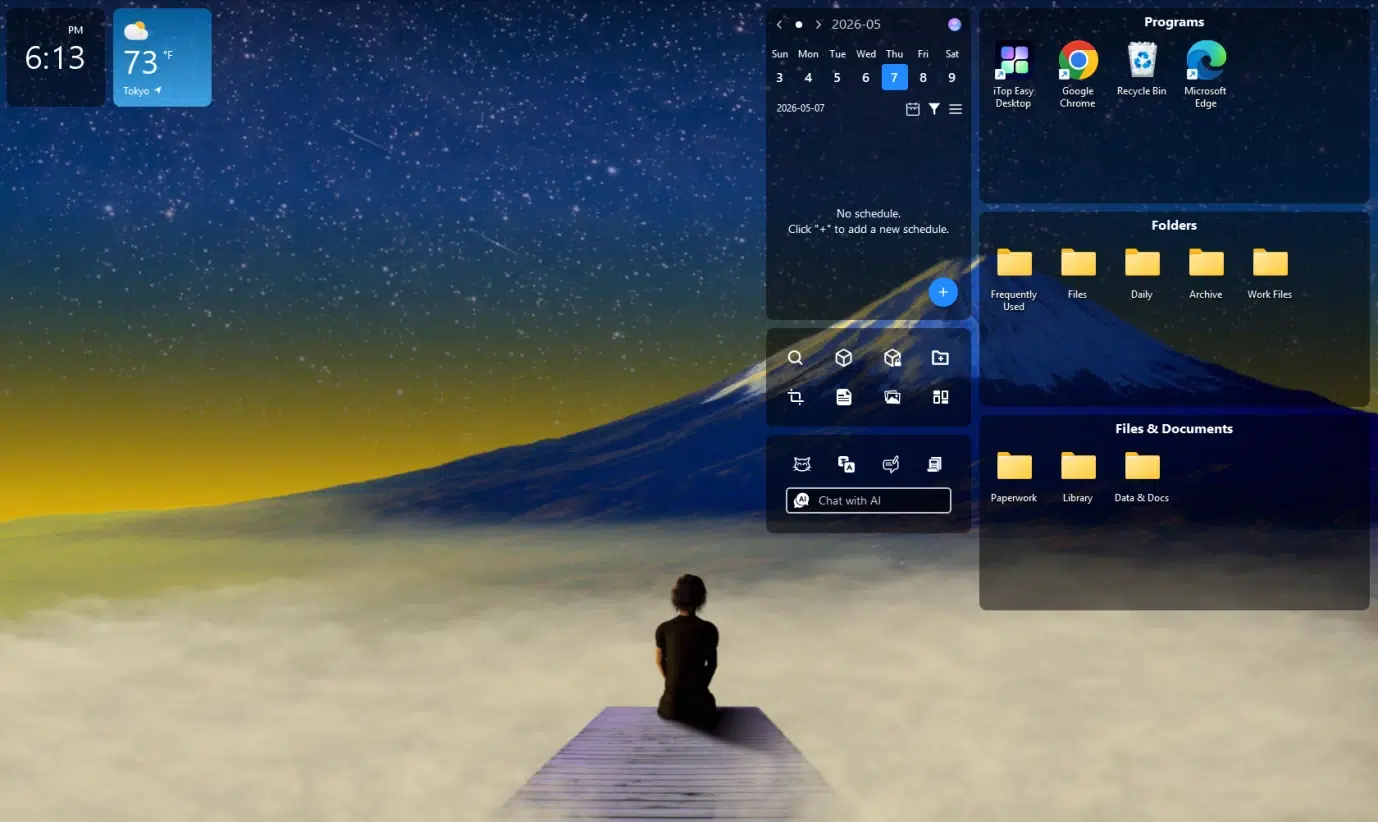
For the first time in a long while, my desktop actually looked manageable. Almost immediately, my desktop looked cleaner. Instead of seeing dozens of scattered icons, I could quickly identify where everything belonged. The organized layout also made it easier to maintain order because newly created files could be placed into appropriate categories right away.
I remember closing my laptop that evening feeling strangely satisfied. It wasn’t because I had completed a major project. It was because I had finally removed a source of daily frustration.
Features That Helped Me the Most
Several aspects of iTop Easy Desktop stood out during my experience. These features helped transform my desktop from a source of frustration into a more efficient workspace.
Intelligent Desktop Organization
Automates the process of grouping icons, shortcuts, and files into customized, color-coded boxes, instantly clearing desktop clutter with just a few clicks.
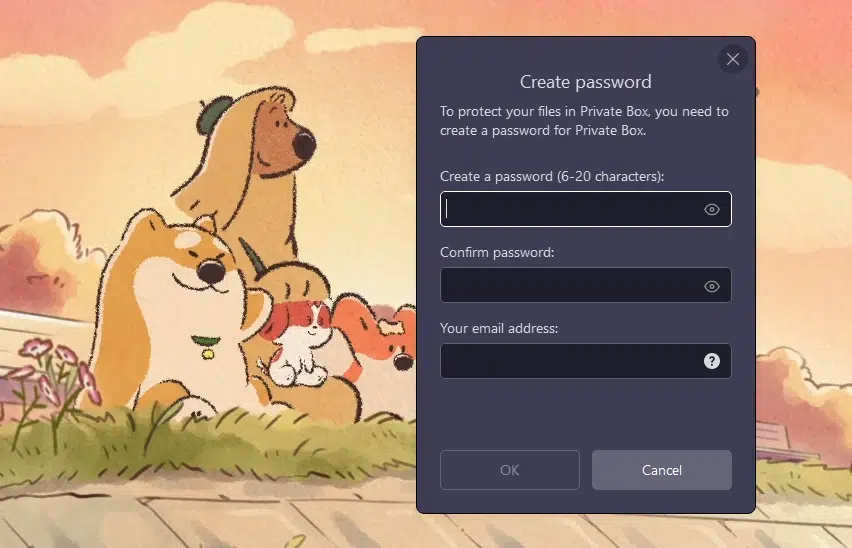
Private Box for Sensitive Data
Provides password-protected storage; I could lock and hide my most personal or sensitive files from unauthorized access.
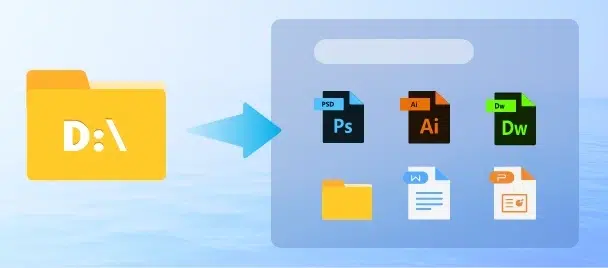
Folder Portal
It acts as a “mini File Explorer” right on my desktop, giving me direct, instant access to the contents of specific folders without opening multiple windows.
Enhanced Quick Search
Features a high-speed search engine that lets me locate any file or folder by name across the entire PC much faster than the standard Windows search tool.
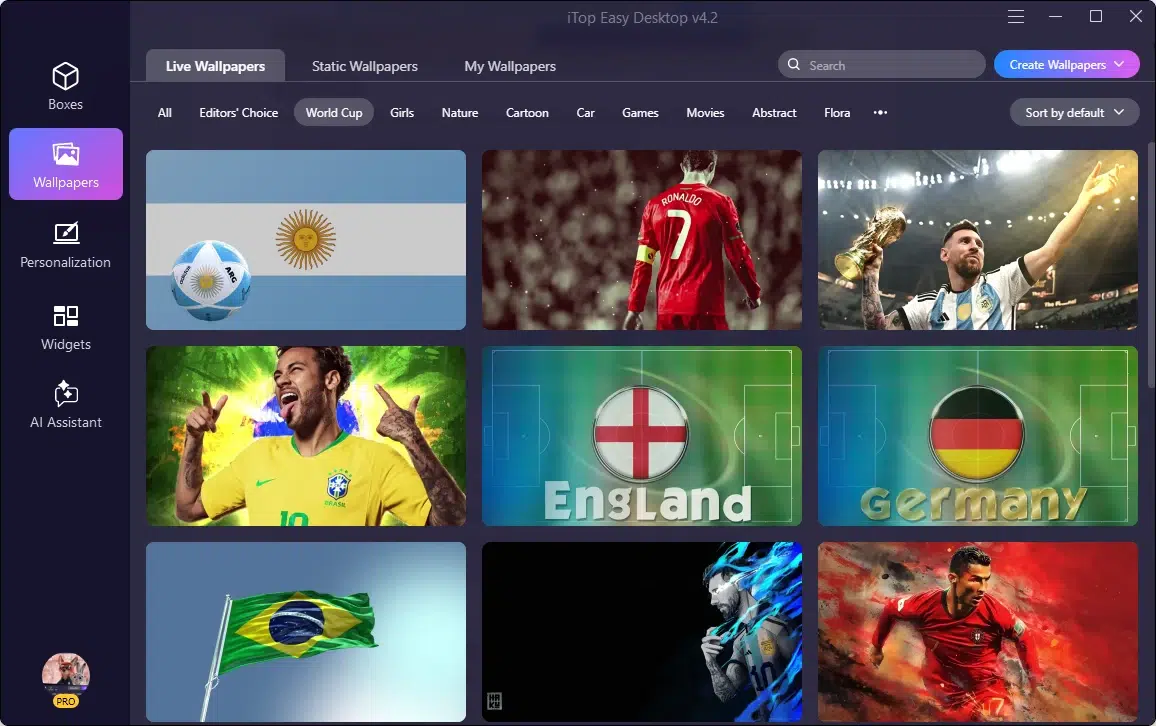
Customizable Wallpapers & Themes
Offers an extensive library of stunning static and live wallpapers, along with deep personalization options for the taskbar, Start Menu, and desktop icons to match my preferred aesthetic.
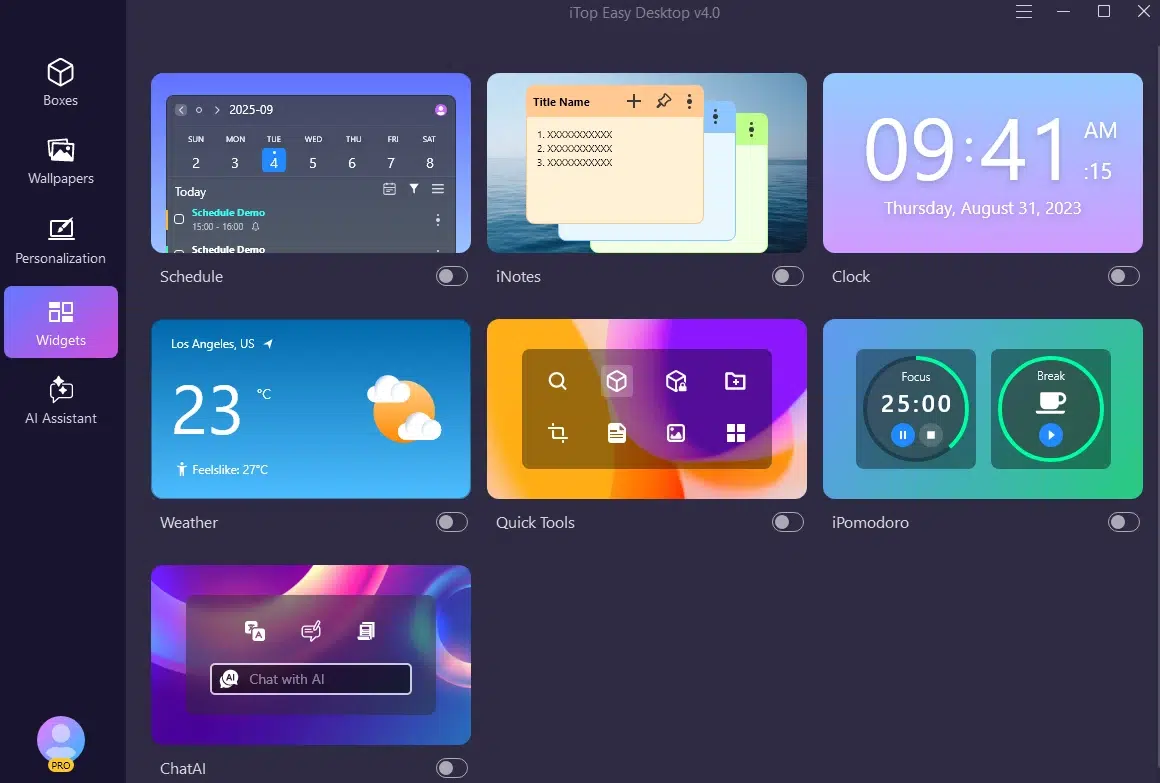
Productivity-Boosting Widgets
Includes a suite of handy tools—such as an integrated AI Assistant (for writing, translating, and summarizing), a calendar/scheduler, sticky notes (iNotes), weather forecasts, an on-screen clock, and an iPomodoro timer—to keep my workflow focused and efficient.
Smart Layout & Management
Includes features like “Double-Click to Hide” for a distraction-free screen, “Smarter Roll” to tidy up boxes at the edge of the screen, and snapshot tools to back up and restore all my desktop layouts.
The Change I Noticed After a Few Weeks
What surprised me most wasn’t the cleaner appearance. It was how much easier it became to stay focused. When I needed a file, I knew where to find it. I knew where a document belonged when I downloaded it. Instead of constantly searching through clutter, I could get straight to work.
The improvement wasn’t dramatic enough to make headlines, but it was noticeable every single day. These modest gains in productivity began to add up. More importantly, I felt more at ease in my workspace. When I open my computer, it’s refreshing to see a well-organized screen rather than digital chaos.
Final Thoughts
I still download files.
I still take screenshots.
I still work on multiple projects at the same time.
The difference is that my desktop no longer feels like a storage room where everything gets thrown together. I was able to create a workspace that felt organized without requiring constant effort by utilizing iTop Easy Desktop.
As a desktop organizer software, it gave me a practical way to manage the growing number of files I deal with every day. The biggest benefit wasn’t having a cleaner screen. It was getting rid of the countless little interruptions that were quietly slowing me down.
And honestly, I wish I had done it sooner.