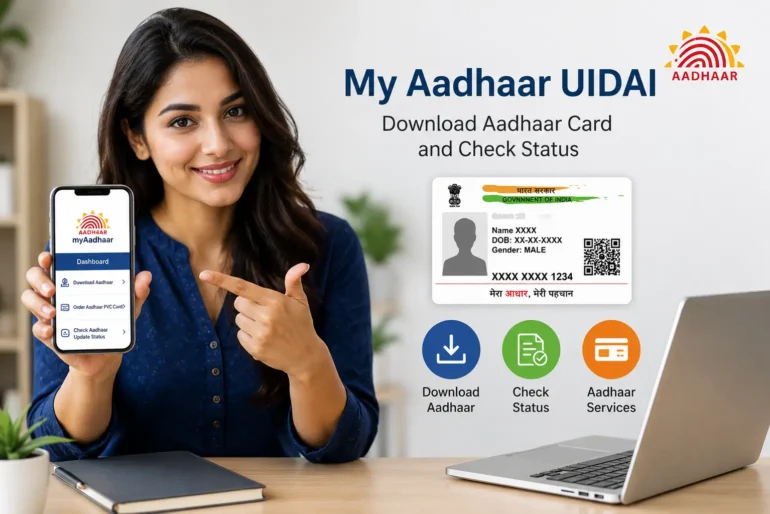
In today’s digital world, online identity services have become an important part of everyday life. India has taken a major step in digital transformation through Aadhaar, which is managed by the Unique Identification Authority of India (UIDAI). Among the many digital services offered by UIDAI, myAadhaar has become one of the most useful platforms for Indian citizens. It allows users to access Aadhaar-related services online without visiting physical centers repeatedly.
Whether someone wants to download an Aadhaar card, update personal details, check authentication history, lock or unlock biometrics, or verify Aadhaar information, My Aadhaar UIDAI provides a simple and convenient solution. This article explains everything about myAadhaar UIDAI in detail, including its features, benefits, services, registration process, security, and frequently asked questions.
What is myAadhaar UIDAI?
myAadhaar is an online self-service portal launched by UIDAI to help Aadhaar holders manage their Aadhaar information digitally. Through this platform, users can access several Aadhaar services from home using a smartphone, tablet, or computer.
The main purpose of myAadhaar is to make Aadhaar services faster, easier, and more secure for citizens across India. Instead of standing in long queues at Aadhaar enrollment centers, many services can now be completed online within minutes.
UIDAI developed this platform to support the Digital India initiative and improve convenience for millions of Aadhaar users.
Features of myAadhaar
myAadhaar comes with many useful features that help users manage their Aadhaar details efficiently. Some of the most important features include:
1. Download Aadhaar Card
Users can download their Aadhaar card online in PDF format. This digital version is officially valid and can be used for verification purposes.
2. Update Aadhaar Information
The platform allows users to update certain demographic details such as:
- Address
- Name correction
- Date of birth correction
- Gende
- Mobile number
- Email ID
Some updates may require supporting documents.
3. Check Aadhaar Status
People who have recently applied for Aadhaar or requested updates can track their application status online.
4. Lock and Unlock Biometrics
For additional privacy and protection, users can temporarily lock or unlock their biometric information.
5. Aadhaar Verification
Organizations and individuals can verify whether an Aadhaar number is valid or active.
6. Retrieve Lost Aadhaar Number
If someone forgets their Aadhaar number or enrollment ID, the portal helps recover it using registered mobile numbers.
7. Generate Virtual ID
Users can create a temporary Virtual ID instead of sharing their original Aadhaar number for extra security.
8. Authentication History
The platform allows users to view where and when their Aadhaar was used for authentication.
Benefits of Using myAadhaar
The popularity of myAadhaar is increasing because it offers several advantages.
Easy Access
People can access Aadhaar services anytime and from anywhere without visiting offices physically.
Time Saving
Online services reduce waiting time and make processes faster.
Secure Services
UIDAI uses OTP verification and encryption to keep user information protected.
Paperless Process
Digital services reduce paperwork and support environmentally friendly systems.
User-Friendly Interface
The portal is designed in a simple way so users can easily navigate different services.
How to Access myAadhaar
Using myAadhaar is very simple. Follow these basic steps:
- Visit the official UIDAI portal.
- Open the myAadhaar section.
- Enter your Aadhaar number.
- Verify using OTP sent to the registered mobile number.
- Access available services.
- Users must have a mobile number linked with Aadhaar to use most online services.
How to Download Aadhaar from myAadhaar
Downloading Aadhaar online is one of the most commonly used services.
Steps to Download Aadhaar
- Go to the myAadhaar portal.
- Select the “Download Aadhaar” option.
- Enter Aadhaar number, enrollment ID, or virtual ID.
- Complete captcha verification.
- Enter OTP received on the registered mobile number.
- Download the Aadhaar PDF file.
- The downloaded file is password-protected for security.
How to Update Address in Aadhaar
Address updates are also very common because people frequently move to new locations.
Address Update Process
- Login to myAadhaar.
- Select the address update option.
- Enter the new address.
- Upload valid proof of address.
- Submit the request.
- Save the update request number for tracking.
The update usually takes a few days for approval.
Importance of Aadhaar in India
Aadhaar has become one of the most important identity documents in India. It is used in:
- Banking services
- SIM card verification
- Government subsidies
- Income tax filing
- Scholarship applications
- Pension services
- Digital verification systems
Because Aadhaar is linked with many important services, maintaining accurate Aadhaar details is necessary.
Security and Privacy in myAadhaar
Many users worry about online privacy, but UIDAI has introduced several security measures.
OTP Verification
Sensitive services require OTP verification linked to registered mobile numbers.
Biometric Locking
Users can disable biometric authentication temporarily for additional protection.
Virtual ID
A temporary virtual ID can be used instead of sharing the actual Aadhaar number.
Encrypted Data
User information is encrypted to reduce unauthorized access.
These features help improve user trust and safety.
Common Problems Faced by Users
Although myAadhaar is useful, users may sometimes face issues.
OTP Not Received
Sometimes network problems delay OTP messages.
Mobile Number Not Linked
Without a registered mobile number, some online services may not work.
Document Rejection
Incorrect or unclear documents can cause update requests to fail.
Server Busy Issues
During peak hours, users may experience slower website performance.
Most of these problems can be resolved by retrying later or visiting an Aadhaar center.
Tips for Safe Usage of myAadhaar
To protect Aadhaar information, users should follow some important safety tips.
- Never share OTP with anyone.
- Use only the official UIDAI website.
- Avoid using public computers for Aadhaar services.
- Lock biometrics when not required.
- Keep mobile numbers updated.
- Download Aadhaar only from trusted sources.
- These precautions help prevent fraud and misuse.
Future of Digital Identity Services
India is rapidly moving toward digital governance, and Aadhaar plays a major role in this transformation. Platforms like myAadhaar reduce paperwork, improve transparency, and simplify access to government and private services.
In the future, UIDAI may introduce more advanced features such as AI-powered verification, faster digital authentication, and stronger privacy systems.
As technology continues to grow, digital identity platforms like myAadhaar are expected to become even more important in daily life.
Conclusion
myAadhaar UIDAI is a powerful online platform that simplifies Aadhaar-related services for millions of Indian citizens. From downloading Aadhaar cards to updating personal details and protecting biometric information, the platform offers convenience, security, and efficiency.
The ability to manage Aadhaar online saves time, reduces paperwork, and supports India’s digital transformation goals. With easy access, secure systems, and multiple online features, myAadhaar has become an essential digital service for modern users.
Anyone using Aadhaar should understand how myAadhaar works and how to use its services safely. By following proper security practices and keeping Aadhaar details updated, users can enjoy a smooth and secure digital experience.