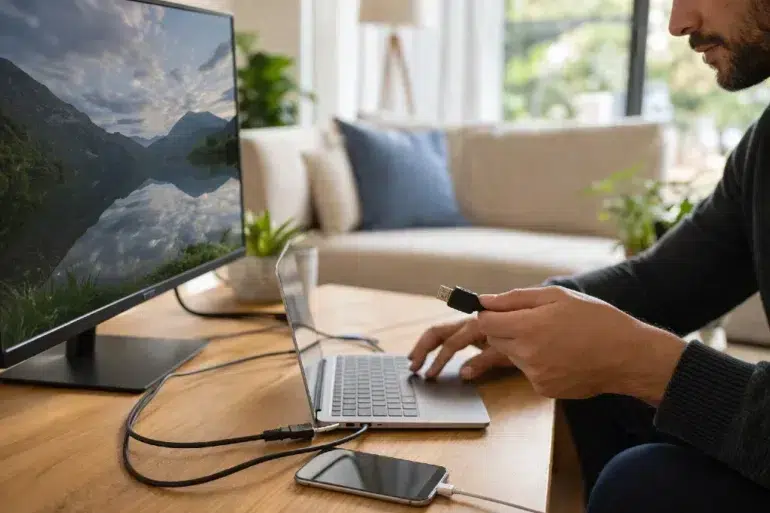
If you have ever untangled a mess of cords behind a TV, desk, or gaming setup, you already know that not all cables do the same job. Some are built to carry video and audio cleanly to a display. Others are designed to move data, deliver power, or handle a little of everything depending on the device. That is why understanding Cable HDMI and USB matters more than most people realize.
For a lot of people, cables are an afterthought until something stops working properly. A movie starts buffering on a second screen. A phone charges painfully slowly. A hard drive takes forever to copy a folder. A monitor refuses to display at the refresh rate you expected. In many of those cases, the issue is not the laptop, TV, phone, or external drive. It is the cable choice in between.
This is where Cable HDMI and USB becomes practical, not technical trivia. HDMI is still the standard most people rely on for sending video and audio to TVs, monitors, projectors, and game consoles. USB, especially modern USB C and USB4 setups, handles charging, data transfer, peripherals, and in some cases video output too. Official HDMI resources note that certified Ultra High Speed HDMI cables support up to 48 Gbps and can handle formats such as 8K at 60Hz and 4K at 120Hz, while USB Power Delivery can scale up to 240W and USB4 can reach 80 Gbps in the newest published specification.
The real benefit is not in memorizing standards. It is knowing which cable fits the job you want done, so your streaming looks sharper, your charging is faster, and your file transfers stop wasting time.
Why Cable HDMI and USB Still Matter in Everyday Life
It is easy to assume wireless tech has made cables less important. In reality, reliable wired connections are still the backbone of high quality home entertainment, office setups, content creation work, and gaming stations.
Think about the average day. You may stream a show on a smart TV, connect a laptop to a monitor for work, charge a phone from a wall adapter, back up photos to an external SSD, and plug in a webcam or microphone for a call. Every one of those tasks depends on a connection standard that has to handle bandwidth, signal stability, or power safely.
That is why Cable HDMI and USB is less about shopping jargon and more about performance. The right HDMI cable can help a console or streaming box output the picture and sound quality your display is capable of. The right USB cable can determine whether your device charges at full speed, whether your laptop can power a dock, and how quickly you can move large files.
When people buy the cheapest cable they see, they often end up paying twice. One purchase solves the problem for a week, then introduces flickering, limited resolution, dropped connections, slow charging, or unreliable storage transfers. Better cable choices usually mean fewer headaches, cleaner setups, and longer device life.
What HDMI Does Best
HDMI is built for audio and video. That is its lane, and it stays in it very well.
When you connect a streaming box, game console, Blu ray player, soundbar, or laptop to a TV or monitor, HDMI is often the simplest and most direct option. Modern HDMI standards support advanced display and audio features that matter for everyday users and enthusiasts alike. HDMI Licensing Administrator states that certified Ultra High Speed HDMI cables support up to 48 Gbps, making them suitable for 4K at 120Hz and 8K at 60Hz content.
Key HDMI benefits for streaming and display use
- Carries both digital video and digital audio in one cable
- Supports high resolutions and high refresh rates
- Works widely across TVs, monitors, consoles, receivers, and projectors
- Reduces cable clutter in entertainment setups
- Supports features such as eARC, VRR, and ALLM on compatible devices through newer HDMI ecosystems
For streamers and home theater users, HDMI remains the go to choice because it is purpose built for visual and audio quality. You are not asking it to power a laptop battery or transfer a project folder. You are asking it to deliver a stable picture and sound signal, and that is exactly where it shines.
What USB Does Best
USB is more flexible, which is both its strength and the reason people get confused by it.
USB can charge devices, transfer files, connect accessories, and in many modern cases carry video through USB C based modes or docking solutions. USB Implementers Forum notes that USB Power Delivery now supports up to 240W under updated specifications, which is a major jump from older charging limits, and USB4 builds on existing USB architecture to support high speed data while dynamically sharing bandwidth across data and display protocols.
That means a single USB C cable can sometimes charge a laptop, connect it to a monitor, attach storage, and link to accessories through a dock. But the word “sometimes” is doing a lot of work there. Not every cable supports every feature.
Key USB benefits for charging and data
- Charges phones, tablets, laptops, earbuds, cameras, and accessories
- Transfers files between devices and storage media
- Connects peripherals like keyboards, webcams, microphones, and printers
- Can support display output through compatible USB C and alternate mode systems
- Powers docking stations and hubs in compact workspaces
That flexibility is why Cable HDMI and USB often appear side by side in modern setups. HDMI handles the display connection. USB handles everything else around it.
Cable HDMI and USB for Streaming Setups
If your main goal is streaming, HDMI usually does the heavy lifting.
When people watch Netflix, YouTube, sports, live TV, or locally stored 4K media on a television, the output device usually connects over HDMI. That could be a smart TV box, gaming console, laptop, or media PC. The cable’s job is to deliver clean video and audio without dropouts, syncing issues, or resolution limitations.
In a practical streaming setup, Cable HDMI and USB often work together like this:
| Task | Best Connection |
|---|---|
| Send video and audio from a laptop to a TV | HDMI |
| Power a streaming stick or media device | USB |
| Connect external storage to a streaming box or PC | USB |
| Route audio and video to a monitor or television | HDMI |
| Power accessories like webcams, lighting, or mics | USB |
A common real world example is a creator who uses a laptop for streaming or media playback on a second display. HDMI sends the image to the monitor or capture device. USB powers the webcam, audio interface, external SSD, and charging dock. One handles the screen experience. The other supports the ecosystem around it.
When HDMI is the smarter choice for streaming
Use HDMI when:
- You want the simplest path from source to screen
- You care about stable picture quality
- You are using a TV, projector, console, or receiver
- You need features like 4K 120Hz on supported hardware
- You want to minimize display compatibility problems
When USB helps the streaming setup
Use USB when:
- You need to power accessories
- You are using external drives with media files
- You rely on a dock or hub
- You want one cable for charging and data on a laptop workstation
- You use USB C video output on supported devices, especially in compact desk setups
The takeaway is simple. For actual picture delivery to most TVs and many monitors, HDMI is still the specialist. USB is the utility player.
Cable HDMI and USB for Charging
This is where USB clearly takes the lead.
HDMI is not a charging cable in the way most people think of charging today. It is designed for transmitting audio and video. USB, especially USB C with Power Delivery, has become central to device charging across laptops, tablets, phones, and accessories.
USB IF states that USB Power Delivery can reach up to 240W through updated specifications, with higher fixed voltages such as 28V, 36V, and 48V enabling 140W, 180W, and 240W power levels for supported devices and cables.
That has changed the way people build desk setups. Instead of carrying different proprietary chargers for every device, many users now rely on one USB C ecosystem for:
- Laptop charging
- Smartphone charging
- Tablet charging
- Portable monitor power
- Accessory charging for headphones, cameras, and gaming gear
Why this matters in the real world
Imagine you work from a coffee shop twice a week and move between a desk, couch, and office. A capable USB C cable with the right charger can top up a phone, charge a tablet, and power a laptop. That kind of simplicity is why USB has become indispensable.
Still, not every USB cable supports fast charging. Some only handle basic power. Others handle high wattage charging but limited data rates. Some are excellent for external SSDs but not meant for the highest power profiles. That is why checking certification, wattage support, and cable labeling matters. USB IF maintains certified product search and compliance information for supported products, and HDMI Licensing similarly encourages consumers to look for official certification labels on qualifying HDMI cable packaging.
Cable HDMI and USB for File Transfers
This is another area where USB takes center stage.
If you are transferring photos from a camera, backing up a laptop, editing video from an external SSD, or copying work documents between devices, USB is the cable family doing the job. HDMI is not meant for file transfer. It is a display pipeline, not a storage protocol.
USB4 is especially relevant because it expands bandwidth and can improve how a single connection handles multiple tasks. USB IF says USB4 doubles the maximum aggregate bandwidth of USB and enables multiple simultaneous data and display protocols, while its newer specification publishing includes 80 Gbps performance in the latest release. Intel’s Thunderbolt platform, which contributed protocol foundations for USB4, has also long pushed high speed cable based workflows up to 40 Gbps in Thunderbolt 4 systems.
Why faster transfer speeds matter
If you move small office files once in a while, almost any decent USB cable may feel fine.
But if you are:
- editing 4K video from an external drive
- backing up tens of thousands of photos
- transferring game files between storage devices
- moving large creative project folders
- using a dock with storage, displays, and charging together
then cable quality and supported protocol matter a lot.
A slow or mismatched USB cable can bottleneck an expensive external SSD. That means you paid for high speed storage but are only getting a fraction of its potential. That kind of mismatch is far more common than people think.
HDMI vs USB: Which One Should You Choose?
The answer depends on the job.
Here is the simplest way to think about Cable HDMI and USB:
Choose HDMI when your priority is:
- Sending video and audio to a TV or monitor
- Supporting higher resolution or refresh rate display output
- Running a home theater, console, or projector setup
- Keeping display connections direct and stable
Choose USB when your priority is:
- Charging phones, tablets, or laptops
- Moving files quickly
- Connecting accessories and storage
- Building a one cable desk setup through docks and hubs
Choose both when you need a complete setup
Most modern users do not actually choose one or the other. They use both.
A remote worker may use HDMI for a second display and USB for a dock, charger, webcam, and storage. A gamer may use HDMI for a high refresh rate TV and USB for a headset, controller charging, and captured media transfers. A student may use USB C for laptop charging and file transfer, then HDMI for presentations in a classroom or meeting room.
That is why Cable HDMI and USB is not really a rivalry. It is a combination that solves different parts of the same daily workflow.
Common Buying Mistakes to Avoid
The biggest mistake is assuming all cables with the same connector shape do the same thing.
That is especially common with USB C. Two cables may look identical while offering very different charging speeds, data transfer rates, and video support. HDMI can be confusing too when buyers focus on marketing phrases instead of certified cable categories.
Avoid these mistakes
- Buying by appearance instead of specification
- Assuming every USB C cable supports video output
- Assuming every USB cable supports fast charging
- Using old HDMI cables for high bandwidth display needs
- Ignoring certification and compliance labels
- Pairing premium devices with bargain cables that limit performance
HDMI Licensing says consumers should look for official labeling on qualifying Ultra High Speed HDMI and Ultra96 HDMI cables, and USB IF provides compliance and certified product resources that help buyers verify supported products.
Practical Tips for Getting Better Results
If you want fewer connection problems and better long term value, a few habits make a real difference.
1. Match the cable to the task
Do not use a generic cable just because it fits. Use HDMI for display first. Use USB for charging, file transfer, and accessories.
2. Check the supported standard
For HDMI, make sure the cable can handle the resolution and refresh rate your gear requires. For USB, confirm power, data, and video support if you need all three.
3. Buy certified products when possible
Official certification does not guarantee perfection, but it improves the odds that the cable was tested against the standard it claims to support.
4. Think about your future setup
If you plan to upgrade to faster storage, a new monitor, or a higher power charger, buying a better cable now can save money later.
5. Label your cables
This sounds basic, but it helps. If one USB C cable is for fast charging and another is for high speed SSD work, labeling prevents mixups and frustration.
Frequently Asked Questions
Is HDMI better than USB for streaming?
For sending video and audio to a TV or monitor, yes. HDMI is usually the better and simpler choice. USB can support display output in some USB C based systems, but HDMI remains the more common dedicated display connection.
Is USB better than HDMI for charging?
Yes. USB is the standard family built for charging modern consumer devices. HDMI is not intended to replace USB charging workflows.
Can USB replace HDMI completely?
Not completely. Some USB C setups can carry video, power, and data through one cable, especially with docks or alternate modes. But HDMI still remains one of the most common and reliable dedicated display standards for TVs, consoles, and home entertainment gear.
Which cable is better for file transfers?
USB. HDMI does not transfer files between devices in the way external drives, phones, tablets, and laptops need.
Conclusion
When you strip away the jargon, the value of Cable HDMI and USB comes down to clarity. HDMI is built for the screen experience. USB is built for power, data, and device flexibility. Put them together, and you have the foundation for a smooth modern setup whether you are streaming a show, charging a laptop, or moving huge folders to an external drive.
The best results come from choosing with intention. If your goal is stable video and sound, HDMI is usually the right path. If your goal is charging, storage, accessories, or an all in one desk connection, USB is the smarter fit. Most homes and offices need both, because modern tech depends on more than one kind of digital interface to work at its best.
A little attention to cable quality, certification, and compatibility can save you from weak charging speeds, failed display output, and painfully slow file transfers. That is what makes Cable HDMI and USB worth understanding. It is not just about cords. It is about getting the performance you already paid for.