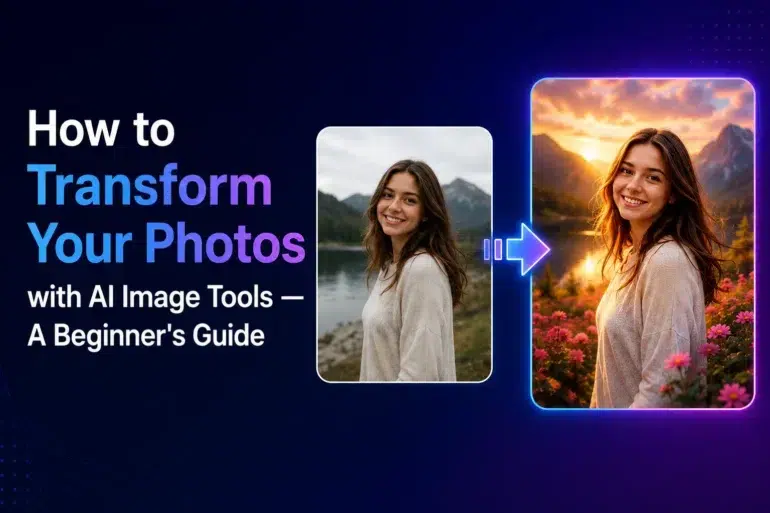
Most people assume that turning an ordinary photo into stunning visual art requires years of design training or expensive software subscriptions. That assumption is increasingly outdated. Thanks to rapid advances in generative AI, anyone with a smartphone or laptop can now reshape, restyle, and reimagine images in minutes — no technical background required.
Whether you are a small business owner looking to refresh your brand visuals, a content creator chasing a specific aesthetic, or simply someone who wants to experiment with artistic styles, modern AI tools have lowered the barrier dramatically. This guide walks you through the entire process, from choosing the right platform to producing polished results on your very first attempt.
What Makes an AI Image Platform Worth Using
Not every AI image tool delivers on its promises. Before committing to a workflow, it is worth understanding what separates genuinely useful platforms from those that produce generic, disappointing outputs.
The most capable platforms share a few defining qualities: support for multiple generative models under one roof, a clean interface that does not punish beginners, and robust options for style customization.
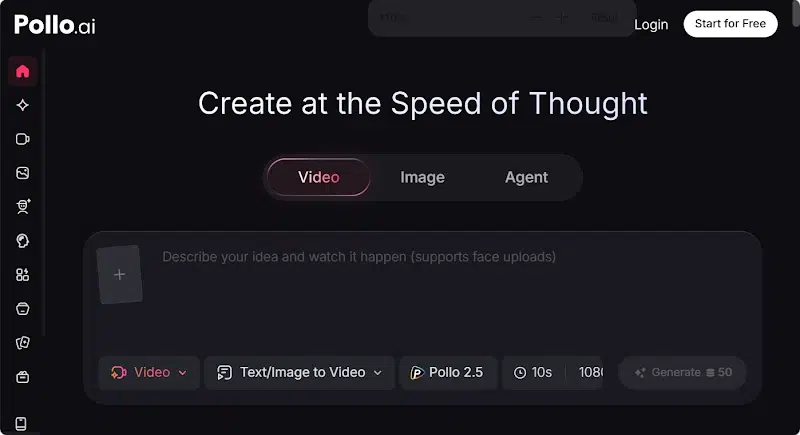
Pollo AI checks all of these boxes. It is a unified AI image and video generation platform that aggregates several top-tier models, meaning you are not locked into a single creative engine. You can switch between models depending on the complexity of your project or the style you are chasing — a flexibility that standalone tools rarely offer.
Step by step guide for setting up your first AI image project
Getting started is straightforward once you know what to prepare.
Step 1:Choose Your Source Image Carefully
Your input image is the foundation of everything that follows. For best results, use a photo with clear subject definition and good lighting. Blurry or heavily compressed images tend to produce muddier outputs, regardless of how powerful the underlying model is. A sharp portrait, a clean product shot, or a well-lit landscape all work well as starting points.
Step 2:Write a Purposeful Prompt
Even when working from an existing photo, your text prompt plays a critical role in guiding the transformation. Be specific about the style you want. Instead of writing “make it look artistic,” try something like “render in soft watercolor tones with visible brushstrokes and a muted palette.” The more precise your language, the more predictable and satisfying the result.
Step 3:Select the Right Model for Your Goal
Different generative models excel at different tasks. Some are optimized for photorealistic outputs, others for illustrated or painterly styles. On a multi-model platform, you can test several approaches on the same image without starting over from scratch — a significant time-saver when you are still learning which model suits your aesthetic preferences.
How Image to Image AI Changes the Creative Process
Traditional photo editing requires you to manually apply every adjustment — brushing masks, tweaking curves, layering effects. The workflow is powerful but slow, and it demands a level of technical fluency that most casual users simply do not have.
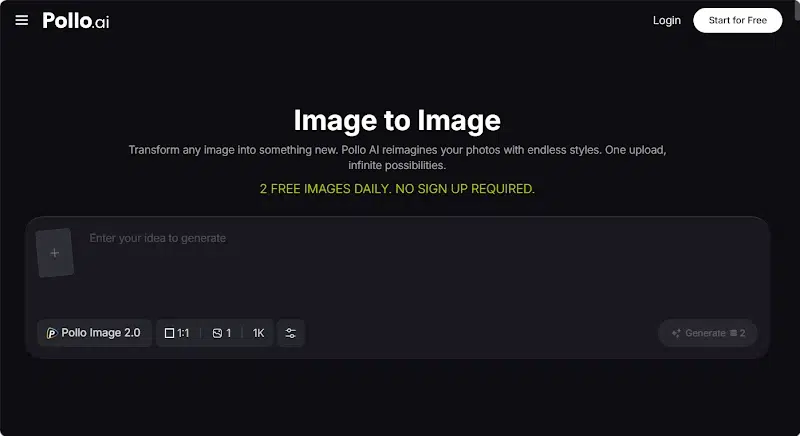
Image to Image AI fundamentally reframes this process. Instead of editing, you are directing. You provide a reference image and describe the transformation you want, and the model handles the execution. This means a small business owner can take a product photo shot on a kitchen table and transform it into a polished, studio-quality visual without hiring a photographer or a retoucher.
Practical Use Cases for Small Business Owners
- Refreshing Product Visuals Without a Photoshoot
Seasonal campaigns often require updated imagery, but scheduling and budgeting for a new photoshoot every quarter is not realistic for most small businesses. With AI image generation tools, you can take an existing product photo and recontextualize it — changing the background, adjusting the lighting mood, or applying a seasonal color scheme — in a single session.
- Creating Consistent Brand Aesthetics
Brand consistency matters enormously for customer recognition, but maintaining a cohesive visual identity across dozens of images is time-consuming. By applying the same style prompt to a batch of source images, you can ensure that everything from your website banners to your social media thumbnails shares a unified look and feel.
- Generating Content for Multiple Platforms at Scale
Different platforms favor different visual proportions and moods. What works on Instagram may feel too busy for a LinkedIn post. AI tools allow you to generate multiple style variants of the same image quickly, giving you platform-specific content without multiplying your production effort.
- Using LoRA Templates to Accelerate Your Workflow
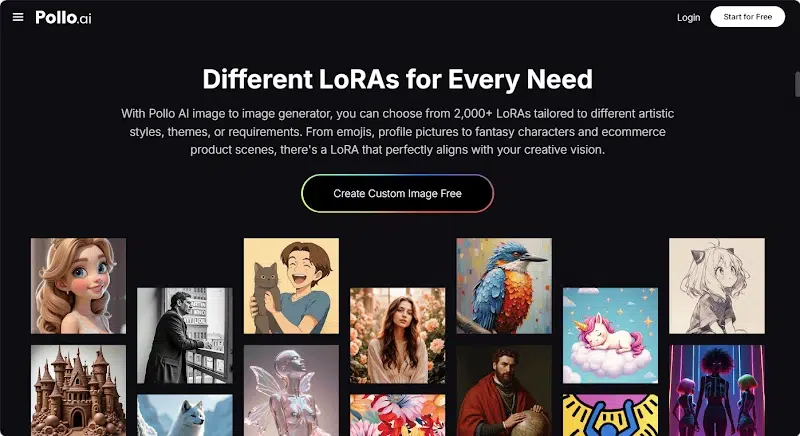
One of the more powerful features available on advanced platforms is access to pre-trained LoRA models. LoRA — short for Low – Rank Adaptation — allows a generative model to specialize in a particular visual style or subject matter without requiring you to train anything from scratch.
Pollo AI offers more than two thousand built-in LoRA templates, which means you can browse and apply highly specific styles — from vintage film grain to anime line art to architectural rendering — with a single click. This dramatically shortens the gap between a creative idea and a finished image, particularly for users who are still building their prompting skills.
How to Evaluate Your Results and Iterate
Producing a great AI-generated image rarely happens on the first attempt, and that is perfectly normal. The iteration process is where most of the learning happens.
- Compare Outputs Across Models
Run the same source image and prompt through two or three different models and compare the outputs side by side. You will quickly develop an intuition for which models handle certain styles more gracefully.
- Adjust Prompt Specificity
If your result feels generic, your prompt is probably too vague. Add details about lighting direction, color temperature, texture, and compositional emphasis. If your result feels chaotic or overcrowded, simplify — remove competing style references and let the model focus on one clear directive.
- Save Your Successful Prompts
When you land on a combination that produces results you love, document it. A saved prompt library becomes one of your most valuable creative assets over time, allowing you to replicate successful workflows instantly on future projects.
Making AI Image Creation Part of Your Regular Workflow
The goal is not to use AI tools occasionally as novelty, but to integrate them into how you work every day. Start small — pick one recurring content task, such as creating social media graphics, and commit to handling it with AI assistance for a month. Track how much time you save and whether quality meets your standards.
Platforms like Pollo AI are designed to support exactly this kind of sustained, practical use. The combination of multiple models, extensive LoRA template libraries, and straightforward image-to-image functionality means the platform scales with your ambitions. As your skills develop and your projects become more complex, the tools grow with you rather than hitting a ceiling.
The learning curve is genuinely short. Most users produce results they are proud of within their first few sessions. The key is to start, experiment without pressure, and build confidence through repetition.