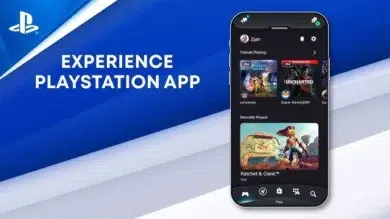
Gaming enthusiasts seeking seamless console integration with their desktop setup will find tremendous value in the PlayStation App’s expanded functionality. This official Sony platform transforms how players manage their gaming ecosystem, offering remote features and social connectivity that extend far beyond traditional console boundaries. While originally designed for mobile devices, accessing this powerful tool on PC through emulation unlocks enhanced screen real estate and multitasking capabilities that mobile users can only dream about.
Bridging Console and Desktop Gaming Experiences
The PlayStation App serves as a comprehensive control center for PS4 and PS5 owners, delivering real-time notifications about friend activities, game invitations, and system updates. Players can browse the PlayStation Store, purchase games remotely, and initiate downloads to their console while away from home — ensuring new titles are ready to play the moment they return. The app’s messaging system facilitates quick communication with gaming friends, while trophy tracking lets competitive players monitor their achievement progress across all titles.
Desktop users particularly benefit from the larger display when managing extensive game libraries or participating in lengthy text conversations. The interface showcases game artwork and screenshots in stunning detail compared to smartphone screens, making content discovery significantly more enjoyable.
Professional Features for Serious Gamers
Remote Play Integration
The standout capability remains Remote Play functionality, allowing users to stream console gameplay directly to their device. This feature proves invaluable for households sharing television access or gamers wanting to continue sessions from different rooms. Streaming quality reaches up to 1080p resolution with stable internet connections, delivering surprisingly responsive controls for most game genres.
Social Hub Capabilities
- View real-time friend activity feeds and gaming sessions
- Share screenshots and video clips with your network
- Join party chats and coordinate multiplayer sessions
- Discover trending games within your friend circle
- Track comparative trophy achievements
Why Desktop Access Matters
Running the PlayStation App on PC provides distinct advantages over mobile usage. The expanded screen real estate makes browsing the PlayStation Store considerably more comfortable, with game descriptions, reviews, and media galleries displayed without constant scrolling. Multitasking becomes effortless — monitor your gaming notifications while working, streaming content, or browsing, without switching devices constantly.
Market research from gaming analytics firms indicates that players using companion apps across multiple platforms demonstrate 40% higher engagement with their gaming ecosystems compared to console-only users. This cross-platform accessibility keeps players connected to their gaming communities regardless of their current activity.
Key User Benefits:
1. Instant console management from any location
2. Never miss limited-time store deals or friend invitations
3. Download queue management during work hours
4. Enhanced social connectivity with gaming communities
5. Comfortable browsing experience for extensive game research
Installation Process for Windows Users
Getting the playstation app for pc requires using Android emulation software, since Sony hasn’t released an official Windows version. BlueStacks represents the most reliable option, offering optimized performance for communication and utility apps.
Download BlueStacks from their official website and complete the straightforward installation wizard. Launch the emulator and sign into your Google account to access the Play Store. Search for “PlayStation App” within the Play Store interface, then click Install. Once installation completes, open the app and authenticate using your PlayStation Network credentials. The app will sync your console data and display your gaming profile within seconds.
The emulated environment performs smoothly on most modern PCs, requiring minimal system resources while running in the background. Users can resize the window according to their workflow preferences or run it fullscreen for maximum visibility.
Maximizing Your Gaming Ecosystem
Technology publications consistently highlight companion apps as essential tools for modern console gaming. The PlayStation App exemplifies this trend, offering functionality that genuinely enhances the ownership experience rather than serving as mere novelty. Desktop access amplifies these benefits, creating a truly integrated gaming environment that keeps players connected whether they’re actively gaming or managing other responsibilities throughout their day.