I have tested enough creative tools over the past year to develop a simple rule: if a feature looks impressive for ten seconds but gives me nothing I can actually publish, I move on fast. That was my attitude toward photo animation for a long time. It looked clever in demos, sure, but most results felt like novelty clips—fun once, forgettable by the next tab.
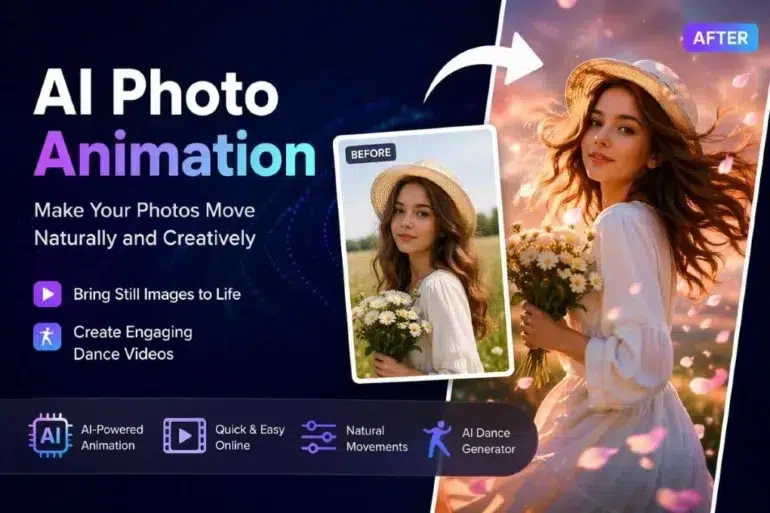
That changed when the tools got better at motion control and stopped treating every image like it needed a dramatic, overcooked transformation. When I wanted to make photo animation online free, what mattered to me was not “Can this move?” but “Can this move without ruining the original feeling of the image?” That is the line between a toy and a workflow.
What surprised me most was how often this now fits into normal content production. A static portrait can become a short social clip. A product shot can gain subtle motion for ads. Even old family photos, when handled carefully, can feel more immediate without turning uncanny. The improvement is not just visual. It is practical.
The Real Shift Is Subtle Motion, Not Loud Effects
In my experience, beginners often expect AI animation to work best when the motion is obvious. The opposite is usually true. The more aggressive the effect, the easier it is to break facial proportions, distort hands, or make the whole frame feel synthetic.
The clips that work tend to do less. A slight head turn, a soft blink, a tiny camera drift, a small fabric movement—those choices preserve believability. Once I started judging outputs by restraint rather than spectacle, my success rate improved immediately.
That is also why this category has matured. The better tools are no longer trying to show off every capability at once. They are getting better at keeping the image identity stable while adding just enough life to make the content feel native to short-form platforms.
Where I’ve Seen It Work Best
Some use cases sound stronger in theory than they look in reality. Others quietly overperform. Based on what I have tested, here is the split:
| Use Case | Why It Works | Common Mistake |
| Social media teasers | Adds motion to otherwise static posts | Overdoing facial movement |
| Product promotion | Makes simple visuals feel more premium | Unnatural camera moves |
| Creator branding | Helps profile art or mascot images feel alive | Changing the original style too much |
| Memory-style edits | Gives old photos emotional depth | Forcing large motion into old images |
That table reflects a pattern I kept noticing: the more clearly I understood the purpose of the clip before generating it, the better the result. When I uploaded an image with no content plan and simply hoped the tool would invent something meaningful, the output usually felt random. When I knew I needed a three-second mood clip, a looping reaction, or a lightweight promo visual, the generation became far more usable.
Good Input Still Matters More Than People Admit
A lot of discussions around AI visuals focus on the model, yet input quality still drives the outcome. I do not mean that you need studio photography for everything. I mean the source image should already have one strong idea.
If the subject is clear, the framing is readable, and the mood is consistent, animation has something to work with. If the original image is crowded, flat, or visually confused, motion usually amplifies the problem.
I also learned to think in layers:
- What part of the image should feel alive?
- What part should remain stable?
- Is the motion emotional, promotional, or just decorative?
- Would this still make sense without sound?
Those questions sound basic, but they save time. They turn generation from trial-and-error into editing with intent.
The Overlap With Dance Content Is Bigger Than It Looks
At first glance, photo animation and AI dance tools seem like separate categories. One is subtle. The other is energetic and performance-driven. In practice, I see them as part of the same shift: images are no longer fixed endpoints. They are starting points for motion-based content.
That is why I have also spent time testing tools built around movement-heavy outputs, including an AI dance generator. The value is not only in making a character dance. It is in how quickly a still asset can become content with rhythm, personality, and replay value. For creators working across TikTok, Reels, Shorts, or meme pages, that speed matters more than people outside this space realize.
The important distinction is tone. A dance-based output works when you want attention immediately. A lightly animated photo works when you want atmosphere, emotion, or polish. I would not use them interchangeably, but I do think they belong in the same modern content toolkit.
What Separates a Publishable Result From a Throwaway One
After repeating this process enough times, I noticed that publishable clips usually meet three conditions.
1. The original identity stays intact
If the face, pose, or design language shifts too much, viewers feel it instantly. They may not know what went wrong, but they know something is off.
2. The motion matches the image
A calm portrait should not suddenly move like a music video. A product render should not wobble like a handheld vlog clip. Motion has to respect the original visual logic.
3. The output has a destination
This point gets ignored. A clip made for a homepage banner should not be judged the same way as one made for a meme post or a paid ad test. Success depends on context.
That last part changed how I evaluate everything. I stopped asking whether the output looked “amazing” in a vacuum. I started asking whether it was ready for a thumbnail test, a landing page block, a story post, or a short promotional loop. That is a much better standard.
My Honest Take After Testing This Category Repeatedly
I do not think AI photo animation replaces video production. It does not replace a real editor, a camera, or thoughtful storytelling either. What it does replace is a dead zone that used to exist between image creation and lightweight motion content.
That gap was awkward for years. Static images were too flat for some platforms, while full video production took too much time for simple ideas. Now there is a middle layer, and it is finally becoming useful.
That is why I take these tools more seriously than I did a year ago. Not because the demos got flashier, but because the results became easier to direct, easier to reuse, and easier to fit into actual publishing workflows. For creators, marketers, and small teams, that is the difference that matters.
In other words, the real win is not that a photo can move. It is that a still image can now become content with a purpose.