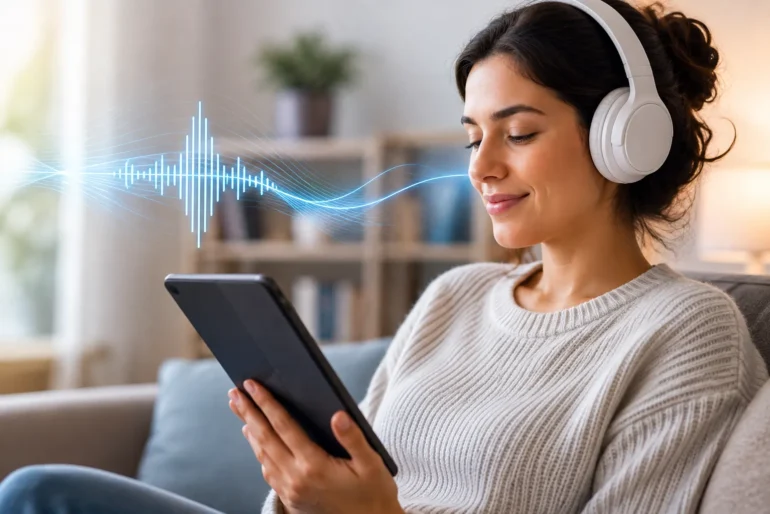
Text-to-speech lets readers move between listening and visual reading without leaving the text behind.
Reading does not have to mean staying still in front of a page. Better text-to-speech tools are giving people another practical way to follow books and documents—especially when attention, visual strain, or a busy schedule makes conventional reading harder.
Reading Is Becoming More Flexible
For a long time, digital reading mostly meant recreating the printed page on a screen. The format changed, but the basic expectation did not: readers still had to look at the words and move through them line by line. Text-to-speech technology changes that relationship. Instead of replacing written material, it adds a second route into the same information.
That flexibility matters in ordinary situations. Someone may want to continue a chapter while commuting, listen to a report while preparing dinner, or rest their eyes after a full day of screen work. For people who experience dyslexia, attention-related difficulties, or visual fatigue, listening can also reduce some of the friction that makes long passages difficult to begin or sustain.
Listening Is Not a Shortcut Around Reading
Audio is sometimes treated as a less serious way to engage with a text. In practice, the most useful reading tools do not force a choice between seeing and hearing. They let people move between the two. A reader can listen to a difficult section, return to the page to check a name or quotation, then continue in audio without losing their place.
This is why synchronized highlighting and accurate position tracking are more than visual extras. They help connect spoken words to their written form. For language learners, readers working through technical material, and anyone whose concentration varies during the day, that continuity can make a long document feel more manageable.
What Makes Text-to-Speech Useful in Real Life
Voice quality has improved noticeably, but a pleasant voice alone does not create a good reading experience. The surrounding design matters just as much. Useful tools tend to give readers control rather than asking them to adapt to a fixed playback system.
Adjustable speed, so a reader can slow down unfamiliar material or move more quickly through a familiar section.
Reliable progress and resume controls, allowing a session to continue later without searching for the last paragraph.
Clear navigation by chapter or section instead of treating an entire document as one long audio track.
Readable highlighting and simple controls that do not compete with the content for attention.
Support for the formats people already use, so listening does not require rebuilding a personal library from scratch.
From Ebooks to a Practical Listening Routine
The value of the technology becomes clearer when it fits existing reading habits. CastReader helps readers turn Kindle books into audio they can listen to on their phones. That approach is useful because it starts with books people have already chosen, rather than asking them to search for a separate audiobook edition every time.
A listening routine can be simple. A reader might use audio for the opening pages of a chapter, switch to visual reading when taking notes, and return to listening during a walk. Someone working through a dense nonfiction book might lower the speed and follow the highlighted text at the same time. The point is not to prescribe one ideal method, but to make it easier for each reader to find a rhythm that works.
Accessibility Improvements Often Help Everyone
The W3C Web Accessibility Initiative notes that people with cognitive and learning disabilities may face barriers involving attention, memory, language, and comprehension. Clear navigation, flexible presentation, and support for different ways of processing information are therefore meaningful parts of inclusive design—not optional extras.
The same features can be helpful far beyond the group they were first designed to support. Captions assist people in noisy places. High-contrast text helps on a bright train platform. Text-to-speech can help a student review, a professional work through a long report, or a tired reader finish a chapter without staring at another screen. Accessibility features often become everyday convenience features because human needs are rarely confined to a single label.
The Next Step Is Better Control, Not More Complexity
As speech technology improves, the most important progress may be less visible. Readers need dependable pronunciation, sensible chapter detection, privacy-conscious processing, and controls that remain easy to use. They also need clear expectations about which files and books are supported. A tool that works consistently is more valuable than one crowded with features that interrupt the reading experience.
Publishers and developers can support this shift by treating audio as part of digital reading from the beginning. Structured headings, clean document formatting, and meaningful navigation all make text easier for both people and assistive technologies to interpret. When content is designed well, the same book or article can move more naturally between screen, speech, and other formats.
A Wider Definition of Reading
Digital reading is gradually becoming less tied to one posture, one device, or one sensory channel. That does not diminish the written word. It gives readers more ways to stay connected to it. For people who have struggled with long screens, shifting attention, or dense pages, the option to listen may be the difference between abandoning a text and continuing with confidence.
The best text-to-speech tools are not trying to decide how people should read. They are making room for more people to read in the way that works for them.
About CastReader
CastReader is a reading and listening tool designed to make books easier to access on a phone. Learn more at castreader.com.