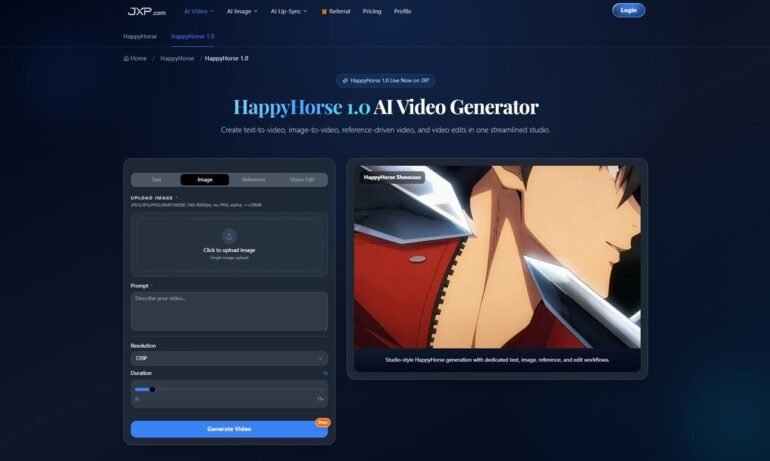
As a content creator, I’m always on the lookout for tools that save time while keeping my videos professional-looking. A few weeks ago, I started using HappyHorse 1.0, and honestly—it changed the way I create content. Instead of spending hours editing, I could generate polished AI videos in minutes.
From Idea to Video in Minutes
The first project I tried was a short social media promo. Normally, this would take me a whole day to shoot and edit. With HappyHorse 1.0, the process was surprisingly fast and simple:
- Describe or Upload Your Vision
I typed a short prompt describing the scene and uploaded a reference image. The AI understood the style, lighting, and mood I wanted. - Set Video Parameters
I chose a 10-second duration, 1080p resolution, and the aspect ratio I needed. The AI processed everything almost instantly. - Generate, Review, & Export
Within less than a minute, I had a fully synchronized video with audio ready for TikTok and Instagram. Iterating multiple versions took only a few clicks.
I was amazed—what usually takes hours of planning, shooting, and editing was done in minutes.
Why I Keep Using HappyHorse 1.0
After testing it on a few projects, I noticed some real advantages over other tools:
- Speed & Efficiency: I can generate a video from idea to finished clip in under a few minutes.
- Consistency Across Clips: When creating multi-scene campaigns, the AI kept characters, lighting, and style consistent.
- Flexible Formats: Vertical for social media, horizontal for YouTube—you can adjust aspect ratio and duration easily.
- Creative Freedom: Combining multiple prompts and reference images gave me unique and dynamic visuals I wouldn’t have thought of manually.
It feels less like a software tool and more like a creative collaborator sitting beside me.
Real Projects I Created
Here’s how I actually used HappyHorse 1.0 in my work:
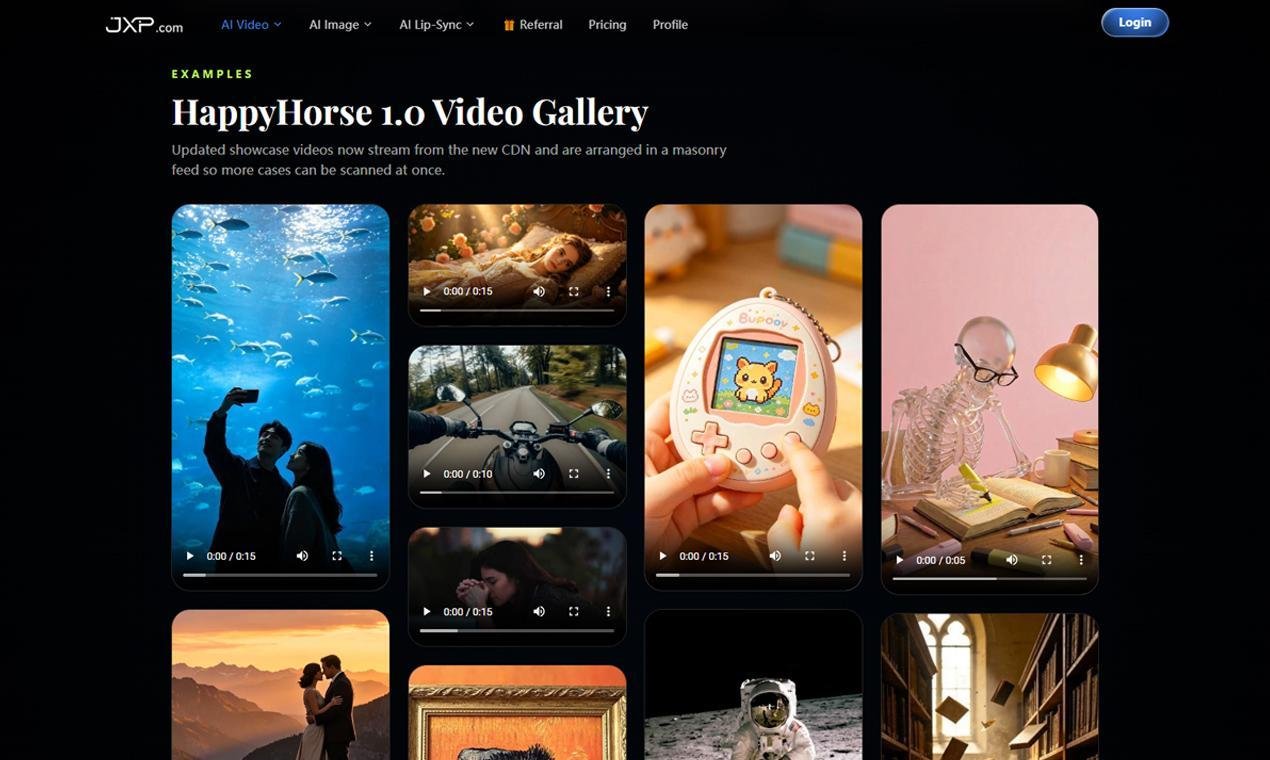
- Social Media Videos: Short, scroll-stopping vertical clips with synchronized audio for Instagram Reels and TikTok.
- Product Demos: I uploaded product images and got polished demo videos in seconds—no studio or crew needed.
- Marketing Campaigns: Multi-scene promotional videos were consistent across clips, maintaining brand identity.
- Short Story Clips: Even narrative-based clips kept characters, camera angles, and lighting consistent without extra editing.
Every time, the results were professional-looking, yet I didn’t have to tweak anything manually.
Tips I Learned While Using HappyHorse 1.0
If you’re trying it for the first time, here’s what worked for me:
- Keep Prompts Clear and Simple – Short descriptions work best; the AI picks up nuance, but clarity speeds things up.
- Use Reference Images – They help guide style, lighting, and composition.
- Iterate Quickly – Small adjustments and multiple generations help refine the final video.
- Experiment with Motion and Timing – Instructions like “pan slowly” or “focus on center subject” make a difference.
- Blend Elements – Combining prompts or images creates visually richer videos.
These little habits turned my workflow from hours into just minutes per video.
Final Thoughts
Using HappyHorse 1.0, I realized high-quality video production doesn’t have to be expensive or time-consuming. It’s like having a creative partner who understands your vision and handles the technical details for you.
From social media clips to product demos, marketing campaigns, or even short films, HappyHorse 1.0 lets you turn ideas into polished, shareable videos in minutes. For anyone creating content, this tool is a game-changer.