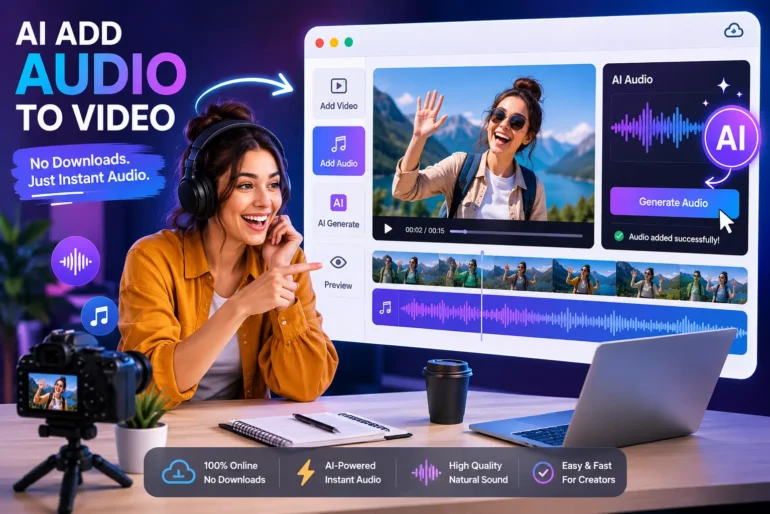
For content creators and marketers who publish videos across social platforms, the silent scroll is a real challenge: studies show a huge chunk of viewers don’t enable sound immediately. Yet adding thoughtful audio — from voiceovers to music beds — doesn’t have to be a complex step in your production workflow.
That’s where tools like free AI Add Audio to Video come in: you can ai add audio to video directly in your browser, for free, without downloads or steep learning curves. In this post, we’ll break down not just how to add audio, but when, why, and for what outcome — so every piece of content you publish works harder for your goals.
🎯 Why Audio Matters More Than Ever
Before we jump into “how to add audio,” let’s clear up why it should always be baked into your process:
- Audio drives engagement: Music, narration or sound effects create emotional cues that help keep viewers watching.
- Messaging clarity: In educational, tutorial, or product videos, a clear voiceover reduces cognitive load and helps transfer ideas more effectively.
- Algorithmic preference: Platforms like TikTok and YouTube Surface Watch Time — and audio that matches intent increases completion rates.
In short: silent videos rarely convert as well as ones with thoughtful sound design. But traditional editing workflows can be time-consuming and expensive.
🚀 What Modern Creators Want From Audio Editing
If you’re producing content daily or weekly, what you don’t want is:
✔ A complicated app you need to install
✔ Paying for more software subscriptions
✔ Spending hours syncing and exporting audio assets
Instead, creators want something this simple:
- Instant setup — no downloads
- Clean audio upload/creation experience
- Voiceover and background audio options
- Minimal editing learning curve
That’s the exact gap addressed by web-first tools that let you ai add audio to video online.
📊 Real Use Cases For Adding Audio
Let’s walk through some scenarios where audio elevates content — and how creators actually use it:
1. Tutorial & How-To Videos
When your audience is learning a skill, they listen first. A clear voiceover reduces misunderstanding. If you’re walking through steps on screen, sync narration or AI-generated speech to match visuals — a much more engaging experience than captions alone.
2. Social Shorts & Reels
These are often watched on mute, yet platforms reward higher interaction. Adding background music or punchy sound effects increases engagement, boosts watch time, and helps your clip stand out in the feed.
3. Brand Story & Personal Branding
Your voice — or an AI-generated voice — adds character. A personal intro or outro makes content feel more polished and trustworthy.
4. Ads & Promo Clips
Audio cues like emphasis pauses, call-to-action beats, or music can dramatically improve conversion. Even a simple background beat makes your ad feel “finished”.
📌 The Smartest Way to AI Add Audio to Video
Most traditional editors make you import files, cut tracks, and export — and those are steps creators can easily automate or simplify with a modern AI video creator.
Here’s how a browser-based tool reshapes the workflow:
- Upload your video directly through a browser interface — no installs.
- Choose an audio mode:
- Upload your own track
- Generate narration from text
- Add a music bed or sound effects
- Adjust timing & levels right there — drag and drop timeline editing
- Export and publish instantly
This seamless process means creators can stop tinkering with menus and spend more time creating.
🧩 Voiceover vs Music vs Sound Effects — When to Use Each
Not all audio serves the same purpose. Choose based on your intent:
Voiceover:
Best for instructional content, storytelling, and anything where clarity matters. Use it to guide the viewer explicitly through your message.
Background Music:
Great for setting mood and pacing — especially in brand vlogs or lifestyle content. Keep it subtle so it supports, not competes with, your primary message.
Sound Effects:
Small pops, transitions, and cues can increase perceived production value — great for video ads or dynamic short-form content.
🧪 Metrics That Actually Improve With Good Audio
Here are measurable benefits creators see after integrating sound:
📈 Increased Watch Time — viewers stay longer
📉 Lower Drop-off Rates — fewer viewers bail in first seconds
📣 Higher Shares & Comments — audio evokes emotions
Audio isn’t just “icing on the cake” anymore — it’s an actual engagement lever.
🙌 Speed & Simplicity Without Compromise
One of the biggest pain points for creators is the time cost of editing. A browser-based ai add audio to video workflow:
✔ Runs on any computer
✔ Doesn’t require storage-heavy applications
✔ Lets you iterate quickly
✔ Is free to use in most cases
This removes barriers for independent creators, small teams, and marketers who need results fast.
📌 Final Thoughts
If you’re serious about making videos that get attention and deliver results, audio should be part of your strategy from the start — not an afterthought.
Tools that let you ai add audio to video online, for free, offer creators the agility and control needed to refine content quickly and publish confidently.
Whether you’re narrating a tutorial, adding a music bed to a promo, or remixing voiceovers for social clips, an online workflow lets you focus on impact, not just output.
Ready to skip downloads and start adding audio instantly? Try ai add audio to video tool and elevate your next piece of content.