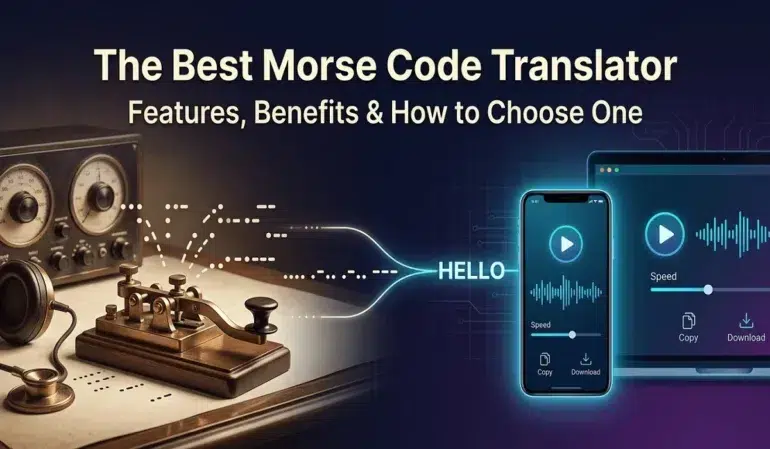
Nearly 200 years after its invention, Morse code still has a place on the internet.
Students come across it while learning about communication history. Amateur radio operators use it to sharpen their skills. Puzzle fans decode hidden messages for fun. Some people simply enjoy sending secret messages to friends and family.
Whatever brings someone to Morse code, a good translator makes the process much easier.
The difference becomes obvious after trying a few tools. Some only convert text into dots and dashes. Others add audio playback, speed controls, and better decoding support. The better tools don’t just translate messages. They help people understand how Morse code actually works.
Among the many options available online, MorseTranslator.net is a practical option many users prefer. It converts text to Morse code, decodes Morse code back into plain text, plays audio, and handles everything directly in the browser.
What Is a Morse Code Translator?
A Morse code translator converts ordinary text into Morse code and turns Morse code back into readable text. Try it out here
Each letter, number, and punctuation mark has its own pattern of dots and dashes. The letter A becomes “.-” while B becomes “-…”.
People can certainly learn these patterns by memory. Many radio operators do exactly that. Still, manually converting every character takes time, especially when working with longer messages.
A translator removes that extra work. Type a message. Get Morse code. Paste Morse code. Get text back. Simple.
Most modern tools include:
- Text-to-Morse conversion
- Morse-to-text decoding
- Audio playback
- Copy and download options
- Mobile support
- Adjustable playback settings
For beginners, translators also provide a quick way to check their work and spot mistakes.
Features of the Best Morse Code Translator
Some Morse code translators feel like digital versions of an old reference chart. Others are built for regular use.
A few features make a noticeable difference.
Instant Two-Way Translation
The first thing people expect is accurate conversion in both directions.
Type text into the input box and the Morse code should appear immediately. Paste Morse code and the decoded text should appear just as quickly.
MorseTranslator.net supports both modes within the same interface, which makes switching between encoding and decoding easy.
Real-Time Conversion
Nobody wants to click a button every few seconds while practicing.
Real-time conversion keeps everything moving. As letters are entered, the translated output updates automatically. That immediate feedback helps learners connect characters with their Morse code patterns much faster.
Small detail. Big improvement.
Audio Playback
Morse code was designed to be heard.
Looking at dots and dashes helps, but listening to the rhythm often teaches more. The spacing, timing, and sound patterns become easier to recognize after repeated listening.
Audio playback helps users:
- Learn Morse timing
- Practice listening skills
- Recognize character patterns
- Build decoding speed
For many learners, this becomes the feature they use most.
Adjustable Speed and Frequency
People learn at different speeds.
Someone seeing Morse code for the first time may need slow playback. A more experienced operator may want a faster pace that better reflects real-world communication.
Tools such as MorseTranslator.net allow users to adjust words-per-minute settings as well as audio frequency. That flexibility makes practice sessions more useful.
Copy and Download Options
Once a message has been translated, users often want to save it or share it.
Good translators make that easy.
Common options include:
- Copying Morse code
- Downloading text files
- Saving audio files
- Sharing encoded messages
These tools are useful for classroom projects, presentations, puzzles, and personal experiments.
Mobile-Friendly Design
A surprising number of people use Morse code tools on their phones.
Maybe they’re working through a puzzle. Maybe they’re practicing during a commute. Maybe they’re simply curious.
Whatever the reason, the translator should work well on a small screen. Responsive design isn’t a bonus anymore. It’s expected.
Privacy and Security
This part doesn’t get discussed very often.
People sometimes enter private notes, personal messages, or information they don’t want stored elsewhere. Because of that, browser-based processing has become more attractive.
As has been mentioned on their website, MorseTranslator.net handles translations locally in the user’s browser. The text doesn’t need to be sent to a remote server for conversion.
For privacy-conscious users, that’s a nice touch.
Why Accuracy Matters
Accuracy is everything.
One mistake can change the meaning of a message completely. Morse code depends heavily on spacing. The separation between letters and words carries information of its own.
A misplaced space can turn a readable message into something confusing.
That’s why experienced Morse code users pay close attention to standards. The translator must correctly handle letters, numbers, punctuation, and spacing every time.
Some online tools struggle with this. Others don’t.
When people are learning Morse code, even a small decoding error can create frustration because it’s difficult to tell whether the mistake came from the user or the software.
Who Uses Morse Code Translators?
The audience is broader than many people expect.
Students
Morse code often appears in lessons about communication, technology, and history.
A translator gives students a way to experiment without memorizing the entire alphabet first.
Teachers
Teachers use Morse code activities to make lessons more interactive.
Students can encode messages, decode clues, and learn how information was transmitted long before smartphones existed.
Amateur Radio Operators
Many amateur radio operators continue to practice Morse code.
Audio playback, speed controls, and decoding tools help support that practice.
Puzzle Enthusiasts
Escape rooms, treasure hunts, and online puzzles regularly include Morse code clues.
A translator can save time while helping participants understand what they’re decoding.
Outdoor and Emergency Preparedness Learners
Few Morse code sequences are more recognizable than SOS.
People interested in outdoor skills or emergency communication often learn basic Morse code as part of their training.
How to Use a Morse Code Translator
Most translators work in a similar way.
Convert Text to Morse Code
Enter a word, phrase, or sentence into the input field.
The translator converts each character into its Morse code equivalent.
For example:
HELLO
becomes:
…. . .-.. .-.. —
The result appears immediately.
Decode Morse Code to Text
Paste Morse code into the translator.
The tool reads the dots, dashes, and spacing before converting everything back into plain text.
Spacing matters. A lot.
Incorrect spacing is one of the most common reasons Morse code fails to decode correctly.
Listen to Morse Audio
Reading Morse code is useful. Hearing it is often better.
After generating Morse code, play the audio and listen carefully to the pattern of short and long tones. If the speed feels too fast, lower it. If it feels too slow, increase it.
Practice works. There really isn’t a shortcut.
Why MorseTranslator.net Stands Out
Many Morse code translators can handle basic conversion.
What makes MorseTranslator.net interesting is the combination of tools available in one place. Users can encode text, decode Morse code, listen to audio, adjust playback settings, copy results, and download files without jumping between different websites.
The local browser processing is another practical feature. Some users care about that more than others, but it’s useful to know the conversion happens on the device itself.
For someone who wants a straightforward way to work with Morse code, whether for learning, radio practice, puzzles, or curiosity, the tool covers most of what they are likely to need.
Frequently Asked Questions
Is Morse code still used today?
Yes. Amateur radio operators, educators, hobbyists, and Morse code enthusiasts continue to use it.
What is SOS in Morse code?
SOS is written as:
… — …
It remains the best-known Morse distress signal.
Why do some Morse code translations fail?
Most problems come from incorrect spacing, missing symbols, or incomplete Morse code sequences. Spacing errors are especially common.
Can Morse code be learned online?
Yes.
Many people start with online translators, audio practice tools, and Morse code charts. Regular listening practice helps build recognition over time.
Conclusion
A good Morse code translator should be accurate, quick, and easy to use. Audio playback helps. Adjustable speed controls help. Reliable decoding matters just as much.
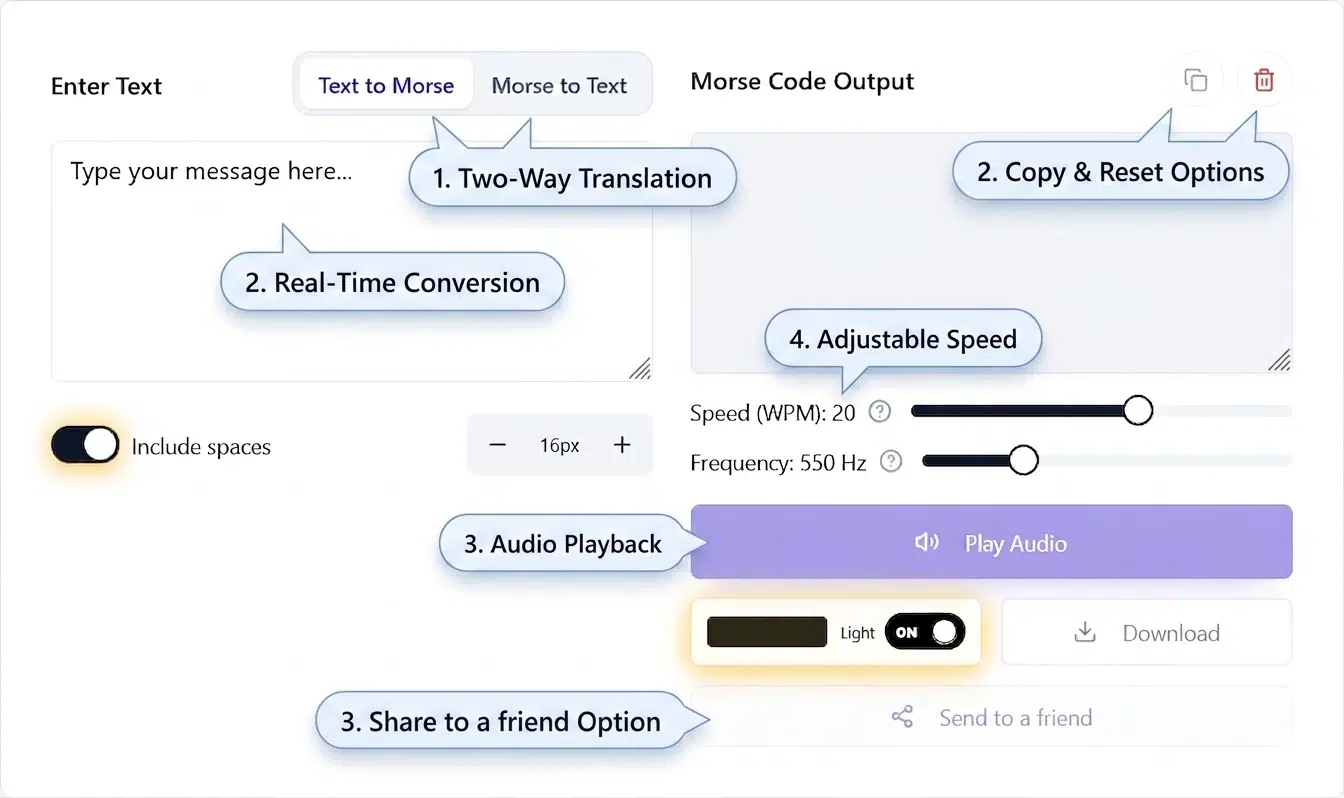
MorseTranslator.net combines those tools in a single place. It supports two-way translation, audio playback, downloads, mobile devices, and browser-based processing. Whether someone is learning Morse code for the first time, solving a puzzle, practicing for amateur radio, or exploring a communication system that has survived nearly two centuries, it provides an easy place to start.