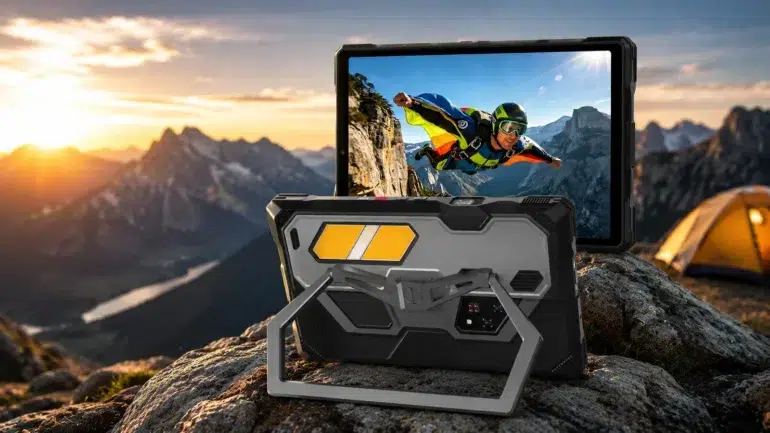
A tablet screen works for one person, maybe two. The moment you need to brief a crew, run a training session, or show a video to a group, that screen stops being useful. Historically, the fix meant packing a separate mini projector alongside your tablet, which adds bulk, cables, and one more thing that can get left behind or run out of charge at the wrong moment.
That’s changing. A handful of rugged tablets now build a genuine projector directly into the chassis, on top of the oversized batteries and heavy-duty protection the category is already known for. This guide covers what separates a projector-equipped rugged tablet worth buying from one that’s just a marketing bullet point, and which device currently leads the field.
Why a Built-in Projector Matters on a Rugged Tablet
Rugged tablets already do a lot of the heavy lifting in construction, surveying, logistics, and outdoor work, precisely because they hold up where a consumer tablet would fail within a week. Adding a projector to that same body means group viewing stops requiring a second device.
That matters most in situations where setting up a screen isn’t realistic: a trailer on a job site, a tent at a remote camp, a briefing room with no AV cart. One tablet handles data collection, documentation, navigation, and now group presentation, all without adding weight to the bag.
What Specs Make a Rugged Tablet Good in This Category
Not every projector-equipped rugged tablet produces an image worth looking at. A few specs decide whether you get something usable.
Resolution and Brightness
Resolution decides whether site plans, spreadsheets, and slides stay readable once projected onto a wall. Full 1920×1080 output keeps fine detail sharp at a larger size, a real step up from the sub-HD output early projector tablets shipped with. Brightness is just as important: 250+ lumens holds up in shaded outdoor spots and normal indoor lighting, while anything dimmer usually needs the room fully dark before it’s usable at all.
Autofocus
Tablets get propped on tables, dashboards, and uneven surfaces, so manual focus adjustment gets old fast. Autofocus across roughly a 0.5 to 4.0 meter range keeps the image sharp automatically as you move or reposition the device, without fiddling with a dial every time.
Battery Life and Charging Speed
A bright projector is one of the most power-hungry things you can run on a tablet, which is why this category needs a battery well beyond what a standard tablet carries, often north of 20,000mAh, if it’s going to survive a full shift of use. Fast charging matters just as much: a device that can recover most of its charge in under two hours means a short break is enough to keep working through the rest of the day.
Rugged Protection
IP68 and IP69K ratings cover dust, water immersion, and high-pressure spray, which matters when the same device is doubling as a presentation tool at a wash-down site, a job site in the rain, or an unpredictable outdoor briefing.
Why the 8849 Tank Pad Ultra Is Our Top Pick
The Tank Pad Ultra stands out by combining a built-in 1080p DLP projector, a massive 23,400mAh battery, IP68/IP69K rugged protection, and practical field tools in a single device. Instead of carrying a tablet and a separate projector, everything is integrated into one package designed for work, outdoor use, and on-the-go presentations. Among the few rugged tablets with a built-in projector, it pairs one of the brightest projectors in its class with 5G performance, long battery life, and features built for field professionals. Here’s a closer look at what it offers.
Projector
The Tank Pad Ultra projects native 1920×1080 resolution at up to 260 lumens, roughly 2.6 times brighter than 8849’s earlier Tank Pad model, with autofocus covering a 0.5 to 4.0 meter range. That combination keeps text and diagrams legible at a larger projected size without needing the room dark first, and it locks focus automatically as you reposition the tablet.
Performance and Display
It runs on a MediaTek Dimensity 8200 chipset with 5G support, backed by 16GB of physical RAM plus 16GB of extended virtual memory and 512GB of storage, expandable up to 2TB via TF card. The 10.95-inch FHD+ display (1200×1920) is sized to handle detailed schematics and multitasking while staying compact enough to use one-handed on site.
Battery and Cameras
A 23,400mAh battery anchors the whole device, paired with 66W fast charging that takes it from empty to full in about two hours, plus Type-C reverse charging to top up smaller devices in the field. The camera setup pairs a 50MP Sony main sensor for everyday shooting with a 64MP night vision sensor and four infrared assist lights for imaging in total darkness, and a 32MP front camera for calls and document capture.
Connectivity and Durability
Connectivity covers 5G at up to 4.67Gbps, Wi-Fi 6, Bluetooth 5.3, NFC, dual-frequency L1+L5 GPS across four satellite systems, and dual nano-SIM plus a TF card slot. A built-in 4-meter laser rangefinder and a set of 19 field tools, including a compass, barometer, and bubble level, round out the toolkit. The whole 1,345-gram body carries IP68 and IP69K protection, and it ships on Android 15.
Tank Pad Ultra Specs at a Glance
The table below highlights the key specifications that make the Tank Pad Ultra stand out.
Feature | Spec |
Projector | 1080p DLP, 260 lumens, autofocus 0.5–4.0m |
Display | 10.95″ FHD+, 1200×1920 |
Battery | 23,400mAh, 66W fast charging (full in ~2 hrs) |
Processor | MediaTek Dimensity 8200, 5G |
Memory/Storage | 16GB + 16GB extended RAM / 512GB, expandable to 2TB |
Rear Cameras | 50MP main (Sony IMX766), 64MP night vision (OV64B) |
Front Camera | 32MP (Sony IMX616) |
Rangefinder | 4-meter laser rangefinder |
Durability | IP68 / IP69K |
Weight | 1,345g |
Where the Projector Actually Gets Used
Specs are one thing; here’s what the projector looks like in practice.
On a construction site: A supervisor projects today’s blueprint straight onto a concrete wall or trailer siding, so the whole crew can see it without gathering around a phone or printing a copy.
At a campsite: After sunset, the same tablet projects a movie onto the side of a tent, no separate projector or screen required.
In an emergency response scenario: A team lead briefs responders from the back of a vehicle, projecting a map or plan onto a nearby wall or the inside of a van door.
In a classroom or training room: An instructor walks in with just the tablet and projects slides directly onto the wall, without carrying a projector cart or depending on the room having one installed.
Limitations of Built-in Tablet Projectors
No pico projector, including this one, replaces a full-size projector in every situation. Worth knowing before you buy:
- Not suited to direct sunlight or brightly lit rooms. 260 lumens is strong for this category, but it still needs shade or indoor lighting to stay readable.
- Image size is smaller than a dedicated projector. It’s built for a wall, tent, or trailer surface, not a large auditorium screen.
- Image quality is sharpest under about 3 to 4 meters. Push much past that and both brightness and focus start to fall off.
- Brightness is tuned for portability, not raw output. A standalone projector plugged into wall power will always out-brighten a battery-powered unit built into a tablet.
None of that makes it a bad projector for the job it’s designed for; it’s built for portable, on-the-go presentation, not for replacing a fixed AV setup in a large room. And unlike a standalone mini projector, it doesn’t add a second device, charger, or battery to manage: the Tank Pad Ultra is ready to project as soon as you pull it out.
Who Should Buy the Tank Pad Ultra
This isn’t a tablet for someone who wants the thinnest, lightest option on the shelf. It’s built for people who need a projector, rugged durability, and field tools consolidated into a single device.
- Construction crews and site supervisors who need to project plans or drawings without setting up separate AV equipment
- Survey and field engineering teams who benefit from the built-in rangefinder and dual-frequency GPS alongside the projector
- Trainers and educators who present in rooms without a screen or projector already installed
- Outdoor professionals and overlanders who want a rugged device that doubles as a movie screen at camp
- Search and rescue or utility crews who can use the night vision camera and camping light in low-light field conditions
If your work doesn’t involve showing content to a group and rugged durability isn’t a requirement, a lighter, cheaper tablet will likely serve you better.
Conclusion
The best rugged tablet with a built-in projector in 2026 has to get three things right: a projector that’s bright and sharp enough to be genuinely useful, a battery large enough to sustain it, and durability that stands up to demanding environments. The 8849 Tank Pad Ultra delivers on all three while adding 5G connectivity, a capable camera system, and a practical set of field tools. For professionals looking to consolidate their gear instead of carrying multiple devices, it stands out as one of the strongest options available.
If you regularly work in the field, train teams, or spend time outdoors, having the projector built directly into the tablet is far more convenient than carrying a separate projector.
FAQs
Is the projector bright enough to use without dimming the room?
At up to 260 lumens, it holds up in normal indoor lighting and shaded outdoor areas. Direct sunlight will still wash it out, which is true of any pico projector in this class.
How long does the battery last with the projector running?
The 23,400mAh cell is built to sustain extended projection sessions across a full shift, though running the projector continuously alongside 5G will use more power than standby or general browsing.
Is the Tank Pad Ultra too heavy for daily carry?
At 1,345 grams, it’s noticeably heavier than a typical tablet. That weight comes from the projector, the battery, and the camera hardware, and it’s a tradeoff that makes sense for people who need those tools regularly rather than a general-purpose tablet.