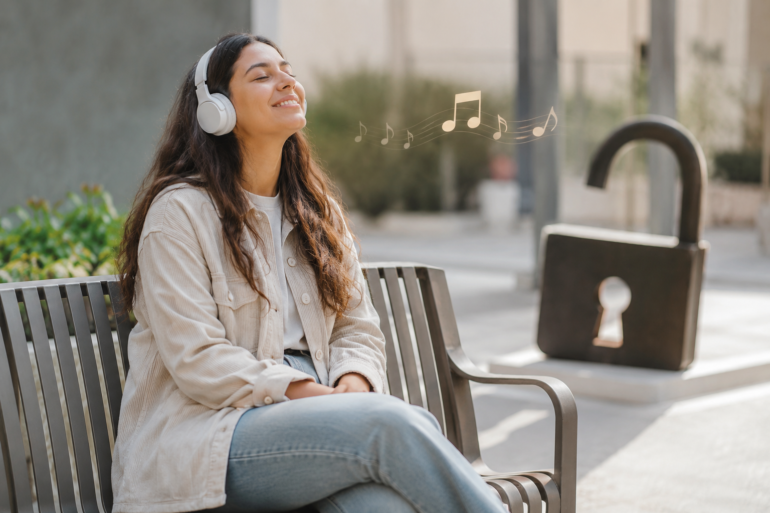
Unblocked Music has become a popular search term for people who want simple, smooth access to songs while studying, working, relaxing, or traveling. Maybe you are on a school network, office Wi-Fi, public library connection, or a shared device where some music platforms do not load properly. The goal is usually simple: listen to music without trouble.
But there is a smart way to approach it.
Not every “free music” website is safe. Some are packed with pop-ups, fake download buttons, suspicious ads, or files that can put your device at risk. The Federal Trade Commission warns users not to download free music, movies, shows, or games from unfamiliar websites because those downloads can expose devices to malware.
So, this article is not about risky shortcuts. It is about safe listening, better choices, and practical ways to enjoy music online without turning a simple playlist into a security problem.
What Does Unblocked Music Mean?
Unblocked Music usually refers to music content that can be accessed when certain websites, apps, or streaming platforms are restricted on a network. These restrictions often happen in schools, workplaces, libraries, public Wi-Fi networks, and sometimes even family-managed home networks.
People search for it when:
- A music website is blocked on a shared network
- A streaming app does not work on school or office Wi-Fi
- They want background music while studying or focusing
- They need music access without downloading risky files
- They are looking for browser-based listening options
The important thing is understanding the difference between safe access and unsafe access. Safe access means using legal, trusted, and secure platforms. Unsafe access usually involves unknown websites, pirated files, browser tricks, or downloads from pages that look suspicious.
That difference matters more than most people think.
Why People Search for Unblocked Music
Music is part of daily life now. It helps people focus, relax, exercise, clean, travel, and get through long work sessions. IFPI reported that people listened to an average of 20.7 hours of music per week in its global music engagement research, showing how deeply music fits into everyday routines.
For students, music can make study breaks feel lighter. For office workers, soft background music can help make repetitive tasks less boring. For travelers, playlists can turn a dull commute into personal time.
The search for Unblocked Music often comes from one of these real situations:
A student has free time between classes but cannot open a regular streaming site.
An employee wants instrumental music while working but the office network blocks entertainment platforms.
Someone using public Wi-Fi finds that certain apps are slow, restricted, or unavailable.
A listener simply wants a quick browser-based music option without installing anything.
These are normal needs. The problem starts when people choose random websites without checking whether they are safe, legal, or trustworthy.
The Safe Way to Think About Unblocked Music
The safest way to approach Unblocked Music is to ask one simple question before clicking anything:
“Would I trust this website with my device?”
That question can save you from a lot of trouble.
A safe music option should usually have:
- A recognizable brand or clear ownership
- HTTPS in the website address
- No forced downloads
- No fake play buttons
- No aggressive pop-ups
- No request for unusual permissions
- Clear terms, privacy information, or licensing details
If a website pushes you to download a file before listening, that is a red flag. If it opens three new tabs before playing one song, that is another red flag. If it asks you to disable browser protection, leave immediately.
Music should not require you to weaken your device security.
Legal Listening Matters More Than Ever
A lot of people think, “It is just one song, what is the big deal?” But music is created by artists, producers, writers, engineers, labels, and many others. Legal platforms help support that creative chain.
Using licensed streaming platforms also protects you as a listener. Legal services usually have better security, clearer privacy policies, fewer fake download traps, and more reliable audio quality.
That does not mean every safe option has to be expensive. Many platforms offer free listening with ads, free trials, student plans, or limited-access versions. Some radio-style platforms, artist channels, and podcast platforms also provide music-related listening without requiring unsafe downloads.
The best path is simple: choose access that respects both your safety and the creators behind the music.
Best Ways to Listen Safely Anywhere
If you want Unblocked Music without putting your device at risk, focus on trusted listening habits rather than secret shortcuts. Here are practical options that work for most people.
Use Trusted Streaming Platforms
Start with well-known music services whenever possible. Even if a platform is partially restricted on one network, it may still work through its official app, mobile data, or another approved connection.
Trusted streaming platforms usually offer:
- Secure account systems
- Licensed music catalogs
- Better audio quality
- Playlist tools
- Fewer malware risks
- Clear privacy policies
If you are using a shared network, remember that the network owner may have rules. In a workplace or school, it is better to follow those rules than try to bypass them.
Try Official Artist and Label Channels
Many artists, labels, and music publishers upload tracks, videos, live performances, and lyric videos through official channels. These can be a safer alternative to random third-party sites.
This is especially useful when you want:
- New song releases
- Live sessions
- Acoustic versions
- Music videos
- Behind-the-scenes content
- Official remixes
Official channels reduce the chance of landing on fake pages pretending to host popular songs.
Use Internet Radio Options
Internet radio can be a good option for casual listening. Many radio stations stream legally online, and some focus on specific genres like jazz, classical, pop, rock, country, or lo-fi.
Internet radio works well when you do not need to pick every song manually. You just press play and let the station run.
This can be helpful for studying, background work, or relaxing without constantly searching for the next track.
Download Music Legally Before You Need It
If you know you will be somewhere with restricted or unstable internet, prepare ahead of time. Many paid music services allow offline listening inside their official apps.
This is one of the best solutions for:
- Long commutes
- Flights
- School breaks
- Work sessions
- Gym time
- Areas with weak internet
Offline listening also helps you avoid unsafe websites because your music is already available through a legitimate app.
Use Public Domain or Royalty-Free Music Sites Carefully
Some websites offer public domain, royalty-free, or creative commons music. These can be useful for background listening, video projects, podcasts, or focus playlists.
Still, be careful. “Royalty-free” does not always mean “free for every use.” Some tracks require attribution, some are free only for personal use, and some require a license for commercial projects.
Before downloading or using a track, check:
- License type
- Attribution rules
- Personal vs commercial use
- Download source
- Website reputation
This is especially important if you are a content creator, blogger, YouTuber, or freelancer.
What to Avoid When Looking for Unblocked Music
A good rule is this: if a website feels shady, it probably is.
Avoid music websites that:
- Promise every song for free with no clear license
- Force you to install browser extensions
- Show fake “download now” buttons
- Ask for personal details before playback
- Open repeated pop-ups
- Use strange domain names
- Offer pirated albums or leaked tracks
- Tell you to disable antivirus tools
The FTC also warns that peer-to-peer file-sharing and unfamiliar free-download websites can create malware risks.
You should also avoid websites that claim to “unlock everything” but do not explain who runs the service. Many of these pages are not really music platforms. They are ad traps.
Unblocked Music for Students
Students are one of the biggest groups searching for Unblocked Music. That makes sense. Music is often used for focus, motivation, or short breaks between assignments.
But school networks are usually restricted for a reason. They may block entertainment websites to save bandwidth, reduce distractions, or protect younger users from unsafe content.
If you are a student, safe options include:
- Listening during approved break times
- Using school-approved platforms
- Creating offline playlists at home
- Choosing instrumental or focus music
- Asking whether a safe music site is allowed
- Avoiding downloads on school devices
Pew Research Center reported that YouTube remains one of the most widely used online platforms among U.S. teens, and many teens are online daily or almost constantly. That makes safe digital habits especially important for students, because the more time people spend online, the more likely they are to run into risky links.
Music can be helpful. But school devices and school networks should be treated carefully.
Unblocked Music at Work
At work, music can help some people stay focused, especially during repetitive tasks. But every workplace has different rules.
Some companies block music sites because streaming can use bandwidth. Others do it to reduce distractions, prevent copyright issues, or keep networks secure.
Before searching for Unblocked Music at work, think about three things:
Is personal listening allowed?
Are headphones acceptable?
Does the network policy allow streaming?
If the answer is yes, choose official platforms, low-bandwidth audio settings, or offline playlists. If the answer is no, it is better to respect the policy. Trying to bypass workplace restrictions can create problems bigger than a blocked playlist.
A safer approach is to use music before work, during breaks, or through approved devices and services.
Public Wi-Fi and Music Safety
Public Wi-Fi can be convenient, but it is not always the best place to log into accounts or download files. Coffee shops, airports, hotels, libraries, and malls often provide shared internet connections. These networks can be slower, less private, and more exposed than your home connection.
When listening to music on public Wi-Fi:
- Use official apps or trusted websites
- Avoid downloading files
- Do not enter sensitive information on suspicious pages
- Keep your device updated
- Use strong account passwords
- Log out of shared devices
- Avoid unknown browser extensions
If a public network blocks a music site, do not rush toward a random alternative. A blocked site is annoying, but a compromised device is much worse.
Quick Comparison of Safe Listening Options
| Listening Option | Best For | Safety Level | Main Caution |
|---|---|---|---|
| Official streaming apps | Daily listening | High | May need account or subscription |
| Offline playlists | Travel, school, work | High | Must prepare before leaving |
| Internet radio | Background music | Medium to high | Use known stations |
| Official artist channels | New releases and videos | High | Watch for fake channels |
| Royalty-free music sites | Projects and focus music | Medium | Always check license terms |
| Random free download sites | Not recommended | Low | Malware, piracy, privacy risks |
This table makes the choice clearer. If you want convenience and safety, official platforms and offline listening are usually the strongest options.
How to Check Whether a Music Website Is Safe
You do not need to be a cybersecurity expert to spot many risky websites. A few small checks can help.
Look at the web address first. Does it look professional? Is the spelling correct? Does the site use HTTPS? A secure connection does not guarantee that a site is honest, but a missing secure connection is not a good sign.
Next, watch how the site behaves. A trustworthy music website should let you play audio without forcing unrelated actions. If it asks you to install a “special player,” browser extension, or unknown software, leave.
Also check the ads. Some ads are normal, especially on free platforms. But ads that look like system warnings, fake virus alerts, or fake download buttons are dangerous.
Finally, trust your reaction. If the page feels messy, aggressive, or confusing, there is no reason to stay.
Smart Listening Tips for Better Experience
Safe music access is not only about avoiding malware. It is also about getting a smoother listening experience.
Try these simple habits:
- Make playlists before you need them
- Use official apps when possible
- Lower audio quality on weak networks
- Use headphones in public or shared spaces
- Save focus playlists for study or work sessions
- Keep your browser updated
- Avoid signing in on shared computers
- Turn off auto-play if it becomes distracting
A little preparation can make music easier to enjoy anywhere.
For example, a student can create a two-hour instrumental playlist at home and use it during study breaks. A remote worker can save a calm playlist for deep work. A traveler can download favorite albums before leaving for the airport.
These small steps remove the need to search for risky alternatives later.
Best Music Types for Different Situations
Not every type of music works for every moment. The best choice depends on what you are doing.
For Studying
Instrumental music, lo-fi beats, classical tracks, and ambient sounds often work well because they are less distracting than songs with heavy lyrics.
For Work
Soft electronic, acoustic, jazz, or background playlists can help maintain rhythm without taking too much attention.
For Exercise
High-energy pop, hip-hop, rock, dance, or electronic tracks can help with motivation and pace.
For Relaxing
Nature sounds, soft piano, acoustic playlists, and slow-tempo songs are often good choices.
For Travel
Personal favorites are best. Travel is usually the perfect time for albums, podcasts, long playlists, and mood-based listening.
The key is matching the music to the moment. When the playlist fits the task, listening feels natural instead of distracting.
Common Mistakes People Make
Many people make the same mistakes when searching for Unblocked Music. The first mistake is clicking the first result without checking the website. Search results can include unsafe pages, especially for popular free-access keywords.
The second mistake is downloading unknown files. A song should not require you to install a random program. If a site says you need a special downloader, be careful.
The third mistake is using shared devices without logging out. If you sign into a music account on a library computer or school device, someone else may access your account later.
The fourth mistake is ignoring network rules. If a workplace or school blocks a platform, bypassing the block may violate policy.
The fifth mistake is choosing piracy over legal access. It may look easy in the moment, but it can create security, legal, and ethical issues.
A Real-World Scenario
Imagine a college student named Maya. She wants music while working on an assignment in the library. Her usual music app does not load on the campus Wi-Fi, so she searches for Unblocked Music and sees several free websites.
One site has pop-ups. Another asks her to download a player. A third has fake buttons all over the page.
Instead of clicking randomly, Maya opens her official app and uses a playlist she saved earlier. She also checks whether the campus provides approved streaming or radio options. Her music works, her laptop stays safe, and she avoids a risky download.
That is the kind of decision most people should make. The safest solution is often the simplest one.
Is Unblocked Music Always Safe?
No, not always.
The term itself is neutral. It simply describes music that can be accessed when other options may be restricted. The safety depends on where the music comes from, how the website behaves, and whether the content is legal.
A trusted streaming app is very different from an unknown website offering free album downloads. One is built for listening. The other might be built to collect clicks, push ads, or deliver malware.
So the better question is not “Can I access it?” The better question is “Can I access it safely?”
How Parents Can Help Younger Listeners
Parents should not panic when kids search for music online. Music is normal, social, and often positive. But younger listeners may not always recognize risky websites.
Helpful steps include:
- Talk about safe music platforms
- Set clear rules for downloads
- Use family-friendly streaming settings
- Check browser safety settings
- Teach kids not to click fake buttons
- Explain why pirated music can be risky
- Encourage offline playlists from trusted apps
The goal is not to block every song. The goal is to build better habits.
A simple conversation can prevent bigger problems later.
How Creators Can Use Safe Music
If you create videos, podcasts, reels, games, or blog content, music safety has another layer: licensing.
You cannot use every song just because it is easy to find online. Popular songs are usually copyrighted. If you use them without permission, your content may get muted, blocked, demonetized, or removed.
For creators, safer options include:
- Licensed music libraries
- Platform-provided audio libraries
- Royalty-free tracks with clear terms
- Creative commons music with proper attribution
- Custom-made music
- Paid commercial licenses
Always keep proof of license if you use music in client work or monetized content. That small habit can save you from disputes later.
The Best Mindset for Safe Listening
The best way to use Unblocked Music is to think like a careful listener, not a desperate clicker.
You do not need to chase every free website. You do not need to download unknown files. You do not need to break network rules just to hear a playlist.
Instead, build a simple listening routine:
Use trusted platforms.
Prepare offline playlists.
Choose legal options.
Avoid suspicious downloads.
Respect school and workplace policies.
Protect your accounts.
This mindset gives you the best of both worlds: music access and peace of mind.
Frequently Asked Questions
Is Unblocked Music legal?
It depends on the source. If you are using licensed platforms, official artist channels, legal internet radio, or properly licensed music libraries, it can be legal. If the site offers pirated songs, leaked albums, or unauthorized downloads, it is not a safe or responsible choice.
Can I listen to music on school Wi-Fi?
That depends on your school’s policy. Some schools allow limited music access during breaks or study periods. Others block entertainment platforms completely. The safest option is to use approved platforms or offline playlists.
Are free music websites safe?
Some are safe, but many are not. Be careful with unknown websites that show pop-ups, fake buttons, forced downloads, or strange permission requests.
What is the safest way to access music anywhere?
The safest method is to use official streaming apps, legal offline playlists, trusted internet radio, or official artist channels. These options reduce the chance of malware, privacy problems, and copyright issues.
Should I download songs from random websites?
No. Random downloads are one of the biggest risks. The FTC specifically warns against unfamiliar websites offering free downloads such as music, movies, shows, or games.
Conclusion
Unblocked Music can be useful when you want easy listening at school, work, while traveling, or on public Wi-Fi. But safe access matters more than quick access. A suspicious website is never worth the risk of malware, stolen account details, or unwanted software on your device.
The smart approach is simple. Use trusted platforms, prepare offline playlists, avoid unknown downloads, and respect the rules of the network you are using. Music should make your day better, not create a security headache.
As online listening keeps growing, people will continue looking for easier ways to enjoy songs anywhere. The safest listeners will be the ones who understand the value of legal platforms, secure browsing, and responsible music streaming.