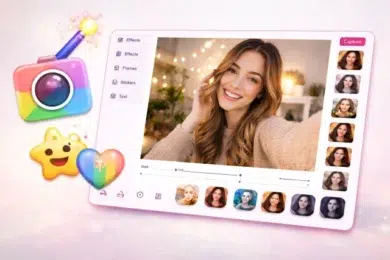
If you’ve ever needed a quick photo from your laptop and didn’t want to install heavy software, Pixect Camera might be exactly what you’re looking for. This browser-based webcam tool lets you capture and edit photos instantly without downloads, signups, or complicated settings. Many users also recognize it as a fun alternative to the classic pixect webcam toy experience, but with modern filters and smoother performance.
In a world where convenience matters, tools that work directly from your browser are becoming more popular. Whether you’re a student, content creator, remote worker, or just someone who wants to snap a quick profile picture, this platform offers a simple and accessible solution.
Let’s explore how it works, why people love it, and whether it’s worth your time.
What Is Pixect Camera?
Pixect Camera is a free online webcam photo editor that works directly in your browser. It allows users to:
- Capture photos using their webcam
- Apply real-time filters and effects
- Add frames and overlays
- Download edited images instantly
There’s no installation required. You simply visit the website, allow camera access, and start taking pictures.
Unlike traditional desktop photo editing software that can be overwhelming for beginners, this tool focuses on speed and simplicity. That’s part of the reason it has remained relevant for years.
How Pixect Camera Works
Using Pixect Camera is refreshingly straightforward. Here’s how it typically works:
- Open the website in your browser
- Allow webcam access when prompted
- Choose from available filters and effects
- Capture your photo
- Download it to your device
That’s it.
Because it runs on browser-based technology like HTML5, it doesn’t rely on plugins such as Flash, which many older webcam tools required. According to W3C web standards, modern browser APIs allow secure camera access without third-party plugins, making tools like this safer and faster.
Why People Still Use Pixect Webcam Toy Tools
You might wonder why browser-based webcam editors are still popular when smartphones dominate photography. The answer is convenience.
Here are some common real-world scenarios:
- A student needs a quick passport-style photo for a school portal
- A remote worker wants to update their LinkedIn profile picture
- A gamer wants a new avatar for a streaming platform
- A blogger needs a quick headshot for an author bio
In these situations, downloading software feels unnecessary. The pixect webcam toy style interface makes everything quick and playful, which lowers the barrier for non-technical users.
Key Features of Pixect Camera
Let’s break down what makes it useful.
1. Real-Time Filters
The platform includes multiple built-in effects that apply instantly to your live webcam feed. These range from simple color corrections to fun distortions.
This saves editing time because you see the result before capturing the image.
2. Frames and Overlays
You can add decorative frames to your photos. While simple, these are great for casual social media posts or profile pictures.
3. No Registration Required
Many online tools require email signups. This one doesn’t. You visit, use it, and leave. That simplicity builds trust and saves time.
4. Instant Download
After taking a photo, you can download it immediately. There’s no waiting for cloud processing.
5. Cross-Device Compatibility
It works on most modern browsers, including Chrome, Edge, and Firefox. However, performance depends on your device camera quality.
Pros and Cons
Here’s a quick overview.
Pros
- Free to use
- No installation needed
- Beginner-friendly interface
- Fast image capture
- Works directly in browser
Cons
- Limited advanced editing features
- Depends on webcam quality
- Not ideal for professional photography
If you need advanced editing with layers and RAW image processing, tools like Adobe Photoshop would be more suitable. But for everyday use, this is often more than enough.
Is Pixect Camera Safe to Use?
Security is a common concern when granting webcam access.
Here’s what you should know:
- Modern browsers show a camera permission prompt before activation
- You can revoke camera access anytime through browser settings
- The tool operates via HTTPS encryption
According to Google’s Safe Browsing transparency guidelines, secure websites using HTTPS help protect user data during transmission.
That said, always ensure you are on the official website before granting access.
How to Take Better Photos Using Pixect Camera
Even though the tool is simple, your results depend heavily on setup. Here are practical tips that actually make a difference.
Improve Your Lighting
Natural light from a window in front of you works best. Avoid strong backlighting.
If possible:
- Face a light source
- Avoid overhead shadows
- Use a desk lamp with soft white light
Good lighting can dramatically improve image clarity, even with basic webcams.
Clean Your Webcam Lens
It sounds obvious, but many people forget this. A quick wipe with a microfiber cloth can improve sharpness.
Use Neutral Backgrounds
A plain wall reduces distractions and improves the overall look of your photo.
Sit at Eye Level
Position your camera at eye level rather than looking down at your laptop. This creates a more professional and flattering angle.
Comparing Pixect Camera with Other Online Webcam Editors
Here’s a simple comparison table:
Feature | Pixect Camera | Canva Webcam Tool | Snap Camera
Free Version | Yes | Limited | Yes
Installation Required | No | No | Yes
Real-Time Filters | Yes | Limited | Advanced
Beginner Friendly | Very | Moderate | Moderate
While Canva offers broader design tools, it’s not focused purely on webcam photo capture. Snap Camera requires installation. For quick browser-based photos, Pixect Camera remains one of the fastest options.
Who Should Use Pixect Camera?
This tool is ideal for:
- Students
- Bloggers
- Social media users
- Remote workers
- Casual photographers
It’s not designed for professional photographers or graphic designers. Think of it as a convenient digital photo booth rather than a studio editing suite.
Frequently Asked Questions
Is Pixect Camera completely free?
Yes. You can take and download photos without paying.
Does Pixect Camera store my photos?
Photos are typically processed locally in your browser session. However, always review privacy policies before using any online tool.
Can I use Pixect Camera on mobile?
It may work on some mobile browsers, but performance is best on desktop or laptop devices.
What is pixect webcam toy?
The term pixect webcam toy refers to the fun, filter-based webcam interface that allows users to apply live effects before capturing photos.
Real-World Example
A freelance writer needed a quick headshot update for her author bio. Instead of booking a photographer, she:
- Sat near a window
- Used a neutral background
- Selected a subtle color enhancement filter
- Took 10 shots and picked the best one
Total time: 8 minutes.
That’s the kind of practical convenience tools like this provide.
Limitations You Should Know
While it’s convenient, this platform does not offer:
- Advanced retouching
- Background removal
- AI-powered enhancements
- RAW photo editing
If you require professional image manipulation, you’ll need more advanced software.
However, for quick, casual photography, the simplicity is actually an advantage.
Why Browser-Based Photo Tools Are Growing
According to Statista, browser-based SaaS tools continue to grow year over year as users prefer instant access over heavy installations.
The shift toward web applications aligns with the broader evolution of web applications, which now support advanced features directly in browsers.
This explains why tools like Pixect Camera continue to attract users who value speed and accessibility.
Final Thoughts
If you need a fast, no-fuss way to capture webcam photos, Pixect Camera delivers exactly that. It’s simple, accessible, and surprisingly effective for everyday use. While it won’t replace professional editing software, it doesn’t try to.
For students, bloggers, remote workers, and casual users, it offers a quick solution without downloads or technical complications. The pixect webcam toy style interface makes it approachable, and the instant editing features save time.
Sometimes, simple tools are the ones we use the most.
Conclusion: Pixect Camera remains one of the easiest ways to capture and edit webcam photos online without installation. It combines convenience, speed, and user-friendly design in one lightweight browser tool. Whether you need a profile picture, quick headshot, or fun social media photo, this platform offers a practical solution that works instantly.