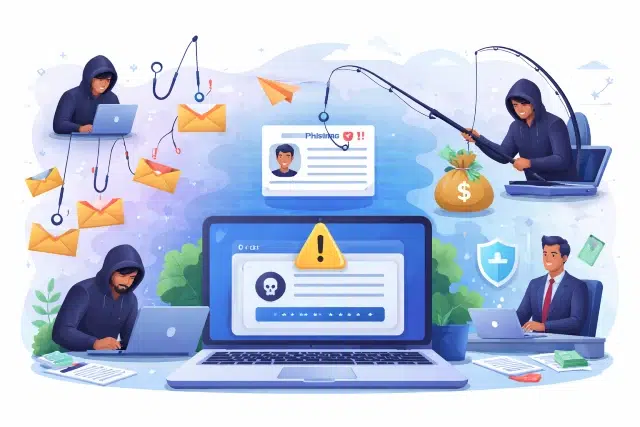
Around every click online, risks grow sharper — deceit isn’t just random anymore. From uploading vacation snapshots to chatting after a round of Pusoy, traps like phishing, its focused cousin spear phishing, or the high-stakes whaling may already be circling. Each one hunts data, yes — but their methods, victims, and precision shift in subtle ways. Recognizing who’s behind the mask, what they mimic, and when something feels off matters more than reacting later. Awareness doesn’t guarantee safety, but it reshapes the odds quietly.
This guide will break down the differences between phishing, spear phishing, and whaling, explain how each works, and provide actionable tips for recognizing and defending against them.
What Is Phishing?
Most online scams come in the form of phishing. Often disguised as trustworthy sources, fraudulent messages flood inboxes by the thousands. These communications pretend urgency or importance — drawing people toward revealing passwords or financial details. A single click on a manipulated link might lead straight into compromised territory.
Key characteristics of phishing attacks:
- Generic greetings like “Dear Customer” instead of using your real name.
- Emails that create a sense of urgency, e.g., “Your account will be suspended unless you act now.”
- Requests for sensitive information such as passwords, social security numbers, or credit card details.
- Links that appear genuine but redirect to malicious websites
Example scenario:
A message arrives, supposedly from PayPal, warning of a problem tied to your account access. Without delay, it pushes you toward confirming personal details through a provided hyperlink. That address doesn’t lead where you’d expect — instead, it opens a replica page designed to capture what you enter. Your username, password, and perhaps more slip into unseen hands.
How to protect yourself from phishing:
- Always check the sender’s email address for legitimacy.
- Before you click, pause — move your cursor over any link to reveal its actual destination. What looks like one thing might lead elsewhere entirely.
- Files arriving out of nowhere tend to carry hidden risks. When in doubt, skip opening anything from unfamiliar addresses.
- A second check kicks in when accounts require both password entry and verification through a separate device. Security deepens once that added step is active across personal platforms.
What Is Spear Phishing?
What sets spear phishing apart isn’t just precision — it’s personalization. Rather than casting a wide net, the effort zeroes in on one person, team, or company. Details pulled from private sources lend an air of legitimacy. These messages feel familiar, even routine, arriving disguised as expected communication. Because they mimic authenticity so closely, spotting deception takes more than caution — it demands awareness.
Key characteristics of spear phishing attacks:
- Emails addressed to you personally by name.
- Content that references your job, company, colleagues, or interests.
- Highly convincing messages that appear to come from legitimate sources, like your manager or IT department.
- Frequently carries harmful links — or files meant to slip in malware or quietly harvest account details.
Example scenario:
A message arrives, seemingly from HR — your department is mentioned, with familiar logos lining the page. Clicking through feels natural, prompted by a request to refresh payroll details online. It carries the right tone, mimicking internal patterns closely. Something subtle sits off-kilter, though it’s hard to place immediately.
How to protect yourself from spear phishing:
- Messaging out of the blue? Check its legitimacy by reaching out via a different method. When something feels off, confirmation through an alternate path makes sense.
- When someone asks for private details, pause — familiarity doesn’t guarantee safety. A message appearing to be from your boss might still carry risk.
- Check email headers to confirm the sender’s authenticity.
- Regular updates help systems spot harmful material before it spreads. Staying current means defenses adapt alongside emerging threats. Filters grow more accurate when maintained consistently over time.
What Is Whaling?
Targeting top-tier figures like CEOs or key decision-makers defines what sets whaling apart from broader spear phishing tactics. These attempts aim less at random access and more at orchestrating financial deception or extracting confidential company information.
Key characteristics of whaling attacks:
- Messages composed using polished wording, designed to resemble official correspondence from credible organizations.
- Beyond routine updates, the conversation frequently drifts toward active negotiations, court-related developments, or decisions tied to leadership roles.
- Uses fake invoices, HR documents, or legal notices as attachments to appear legitimate.
- Aims for high-value rewards, such as wire transfers, confidential data, or intellectual property.
Example scenario:
A message lands in the CEO’s inbox — seemingly from corporate counsel — citing pressing regulatory concerns. It presses for confidential files or perhaps funds moved without delay. The tone feels legitimate, the details specific enough to spark reaction. What looks like routine correspondence might be anything but.
How to protect yourself from whaling attacks:
- Always verify unusual or urgent requests, especially those involving money or confidential data.
- Train executives and high-level employees on the risks of targeted attacks.
- Use email authentication technologies like DMARC, DKIM, and SPF to reduce spoofing risks.
- Regularly review security protocols and monitor unusual account activity.
Spotting the Differences
Not everyone realizes how these scams split apart in practice. Mass emails dangle bait broadly, while tailored messages zero in on particular people — sometimes just one. The most focused ones aim at decision-makers, cloaked in urgent tones and familiar details. Each step up in precision demands sharper awareness. Protection shifts depending on who’s in the crosshairs. How attention gets directed often reveals the threat behind it.
General Tips to Stay Safe
Regardless of the type of attack, the following best practices can help you stay secure:
- A moment of hesitation can change the outcome — consider what’s behind that message before responding. Not every prompt deserves immediate attention; some simply need scrutiny first.
- A sudden message might need checking — best to reach out separately to be sure. Confirming through a different path helps avoid misunderstandings.
- A single reused password can unravel multiple accounts. Choosing distinct ones matters more than complexity alone. Security gaps often hide where repetition begins.
- A second step during login can slow down unauthorized access. Security gains depth when verification goes beyond passwords alone.
- Keep systems updated — Apply software and security updates promptly.
- Educate yourself and your team — awareness and training are critical defenses.
Awareness of how phishing differs from its more targeted forms — spear phishing and whaling — sharpens defenses for both individuals and teams. Remaining alert, combined with consistent security habits, acts as a quiet shield for sensitive information. In a landscape where digital interactions grow daily, small precautions carry weight. Protection often begins long before an attack is noticed.