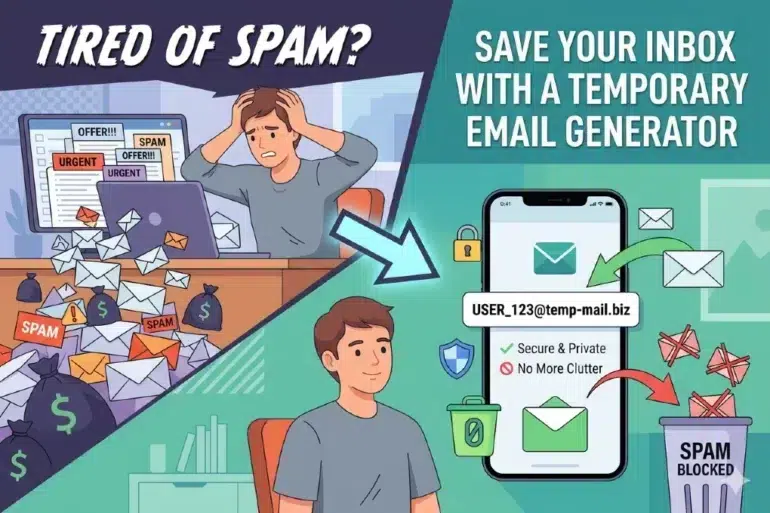
You sign up for one thing. A week later, your inbox is full of emails you never asked for.
Sound familiar? It happens to almost everyone who uses the internet regularly. The fix is simpler than you think.
It is called atemporary email generator, and it takes about ten seconds to use.
What Is a Temporary Email?
A temporary email is a real, working email address — but it only exists for a short time.
You get an inbox. You use the address. When time runs out, the address and all its messages disappear on their own. No cleanup. No account to delete.
The best part? You do not have to sign up for anything to use it. No name, no password, no personal details. You just open the tool and the address is ready.
Why Does Your Inbox Get Spammed?
Every time you give your email to a website, you are trusting them to use it responsibly.
Many of them do not. They sell it, share it, or add it to mailing lists without asking. Sometimes a free download is really just a way to collect contact information.
Your real email has value. Every site that gets it can reach you forever. A temporary address cuts that off completely.
When Should You Use One?
Not every situation calls for a disposable address. But these ones do.
Use it when you want to try a new app or website but are not ready to commit. Use it when a site forces you to register just to read one article. Use it when you need a confirmation email and nothing else.
It also works well for downloading free resources, accessing one-time offers, or testing sign-up flows if you are building something yourself.
If you only need the email once and have no plans to return to that service, a temporary address is the smarter choice.
How It Works — Step by Step
Open a temporary email service in your browser. An address is generated automatically for you.
Copy that address and paste it into the sign-up form on whatever site you are using.
Any emails sent to it will appear in the temporary inbox right there on the page. Verification links, codes, download links — they all show up within seconds.
Once you are done, close the tab. The inbox expires on its own.
The whole process from opening the tool to completing your sign-up usually takes under a minute.
Try 10 Minute Mail
One of the most straightforward options out there is 10 Minute Mail.
Go to https://www-10minutemail.com/ and a temporary inbox is ready immediately. No loading screens, no account setup, nothing to fill in.
Your address is shown at the top of the page. Incoming emails appear below. If you need more time, one click extends the timer.
It is clean, fast, and works just as well on a phone as it does on a laptop.
A Few Things to Keep in Mind
Temporary email is not for everything.
Do not use it for accounts you plan to return to. If you forget a password and need to reset it later, a vanished inbox will not help you.
Do not use it for anything sensitive — bank confirmations, medical messages, or anything tied to your real identity. The inbox is temporary and not a secure channel for private information.
And some larger platforms now block known disposable email domains. On those sites, you will need a real address. But for most everyday sign-ups, a temporary one works without any issues.
A Small Habit That Pays Off
You do not need to change everything about how you use the internet.
Just start asking one question before you hand over your email: do I actually want to hear from this website again?
If the answer is no, reach for a temporary address instead. It takes a few extra seconds. Over time, those seconds save you from a lot of inbox clutter and a lot of companies having your contact details for no good reason.
Your real email is worth protecting. A temporary email generator makes that easy.