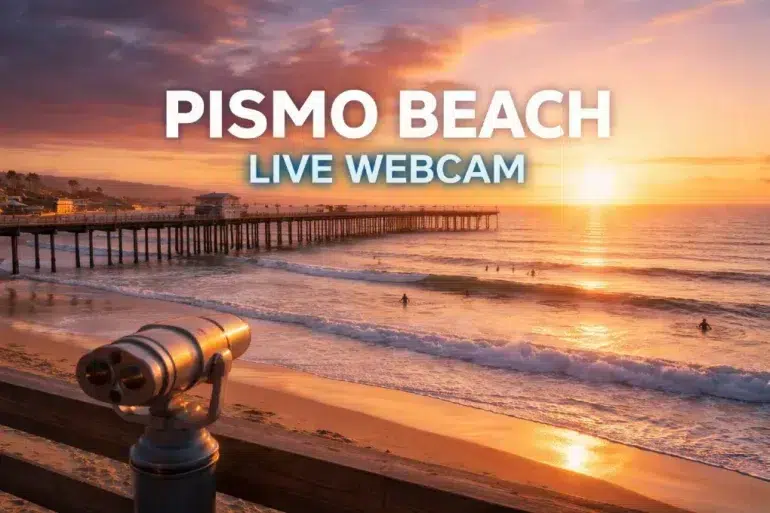
If you have ever wished you could peek at the Pacific before you pack a hoodie, load the surfboard, or promise the family “yes, it will be sunny,” you are not alone. A Pismo Beach Web Cam makes that decision easy. In a single glance you can see the sky, the surf texture, the pier area, and the overall vibe on the sand in real time.
And it is not just for travelers. Locals use a Pismo Beach Web Cam to time a sunset walk, photographers use it to judge visibility, and surfers use it as a quick visual check before they commit to the drive. When you watch the ocean live, the beach stops being a guess and starts being a plan.
In this guide, you will learn how to use the Pismo Beach Web Cam the smart way: what to look for, how to read what you are seeing, when the view is most accurate, and how to pair it with weather and safety resources so you are not surprised when you arrive.
What a Pismo Beach Web Cam shows (and what it does not)
A Pismo Beach Web Cam is basically a live window into current beach conditions. Depending on the camera angle, you might see the pier, the shoreline, parts of the promenade, and a wide slice of ocean horizon. That makes it useful for quick decisions.
Typical things you can reliably check:
- Sky and visibility: clear, hazy, foggy, marine layer, or low clouds
- Surf look and wave behavior: choppy vs clean, wave lines, size relative to the pier pilings
- Crowd level: packed sand, calm morning, busy weekend afternoons
- Pier area activity: fishing crowds, events, and general movement around the pier
- Wind clues: whitecaps, flags, spray off wave tops, blowing sand
Things a Pismo Beach Web Cam cannot fully replace:
- Exact wave height and swell period (you still want a surf forecast)
- Water temperature (it changes daily and seasonally)
- Hidden currents and rip channels (they can be subtle on camera)
- What it feels like on the beach (wind chill and damp air can trick you)
The goal is to use the Pismo Beach Web Cam as the first step, then confirm with one or two trusted sources when it matters.
Where to find a reliable Pismo Beach Web Cam
For the most consistent official viewing experience, start with the Pismo Beach Conference and Visitors Bureau stream.
You may also find other viewpoints (hotel angles, panorama cams, or directory cams). They can be helpful because different angles reveal different details, especially if fog blocks one view. A commonly referenced directory-style option is:
- Alternate angle listings.
If you are looking for a cam packaged with other coastal cameras, you may see it embedded on webcam directory sites. Those can be convenient, but when accuracy matters, the official tourism stream is a dependable starting point.
How to read the Pismo Beach Web Cam like a local
Most people open a Pismo Beach Web Cam, watch for ten seconds, and close the tab. That works, but you can get much more value by watching for one to two minutes and scanning specific details.
1) Check the horizon before you check the sand
Look at the horizon line and the far ocean first. If the horizon is sharp, visibility is good. If it is washed out or vanishes, fog or heavy marine haze may be rolling in. This matters because Pismo’s coastal weather can shift quickly, especially mornings.
2) Watch the water surface for wind clues
Wind often shows up as:
- Whitecaps farther out
- Texture changes (smooth patches vs rough “glittery” areas)
- Spray coming off breaking waves
- Blowing sand near shore if the camera catches the beach surface
If the ocean looks messy and bumpy, you can expect more chop. If it looks smoother with cleaner lines, conditions tend to be more organized.
3) Use the pier as a built-in measuring stick
A pier cam is great because you can compare waves to something fixed. Even without exact numbers, you can get a practical sense of “small,” “fun,” or “punchy” by watching sets roll past the pier.
4) Watch the sets, not the lulls
One of the biggest mistakes is judging surf during a quiet moment. Stay on the Pismo Beach Web Cam long enough to see a set arrive. Sets tell you the real story: frequency, consistency, and whether waves have shape or just crumble.
5) Scan the shoreline for rip indicators
You cannot always spot rips clearly on a cam, but you can sometimes notice patterns:
- A darker channel where waves break less
- Foam streaks moving steadily away from shore
- Uneven breaking near structures like the pier
Rip currents are a major surf-zone hazard, and they can move faster than you think. The United States Lifesaving Association notes that rip currents account for a large share of lifeguard rescues, and estimates annual U.S. deaths due to rip currents exceed 100 in many years.
For practical safety guidance from NOAA and the National Weather Service, bookmark:
- NOAA rip current safety.
- NWS beach hazards overview.
Best times to use the Pismo Beach Web Cam (so it matches reality)
A Pismo Beach Web Cam is always live, but it is not equally useful at every hour. Lighting, fog, and glare affect what you can see.
Here is a simple timing guide:
| Time of day | What you’ll see best | What can mislead you |
|---|---|---|
| Early morning | Crowd level, calm winds, clean lines | Fog/marine layer can hide the horizon |
| Late morning | Better visibility, beach activity picking up | Glare can make wave detail harder |
| Afternoon | Crowd reality, wind patterns, overall vibe | Onshore wind may roughen surf quickly |
| Sunset hour | Sky color, golden light, iconic pier scenes | Low sun glare can wash out water texture |
| Night | Pier lights and general movement | Surf detail is limited depending on lighting |
If you are using the cam for surfing decisions, mornings often give the clearest read. If you are using it for travel planning, late morning and afternoon show “what the day really became.”
Pair the Pismo Beach Web Cam with the right weather sources
A Pismo Beach Web Cam shows you what is happening right now. Forecast tools tell you what is likely to happen next. Use both and you get a much more accurate picture.
Quick combo for everyday planning
- Check the Pismo Beach Web Cam for the live look
- Check wind direction and speed (wind is the difference between pleasant and punishing)
- Check marine conditions if you plan to swim, surf, or paddle
If beach safety is part of your plan, rely on official guidance rather than social media guesses:
- NWS beach hazards and rip current info.
- NOAA rip current education.
Water temperature matters more than most people admit
Even on a sunny day, cold water changes the whole experience. If you are deciding on a wetsuit or how long kids can comfortably stay near the waterline, check a sea temperature source close to your visit time. Daily sea temperature listings exist online (they vary by method and location), so use them as a directional guide rather than a lab-grade reading.
Real-world scenarios where a Pismo Beach Web Cam saves the day
Scenario 1: “Is it actually sunny in Pismo right now?”
Central Coast weather loves surprises. Inland can be hot while the shoreline sits under a marine layer. A Pismo Beach Web Cam lets you confirm if the beach is bright, misty, or fully fogged in, before you commit to the drive.
Scenario 2: “Are we going to find parking and space on the sand?”
On busy weekends and holidays, the cam helps you judge crowd density. If the sand looks packed, you can adjust timing, pick a less crowded area nearby, or plan a shorter stop.
Scenario 3: “Do we bring the surfboards or just the picnic?”
Surfers often use a Pismo Beach Web Cam as a first filter. If it looks blown out, you can skip the board and still enjoy the coast. If it looks clean with consistent sets, you will be glad you checked.
Scenario 4: “Is the pier area lively tonight?”
If your plan includes the pier, promenade, or a casual walk, the live view shows whether conditions look inviting and whether the area has that relaxed evening buzz.
Surf and pier updates: what to look for on camera
Even if you are not a surfer, surf conditions change how the beach feels. Bigger surf can mean louder shorebreak and more caution near the water. Smaller surf often makes the shoreline gentler for casual wading.
On a Pismo Beach Web Cam, watch for:
- Wave shape: lines that peel vs waves that slam straight in
- Whitewater coverage: lots of foam usually means more turbulence near shore
- Set spacing: long pauses followed by bigger sets can surprise swimmers
- Pier-adjacent currents: structure can influence water movement
If you see people frequently stepping back from the shorebreak, that is a visual clue the waterline is more aggressive than it looks in photos.
For safety, keep the rip-current basics in mind. NOAA and NWS guidance generally emphasizes staying calm, not fighting the current directly, and moving parallel to shore when escaping a rip.
A quick note on beach safety (because the camera can’t warn you)
A Pismo Beach Web Cam is great for visibility, but it cannot tell you what is happening under the surface. Rip currents can form near piers and other structures, and they are not always obvious from a distance. California State Parks also highlights rip currents as a common reason for ocean rescues.
If you are traveling with kids or weak swimmers, treat this as non-negotiable:
- Swim near lifeguards when available
- Avoid rough surf days if you are not experienced
- Do not attempt a rescue in moving water without training; call for help and use flotation aids
Things to do while the Pismo Beach Web Cam is open
This is the fun part. Once you have the live view up, it becomes a planning tool.
If you are visiting today
- Decide whether you want a morning walk or a sunset stroll
- Choose footwear (sand looks dry and fluffy vs damp and compact)
- Pick layers (windy pier days feel colder than the thermometer suggests)
- Time your arrival (light crowds now vs a rush an hour later)
If you are planning a trip
- Watch the cam at the same time of day you expect to arrive
- Compare weekday vs weekend crowd patterns
- Use it to build an itinerary that matches real conditions, not just the forecast
Pismo Beach is a major tourism destination, with city planning documents noting the tourist population adds over 2 million visitors per year and can spike much higher during special events: https://www.pismobeach.org/DocumentCenter/View/55346/Facilities-Memo
That level of traffic is exactly why the Pismo Beach Web Cam is so useful. It gives you a quick feel for what the beach is like before you join the crowd.
Frequently asked questions about the Pismo Beach Web Cam
Is the Pismo Beach Web Cam live 24/7?
Many streams are available continuously, but visibility depends on lighting and weather. At night, you may still see the pier area, but surf detail may be limited.
Why does the camera sometimes look “blurry” or gray?
Fog, marine layer, moisture on the lens, or sun glare can reduce clarity. Try checking again in 15 to 30 minutes if conditions are changing.
Can I use the Pismo Beach Web Cam to judge wave height accurately?
You can make a practical estimate using the pier as a reference, but it is not a replacement for a surf forecast that includes swell height, period, and wind.
Does a calm-looking ocean mean it is safe to swim?
Not always. Rip currents can exist even when the surface looks manageable. Use official beach hazard guidance and swim near lifeguards when possible:
https://www.weather.gov/safety/beach-ripcurrents-hazards
What is the best device for watching the Pismo Beach Web Cam?
Any modern phone or laptop works. If the stream stutters, switching networks or refreshing the page often helps.
Conclusion: Use the Pismo Beach Web Cam to turn “maybe” into a plan
A Pismo Beach Web Cam is one of those simple tools that quickly becomes part of your routine. It helps you choose the right time to go, the right gear to bring, and the right expectations to have when you step onto the sand. Watch the horizon for visibility, watch the water texture for wind, and watch the sets for the real surf story.
Most importantly, treat the camera as a live snapshot, then back it up with trusted safety and forecast resources when you are heading into the water. That blend of real-time visuals and reliable guidance gives you the best of both worlds: the vibe of the beach right now, and the confidence to enjoy it safely.
If you want a quick coastal overview before you head out, open the Pismo Beach Web Cam, take a one-minute scan, and let the ocean tell you what kind of day it is. Then go enjoy Pismo Beach with fewer surprises and a better plan.