Have you ever opened an app update and wondered, “What really changed?”
You look through the release notes, read a few lines, and still don’t get it. We don’t want to admit it, but it happens more often than we think.
Now think about getting an update that clearly explains what’s new and why it matters. You feel curious and ready to explore.
That little change makes a big difference. Release notes are more than just updates, they’re how your product talks to users.
In this blog, you’ll explore five real-world release notes examples and learn exactly when to use each to make your updates clear, useful, and impactful.
What are Release Notes?
Before we look at some examples, let’s quickly go over what release notes are.
Release notes describe how a product has changed following an update. They include new features, enhancements, bug fixes, performance upgrades, and known issues. Their goal is to keep users informed.
Today, they are also used to highlight user benefits and encourage adoption in emails, dashboards, blogs, and in-app announcements.
Five Release Notes Examples and When to Use Each
Different products need different ways of talking. Let’s look at five common styles of release notes examples that well-known platforms use.
Slack – Conversational and User-Friendly Style
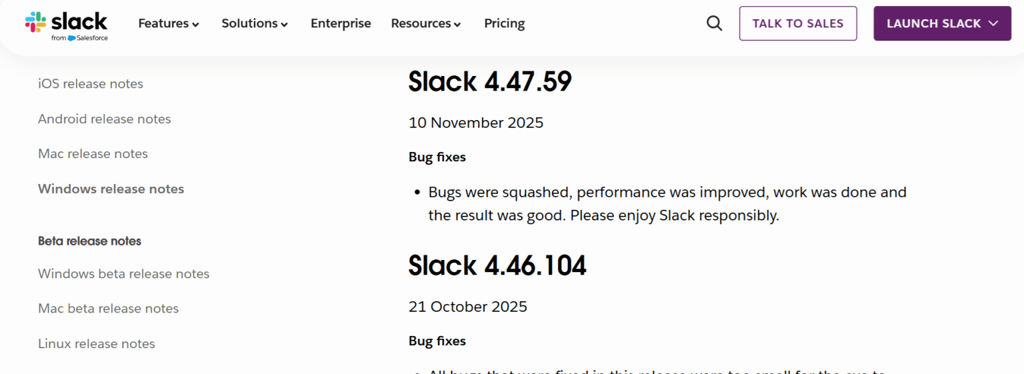
Slack sounds like a real person is talking to you because it has a friendly and conversational tone. Updates are fun to read because they are short and easy to understand. This style works well with users and keeps them interested by giving them regular updates.
Example: “Fixed an issue where messages briefly disappeared. They’re back and behaving now.”
When to use: When you want to share small updates, bug fixes, or frequent releases where readability and engagement are more important than technical depth, use this style.
Salesforce – Detailed and Structured Updates
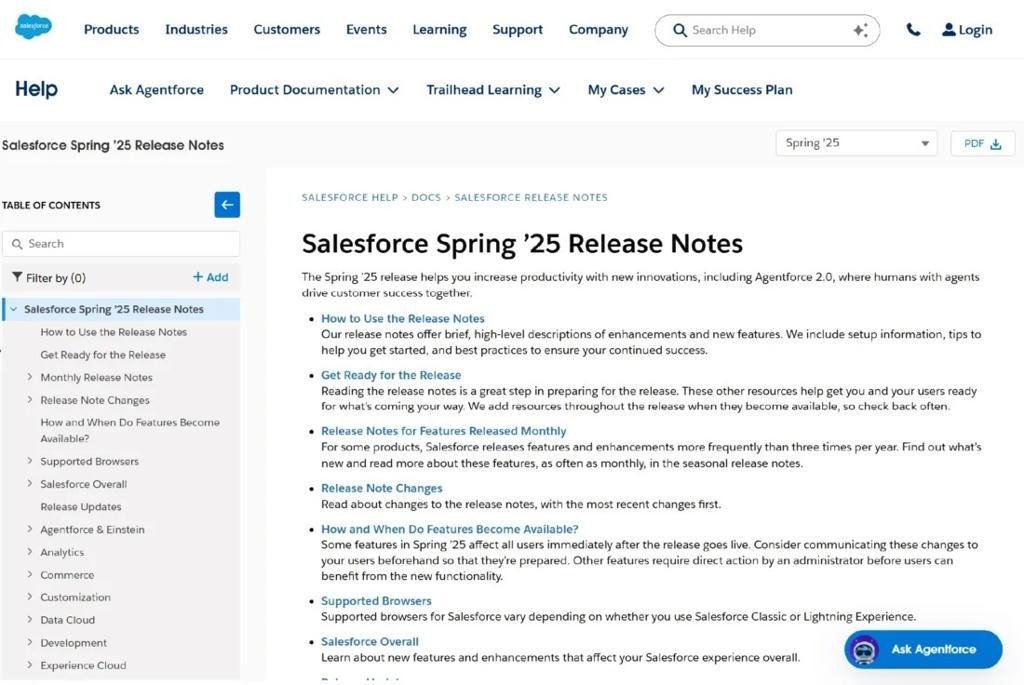
Salesforce focuses on detailed and structured release notes with clear sections and explanations. Most of the time, updates give users more information about the changes so they can better understand them. This ensures that hard-to-understand updates are clear.
Example: Admins can now create custom dashboards with better filters to improve reporting accuracy and visibility.
When to use: When updates are complicated, involve many changes, or need a lot of explanation and clarity step by step, use this style.
Confluence – Documentation-Style Release Notes
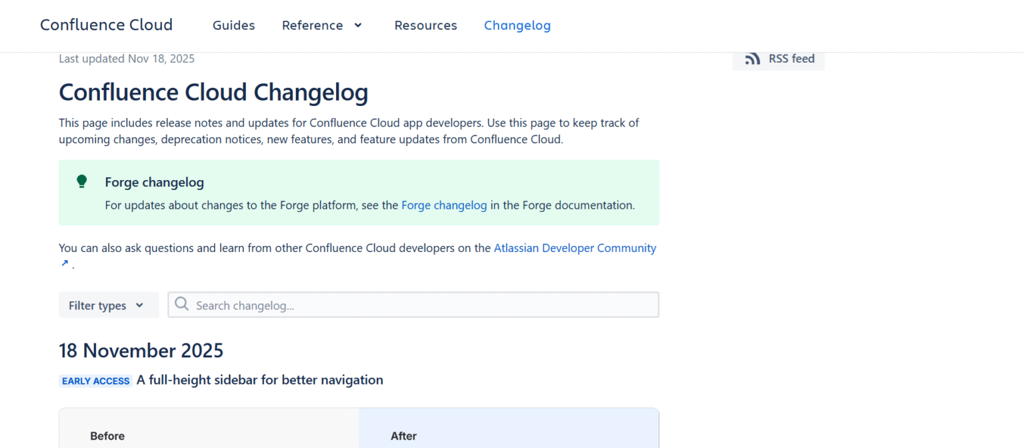
Confluence uses a format for documentation that has structured content and headings that are easy to find. It makes it easy for people to quickly read updates or come back later to find them. This makes release notes more like a collection of facts.
Example: Page insights are a new feature. You can see analytics like page views and engagement right in your workspace.
When to use: Ideal when updates need to be stored, referenced later, or include multiple features that require structured explanation.
GitHub – Developer-Focused Updates
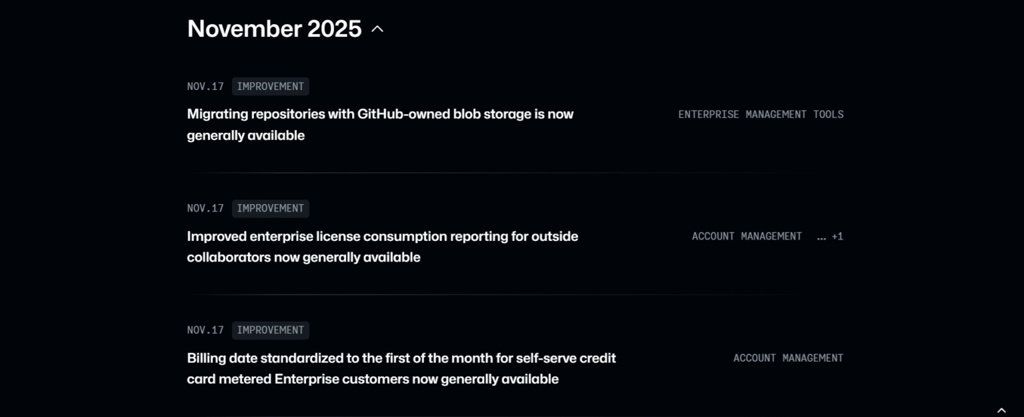
GitHub provides concise and technical release notes that highlight clarity and precision. Updates are easy to read because they are direct and don’t include extra information. This method makes it easy to quickly understand new technologies.
Example: Added support for more detailed personal access tokens and better permissions at the repository level.
When to use: When you need to be clear and concise when talking about technical updates, API changes, or backend improvements, use this style.
Jira – Feature Highlights and Product Improvements
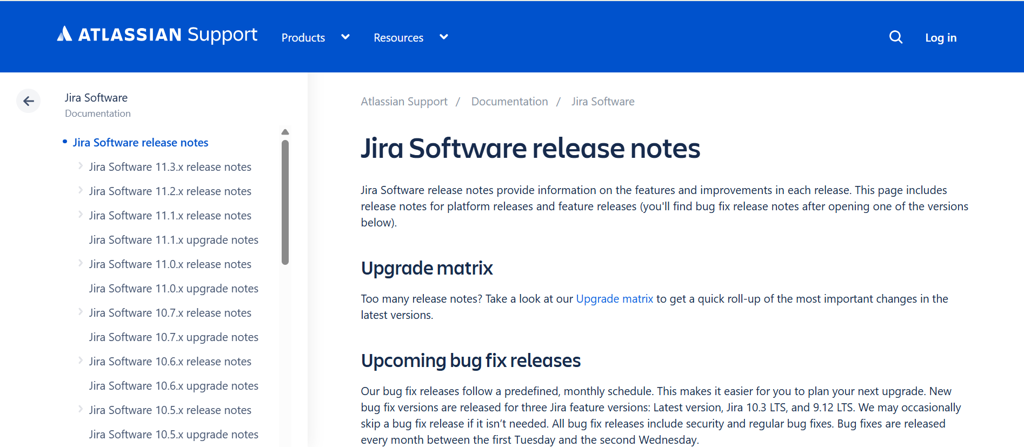
Jira highlights key features and major improvements rather than listing every minor change. It focuses on the most important aspects and clearly explains the value of updates. This keeps release notes concise and effective.
Example: “New automation rules help reduce manual tasks and speed up issue tracking across projects.”
When to use: When you want to make significant changes stand out, promote new features, or make regular releases easier to understand.
Best Practices for Writing Effective Release Notes
You need to do more than just list changes to write good release notes. Here are some best practices for release notes that can help them work better.
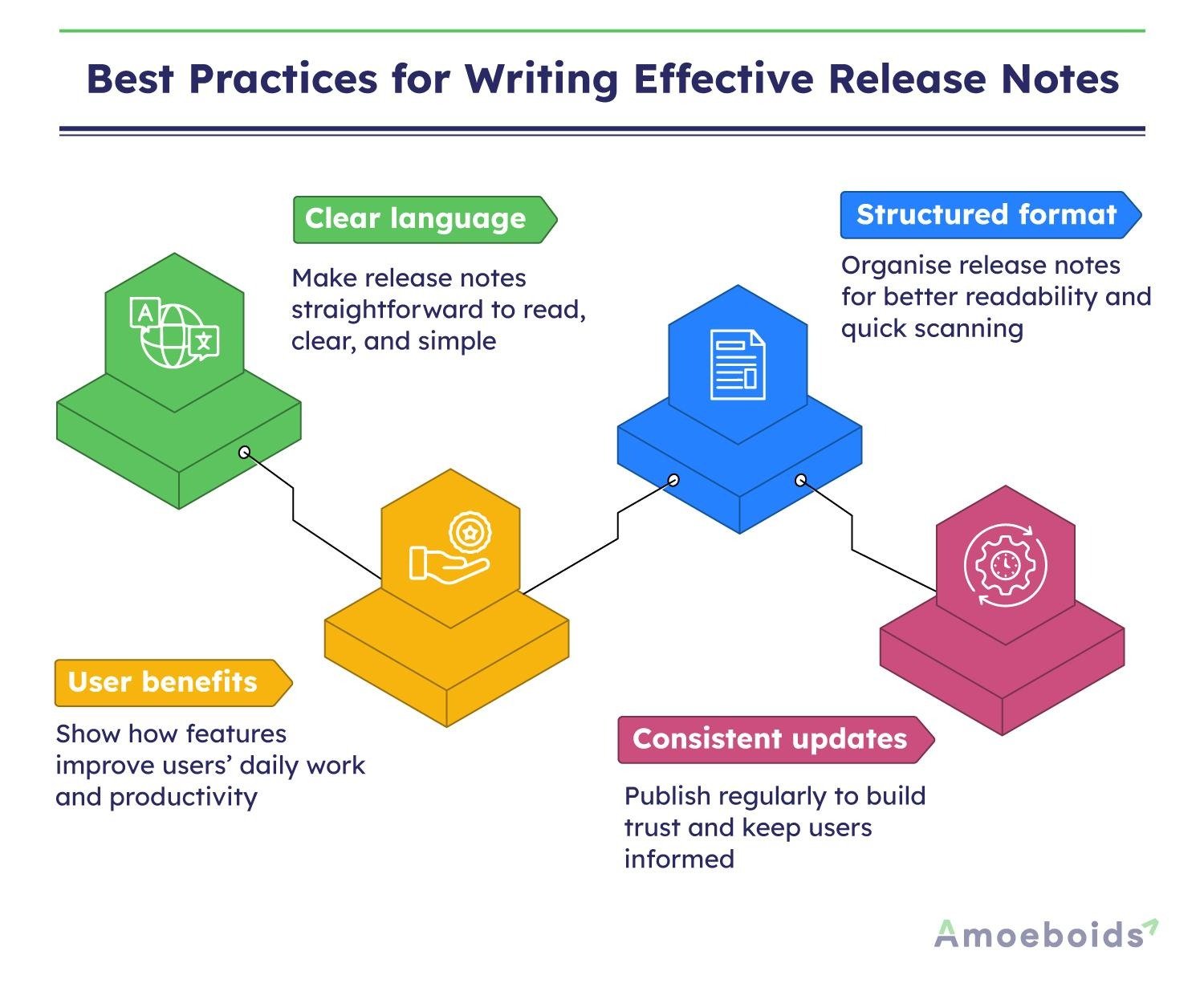
- Clear language: Use simple and clear language when writing release notes. It will ensure that all users comprehend product updates and changes.
- User benefits: Explain how features help people do their jobs every day. They show how useful they are in real life and make release notes clearer, more helpful, and easier to understand.
- Structured format: Organise release notes into categories such as bug fixes, features, and enhancements to improve readability and help users find relevant information quickly.
- Consistent updates: Regularly publish release notes so that users know when to expect revisions. Consistency builds trust, keeps users interested, and shows that the product is always getting better.
Mistakes to Avoid When Writing Release Notes
Even if they are meant to be helpful, poorly written release notes can fail. Here are some common mistakes that people make.
- Overusing technical jargon: Users can get confused by too many technical terms. Make sure the language is simple and straightforward.
- Missing context for updates: Changes that aren’t explained can be confusing for users. Release notes should briefly explain what changed and why it matters, helping users understand the purpose and impact.
- Including too much unnecessary detail: Users become confused when there is too much information. Keep release notes clear, short, and easy to read and understand, and focus on the most important changes.
- Publishing updates irregularly: Irregular release notes reduce trust and interest. A regular schedule keeps users up to date and shows that the product is always getting better.
Conclusion
Release notes may seem like a small part of your product, but they play a big role in shaping how users experience updates.
There’s no single “best” format. When you need to make quick updates, a conversational tone works. When you need to make more complicated changes, structured formats work better.
The key is simple: match your release notes style to your audience and the nature of your update.
Start using these methods right away, and make every update something your users want to check out.