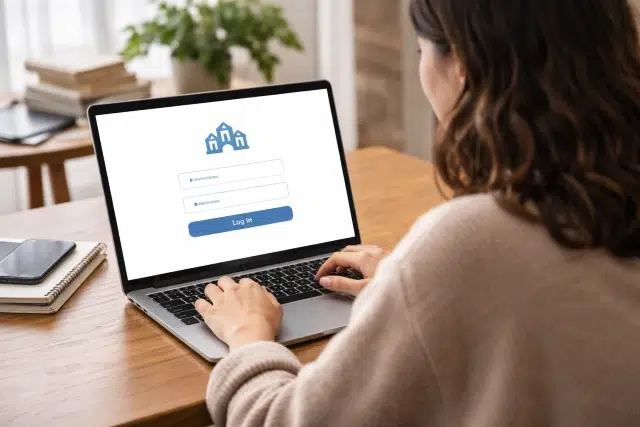
If your school uses Web Untis, chances are you rely on it daily for checking timetables, tracking attendance, messaging teachers, or reviewing class updates. Yet for many students and parents, the first hurdle is simple but frustrating: logging in successfully.
This complete guide walks you through everything you need to know about Web Untis, including the untis web login process, common issues, security tips, and practical solutions. Whether you’re a student rushing to check your next class or a parent reviewing attendance, this article will help you access your school portal smoothly and confidently.
Let’s break it down step by step.
What Is Web Untis and Why Schools Use It
Before diving into login instructions, it helps to understand what this platform actually does.
Web Untis is an online school management portal that allows students, teachers, and parents to manage academic schedules and communication in one place. It connects directly with school timetable systems and provides real time updates.
Many European and international institutions use it as part of their digital education infrastructure. According to UNESCO, digital learning platforms significantly improve communication between schools and families, especially when real time attendance tracking and scheduling are involved.
With schools increasingly adopting cloud based education systems, platforms like this are becoming standard.
Key Features You Can Access After Login
Once Web Units logged in, users typically gain access to:
• Personal timetable
• Class schedule changes
• Teacher messages
• Homework assignments
• Attendance records
• Exam schedules
• School announcements
Parents may also see their child’s performance reports depending on school configuration.
Understanding these features makes the login process feel more purposeful. You’re not just signing in. You’re entering your school’s digital control center.
How to Complete the Web Untis Login Step by Step
Let’s get straight to the process.
Step 1: Visit the Official Portal
Go to your school’s official Web Untis portal. Most schools provide a direct link on their website. You can also access it via the main Untis portal page.
Make sure you are on the correct website to avoid phishing attempts.
Step 2: Select Your School
Before entering credentials, you will usually need to search for and select your school name.
Type your school’s name in the search field and confirm the correct institution.
Step 3: Enter Your Credentials
You will need:
• Username
• Password
• School domain if required
Some schools integrate Single Sign On systems, meaning you might log in through Microsoft or Google accounts.
Step 4: Click Login
After entering details, click the login button. If your credentials are correct, you will be redirected to your dashboard.
That’s it. The untis web login process typically takes less than a minute.
Logging In Through the Web Untis App
Many users prefer mobile access.
The Web Untis app is available on:
• Google Play Store
• Apple App Store
Download the app and follow similar steps:
- Select your school
- Enter your login details
- Confirm access
The app offers push notifications for schedule changes, which can be extremely helpful if classes are rescheduled at the last minute.
According to a 2023 EdTech usage study by Statista, over 70 percent of students prefer accessing school platforms via mobile apps instead of desktop browsers.
Common Login Problems and How to Fix Them
Even reliable systems sometimes create confusion. Here are the most common login issues and practical fixes.
Forgotten Password
Click on the password reset option. Most schools allow recovery via email.
If you do not receive a reset link, contact your school administration.
Incorrect School Selection
Many login failures happen because users select the wrong institution. Double check spelling and location.
Account Locked
After multiple failed attempts, your account may temporarily lock. Wait 15 minutes or contact IT support.
Browser Issues
Clear your browser cache and cookies. Try logging in using a different browser such as Chrome, Firefox, or Edge.
App Sync Problems
If the mobile app is not syncing:
• Log out and log back in
• Update the app
• Reinstall if necessary
Small technical issues often resolve quickly with these steps.
Is Web Untis Safe to Use
Security matters, especially when dealing with student information.
Web Untis operates within secure school networks and follows data protection guidelines such as GDPR in Europe. Schools control access levels, meaning students only see what they are authorized to view.
For additional safety:
• Never share your password
• Log out on shared devices
• Enable secure authentication if available
The importance of secure login systems in digital education has been emphasized by organizations such as the European Union Agency for Cybersecurity.
Real World Example: A Typical Student Experience
Imagine this scenario.
Emma, a high school student, checks her schedule every morning before leaving home. One day, she sees her second period class has been moved to another room. Without checking the portal, she might have shown up late or gone to the wrong location.
Because she logged into Web Untis before school, she avoided confusion.
Parents benefit similarly. A father reviewing attendance notices his child was marked absent. He messages the teacher directly through the system to clarify a medical appointment.
These small interactions make daily school life smoother.
Benefits of Using an Online School Portal
Digital school portals are not just about convenience. They support transparency and efficiency.
Here is a quick comparison:
Feature | Traditional System | Online Portal
Schedule Updates | Notice board | Instant update
Attendance Tracking | Manual records | Real time tracking
Parent Communication | Phone calls | Direct messaging
Homework Sharing | Paper based | Digital access
As education evolves alongside digital transformation, platforms like this align with broader trends in online learning and administrative efficiency.
How Schools Integrate Web Untis Into Daily Operations
Schools typically integrate it with:
• Timetable management software
• Student information systems
• Learning management systems
• Email platforms
This integration ensures accurate data synchronization across departments.
The broader concept of digital scheduling systems is closely related to school timetabling methods, which are discussed in more detail on the topic of school timetables.
By centralizing scheduling and attendance, schools reduce administrative workload and improve accuracy.
Frequently Asked Questions
How do I reset my Web Untis password?
Use the password recovery option on your login page or contact your school administrator.
Can parents have separate accounts?
Yes. Many schools provide dedicated parent access credentials.
Is there a difference between browser and app login?
Functionality is similar, but the app offers faster notifications.
What should I do if the portal is down?
Wait a few minutes and try again. Scheduled maintenance sometimes occurs outside school hours.
Expert Tips for a Smooth Login Experience
After working with multiple school systems, here are practical tips that truly help:
• Bookmark your school’s login page
• Store credentials securely in a password manager
• Check updates daily at a fixed time
• Enable notifications for instant schedule alerts
• Keep your app updated
Small habits prevent unnecessary stress.
The Future of Digital School Access
Education is rapidly embracing digital transformation. According to OECD research, schools that implement integrated digital platforms see measurable improvements in communication efficiency.
Online portals are no longer optional extras. They are becoming central to modern academic management.
Understanding how to properly access your account ensures you are not left behind.
Conclusion
Accessing your school dashboard should not feel complicated. With the right steps, Web Untis becomes a simple and powerful tool that keeps students, parents, and teachers connected.
From checking daily schedules to reviewing attendance and messaging staff, this platform streamlines communication and reduces confusion. Mastering the untis web login process ensures you never miss important updates.
As education continues moving toward digital systems, staying comfortable with platforms like Web Untis is essential. Log in regularly, keep your credentials secure, and make the most of the features available to you.