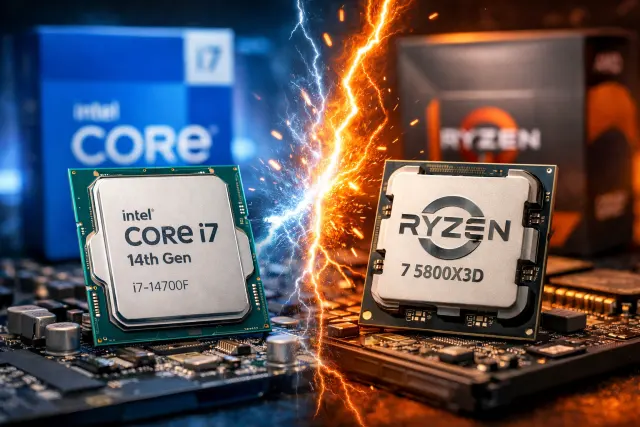
If you’re torn between two popular “no nonsense” CPUs, you’re not alone. The Intel Core I7-14700f Vs Ryzen 7 5800x3d debate keeps popping up because these chips win in different ways. One is a modern, high core-count workhorse designed to chew through heavy multitasking. The other is a legendary gaming specialist, famous for its massive cache and smooth frame pacing.
In this guide, we’ll break down Intel Core I7-14700f Vs Ryzen 7 5800x3d in plain English: specs that actually matter, real-world performance patterns (gaming and productivity), power and cooling realities, platform costs, and what “value” looks like depending on how you use your PC.
You’ll also get practical build advice, quick recommendations by use-case, and answers to the questions people ask most when comparing Intel Core I7-14700f Vs Ryzen 7 5800x3d.
What these CPUs are built to do
Before we dive into numbers, it helps to understand their personalities.
Intel Core i7-14700F in one line
A modern hybrid CPU with lots of cores and threads, designed for strong all-around performance and especially strong multi-threaded workloads, on Intel’s LGA1700 platform. (It has no integrated graphics, so you need a GPU.)
Intel lists the Core i7-14700F as a 20-core part with up to 5.4 GHz turbo and 33 MB cache in its product listings.
Ryzen 7 5800X3D in one line
An AM4 gaming icon: 8 cores, 16 threads, and a huge 3D V-Cache stack that often boosts gaming performance and smoothness, especially in CPU-limited scenarios.
AMD positions the Ryzen 7 5800X3D as a gaming-focused chip powered by 3D V-Cache, claiming an average gaming uplift in its marketing.
So the big theme for Intel Core I7-14700f Vs Ryzen 7 5800x3d is simple:
- Intel usually wins on raw multi-thread muscle and general “do everything” workloads.
- AMD often wins on gaming consistency, especially in games that love cache.
Specs comparison table
Here’s a clean, practical snapshot for Intel Core I7-14700f Vs Ryzen 7 5800x3d.
| Spec | Intel Core i7-14700F | AMD Ryzen 7 5800X3D |
|---|---|---|
| Cores / Threads | 20 / 28 | 8 / 16 |
| Max Boost | Up to 5.4 GHz | Up to 4.5 GHz |
| L3 Cache | 33 MB | 96 MB |
| Socket / Platform | LGA1700 | AM4 |
| Memory Support | DDR4 or DDR5 (platform dependent) | DDR4 |
| PCIe | PCIe 5.0 support on platform | PCIe 4.0 |
| Integrated Graphics | No (F-series) | No |
| Typical Power Class | 65W base, higher in boost workloads | 105W TDP class |
Right away, you can see why Intel Core I7-14700f Vs Ryzen 7 5800x3d is such a fun comparison: Intel brings a lot more cores, while AMD brings a lot more cache.
Intel Core I7-14700f Vs Ryzen 7 5800x3d for gaming
Gaming is where the 5800X3D built its reputation. The extra cache can reduce how often the CPU has to reach out to RAM, which can improve average FPS and, just as importantly, help with frame-time consistency in certain engines.
TechSpot’s original 5800X3D coverage discusses AMD’s ~15% gaming promise and the relationship between cache and gaming performance.
And in a more recent revisit, TechSpot still shows the 5800X3D holding up surprisingly well against newer chips, which is exactly why it keeps showing up in buying discussions years later.
When the Ryzen 7 5800X3D tends to feel better
In many real setups, people don’t just chase peak FPS. They chase “smooth.” The 5800X3D often shines in:
- Competitive titles where your GPU isn’t the limit (1080p high refresh)
- Open-world games with lots of simulation, AI, or asset streaming
- Builds where you want strong gaming without changing your AM4 platform
When the i7-14700F can game extremely well
Don’t underestimate Intel here. In the Intel Core I7-14700f Vs Ryzen 7 5800x3d matchup, the i7-14700F has strong single-thread capability and plenty of CPU headroom. Even if some cache-heavy titles lean toward the X3D chip, the i7-14700F still delivers excellent gaming performance overall, and it can be the more flexible choice if your PC also does “serious work” on the side.
A useful way to think about it:
- If you mostly game and you already have AM4, the 5800X3D can be the “cleanest” upgrade.
- If you’re building new and want one CPU for gaming plus heavy multitasking, the i7-14700F can make more sense.
Real-world gaming scenarios
Here are two realistic examples that show what people actually experience with Intel Core I7-14700f Vs Ryzen 7 5800x3d.
Scenario 1: 1080p esports with a high-end GPU
You’re chasing 240 Hz or 360 Hz in titles like CS2-style esports games. The 5800X3D’s cache advantage can show up here more than you’d expect, especially if your GPU isn’t the bottleneck.
Scenario 2: 1440p or 4K AAA with a strong GPU
At higher resolutions, your GPU often becomes the limit. In that case, the gaming difference between Intel Core I7-14700f Vs Ryzen 7 5800x3d usually shrinks, and the “value” conversation shifts toward platform cost, upgrade path, and what else you do besides gaming.
Intel Core I7-14700f Vs Ryzen 7 5800x3d for productivity and content creation
This is where the tables often turn.
The i7-14700F’s biggest advantage is simple: it has a lot more cores and threads. That helps in workloads like:
- Video rendering and encoding
- 3D rendering
- Compiling code
- Heavy multitasking (streaming, multiple apps, browser tabs everywhere)
Aggregated benchmarks consistently show the i7-14700F leading the 5800X3D in multi-core results (Cinebench, Geekbench multi-core, and similar suites).
If your day includes editing, encoding, virtualization, or you want a CPU that stays fast even when you’re doing five things at once, Intel Core I7-14700f Vs Ryzen 7 5800x3d usually tilts toward Intel for that “work first” priority.
A practical way to decide
Ask yourself one question:
Do you spend more time watching your GPU do the work (gaming), or more time waiting on your CPU to finish a task (rendering, exporting, compiling)?
- If you mostly game, AMD’s 5800X3D remains a monster for its class.
- If you often wait on CPU-heavy workloads, i7-14700F is typically the faster finisher.
Platform costs and upgrade path
This is where price-to-value gets interesting, because the CPU is only one part of what you pay.
AM4 with Ryzen 7 5800X3D: the “save the platform” play
If you already own an AM4 motherboard and DDR4 memory, the 5800X3D can be an upgrade that feels like a whole new PC without rebuilding everything. That’s a big reason the Intel Core I7-14700f Vs Ryzen 7 5800x3d debate still exists.
You keep:
- Your AM4 board
- Your DDR4 kit
- Your Windows install (often with minimal fuss)
You swap the CPU, update BIOS if needed, and you’re off.
LGA1700 with i7-14700F: the “new build flexibility” play
With Intel, you usually decide between DDR4 or DDR5 based on motherboard choice. Official memory support varies by platform and board, but the key advantage is flexibility: you can build a cost-conscious DDR4 setup or go DDR5 for a more modern memory path.
So for Intel Core I7-14700f Vs Ryzen 7 5800x3d value, the i7-14700F often looks best when:
- You’re building new anyway
- You want more CPU performance for mixed workloads
- You want PCIe 5.0 platform capabilities and newer board features
Power draw, cooling, and “hidden costs”
Let’s talk about the part people ignore until their PC sounds like a small vacuum.
Ryzen 7 5800X3D cooling reality
The 5800X3D is a 105W-class CPU.
It is efficient for the gaming performance it delivers, but it still benefits from a solid cooler, especially if your case airflow is average.
i7-14700F cooling reality
The i7-14700F has a lower base power rating, but under boost and heavy loads it can draw much more than the base number suggests.
That means if your main use is sustained multi-core workloads, cooler and motherboard quality matter.
A simple rule:
- If you’re doing long renders, exports, or heavy CPU workloads, plan cooling like you mean it.
- If you’re mostly gaming, both CPUs are manageable with a good midrange air cooler in a well-ventilated case, but the Intel chip can demand more under “all cores active” scenarios.
Benchmarks you can reference (and what they mean)
Benchmarks can be noisy, so the trick is knowing what a score actually predicts for real life.
PassMark: broad performance snapshot
PassMark pulls from large sets of results and provides an easy “big picture” CPU score.
- Intel Core i7-14700F PassMark page (overall + single thread context)
- AMD Ryzen 7 5800X3D PassMark page
This is useful for a general feel of CPU capability, especially when you want a quick comparison for mixed workloads.
Cinebench/Geekbench style results: multi vs single patterns
Aggregators like CPU Monkey summarize common benchmark deltas (single-core and multi-core), which helps illustrate why Intel Core I7-14700f Vs Ryzen 7 5800x3d often becomes “Intel for heavy multi-core, AMD for gaming feel.”
Just remember:
- Single-thread and light-thread results can map to responsiveness.
- Multi-thread results map to heavy exports and CPU-bound production tasks.
Price-to-value: what you’re really paying for
Because pricing changes constantly, it’s smarter to talk value in “buckets” rather than pretending today’s price is the same next week.
The Ryzen 7 5800X3D is great value when
- You already own AM4 and DDR4
- You want the biggest gaming uplift without a full rebuild
- You care about frame-time smoothness and consistent performance in CPU-sensitive games
It’s also a known quantity with tons of community tuning knowledge built up over time.
The i7-14700F is great value when
- You want one system for gaming plus streaming, editing, or heavy multitasking
- You want to build new and choose DDR4 or DDR5 depending on budget
- You want strong multi-core muscle that ages well as apps and workflows scale
If you’re trying to squeeze maximum work output per build, the Intel Core I7-14700f Vs Ryzen 7 5800x3d value discussion frequently lands on Intel for “workstation-like” throughput.
Who should buy what? Simple recommendations by user type
Here’s the cleanest way to decide Intel Core I7-14700f Vs Ryzen 7 5800x3d without overthinking it.
Choose Ryzen 7 5800X3D if you are
- Upgrading an AM4 system
- Mostly gaming (especially high refresh 1080p or CPU-heavy titles)
- Trying to avoid motherboard + RAM replacement
- Focused on smoothness and efficient performance per watt in gaming-focused builds (the X3D design is cache-first by nature)
Choose Intel Core i7-14700F if you are
- Building a new PC from scratch
- Doing gaming plus serious productivity
- Streaming, editing, compiling, or multitasking heavily
- Wanting platform flexibility (DDR4 or DDR5 depending on board)
FAQ: Intel Core I7-14700f Vs Ryzen 7 5800x3d
Is the Ryzen 7 5800X3D still worth it in 2026?
Yes, especially as an AM4 upgrade path and for gaming-focused builds. TechSpot’s revisit shows it remains competitive in modern titles even years after launch.
Does the i7-14700F need a high-end cooler?
If you push sustained multi-core workloads, it can draw much more power than its base rating suggests, so a capable cooler and solid case airflow are important.
Which one is better for streaming while gaming?
In Intel Core I7-14700f Vs Ryzen 7 5800x3d, Intel often has the advantage for streaming while gaming due to the extra cores and threads available for background tasks and encoding workloads.
Which one is better for a budget upgrade?
If you already own AM4, the 5800X3D can be the best bang-for-buck upgrade because you avoid buying a new motherboard and RAM. If you’re building new, the i7-14700F can be better overall value because it balances gaming and productivity strongly and lets you pick DDR4 or DDR5 by motherboard choice.
Conclusion: the real winner depends on your PC’s job
The Intel Core I7-14700f Vs Ryzen 7 5800x3d decision is less about which CPU is “better” and more about what you want your PC to be great at.
If your priority is gaming performance and especially that smooth, cache-assisted feel, the Ryzen 7 5800X3D still earns its reputation. Its massive cache is the whole point, and it continues to age well in modern game testing.
If you want a do-it-all machine that’s happy gaming at night and crushing heavy workloads during the day, the i7-14700F’s core count and multi-thread horsepower are hard to ignore. When productivity and multitasking matter, the i7’s strengths are exactly the strengths you feel every day.
Either way, once you understand the personality behind Intel Core I7-14700f Vs Ryzen 7 5800x3d, the “right” pick gets a lot clearer. Think about your platform costs, how often you do CPU-heavy work, and whether you’re chasing peak FPS or consistent smoothness. Then buy the chip that matches your reality, not somebody else’s benchmark chart.
In the last bit, it’s worth remembering why the 5800X3D became so famous in the first place: CPU cache can make games behave differently than you’d expect from core counts alone.