Fast loading, smooth scrolling and offline access. These are the things people expect from good mobile apps. Progressive web apps, or PWAs, bring the same features to a normal website. You can open it in your browser, and it still loads fast, works offline and gives a smooth experience. Many companies now prefer PWA because they work on any device and require less effort to build as compared to native apps. But for a website to qualify as a PWA, it must follow a clear list of PWA requirements. In this blog, you will learn what a PWA is, what features it must include, its needs and the steps you should follow to make your website meet all PWA requirements. So keep reading till the end.
What Is a PWA?
A PWA or Progressive Web App is a normal website with a few extra features that make it behave more like a mobile app. A PWA still uses regular web tools. Nothing special or complicated. What makes it “progressive” is that it adds features in layers. If a device supports advanced features, the PWA uses them. If not, the PWA still works fine. This is why PWAs run well on almost every device.
Facts about PWAs:
- They run inside the browser but feel like an app.
- They try to open fast and stay light.
- They work even if your internet drops for a moment.
- They avoid showing broken screens on different devices.
Characteristics of a PWA
To be called a PWA, a website must follow a few basic rules.
- It should be easy to use on all screens: The layout needs to fit small phones, tablets, and bigger computers. Buttons should not be tiny. Text should not be squeezed.
- It should run on a secure link: A PWA must be served on HTTPS. This protects user information.
- It should have a simple file called a manifest: This file tells the browser the name of the PWA, the icons it should use, and how the colours look when the user opens it.
- It should have a service worker: A service worker is a small background script. It helps the site open some pages even when the network is slow or gone for a moment.
- It should load fast: Slow websites lose visitors. A PWA must open quickly and stay smooth.
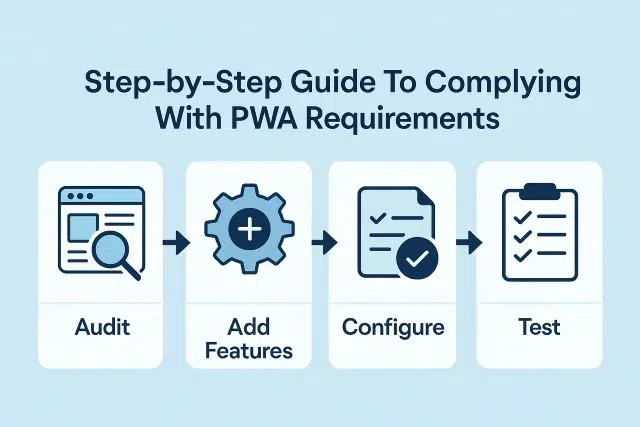
Step-by-Step Guide to Follow PWA Requirements
In order to meet all the PWA requirements one must follow these steps
Step 1: Make Your Site Fit All Screens
Start by checking how your pages look on phones, tablets, and desktops.
Some simple fixes you can do:
- Use flexible layouts that resize by themselves.
- Make images adjust without breaking.
- Keep buttons large enough to tap.
This is the first step to a clean PWA experience.
Step 2: Add HTTPS
A PWA must run under a secure connection. This is easy if you do the following:
- Buy or get a free SSL certificate.
- Set your site to always open the HTTPS version.
- Check that no pages load with mixed content.
Once this is done, the browser trusts your site.
Step 3: Create a Web App Manifest
A manifest is a small text file. It lists the name of your site, the icons, the start URL, and the theme colours.
This helps the browser understand how your PWA should appear once someone adds it to their home screen.
A simple manifest includes:
- Name
- Short name
- Icons
- Start URL
- Display mode
- Theme colour
Without this file, the “Add to Home Screen” option will not appear.
Step 4: Set Up a Service Worker
A service worker runs quietly and handles important tasks. For example, it can save certain files so your site can open even if your connection drops.
A basic service worker usually:
- Caches key files
- Helps with offline access
- Improves loading on return visits
This is one of the core pieces that turns a regular site into a PWA.
Step 5: Improve Speed
A PWA should feel light. One slow page is enough to make a user leave.
You can make your site faster by:
- Compressing images
- Removing heavy scripts you do not need
- Letting long pages load in parts
- Using caching correctly
Small adjustments can make a big change.
Step 6: Test the Site With PWA Checks
There are tools that look at your site and show what is missing. They may point out small gaps like an icon size or a missing field in the manifest.
These tools usually check:
- If the site is secure
- If the service worker is running
- If the manifest is complete
- If the loading speed is good
After you fix the points they show, your site will meet most PWA rules.
Conclusion
We hope now you must have had a clear picture regarding the PWA requirements. A progressive web app is not hard to build once you understand the main pieces. You must focus on speed, security, and a layout that works well on all devices. Then you add the manifest and service worker so that browsers can offer features like offline use. With regular checks, you can see what needs fixing and improve it step by step. This clear path makes progressive web apps a smart choice for many teams today!